WhatsApp-linkgenerator & QR-codes: de complete gids

Probeer Trengo gratis uit

Trengo brengt WhatsApp, e-mail, internet, sociale media en telefoontjes samen in één inbox, waardoor je team uren aan herhalend werk bespaart en ervoor zorgt dat geen enkel gesprek verloren gaat.
Bekijk Trengo in actie
- Uitgebreide integraties
- Eenvoudige configuratie
- Schaalbare prijsstructuur

De complete gids voor het gebruik van een WhatsApp-linkgenerator en QR-codes om je bedrijf te laten groeien
Samenvatting
In deze uitgebreide gids bekijken we hoe je een WhatsApp-linkgenerator met QR-codes kunt inzetten om de drempel voor klanten te verlagen en het genereren van leads te stimuleren. We bespreken hoe je directe wa.me handmatig links toevoegen, de voordelen van geautomatiseerde generators voor vooraf ingevulde berichten, en de cruciale rol van visuele linkvoorbeelden bij het verhogen van de doorklikpercentages. Tot slot bekijken we hoe snelgroeiende bedrijven de daaruit voortvloeiende stroom aan gesprekken beheren met behulp van de gecentraliseerde inbox en automatiseringsfuncties van Trengo.
TL;DR
- Met WhatsApp-links kunnen klanten meteen een chat starten zonder een telefoonnummer op te slaan.
- Je kunt handmatig links aanmaken met behulp van de
https://wa.me/formaat, maar generators zorgen ervoor dat er zo min mogelijk opmaakfouten ontstaan. - QR-codes overbruggen de kloof tussen offline en online, waardoor ze ideaal zijn voor fysiek marketingmateriaal.
- Door een linkvoorbeeldgenerator te gebruiken, zorg je ervoor dat je gedeelde links er professioneel en betrouwbaar uitzien.
- Om grote hoeveelheden WhatsApp-verkeer te verwerken, heb je een schaalbare oplossing nodig, zoals de WhatsApp Business API.
- Trengo brengt WhatsApp-chats samen met andere kanalen voor een efficiënte teamsamenwerking.
Wat is een WhatsApp-link waarmee je direct kunt chatten?
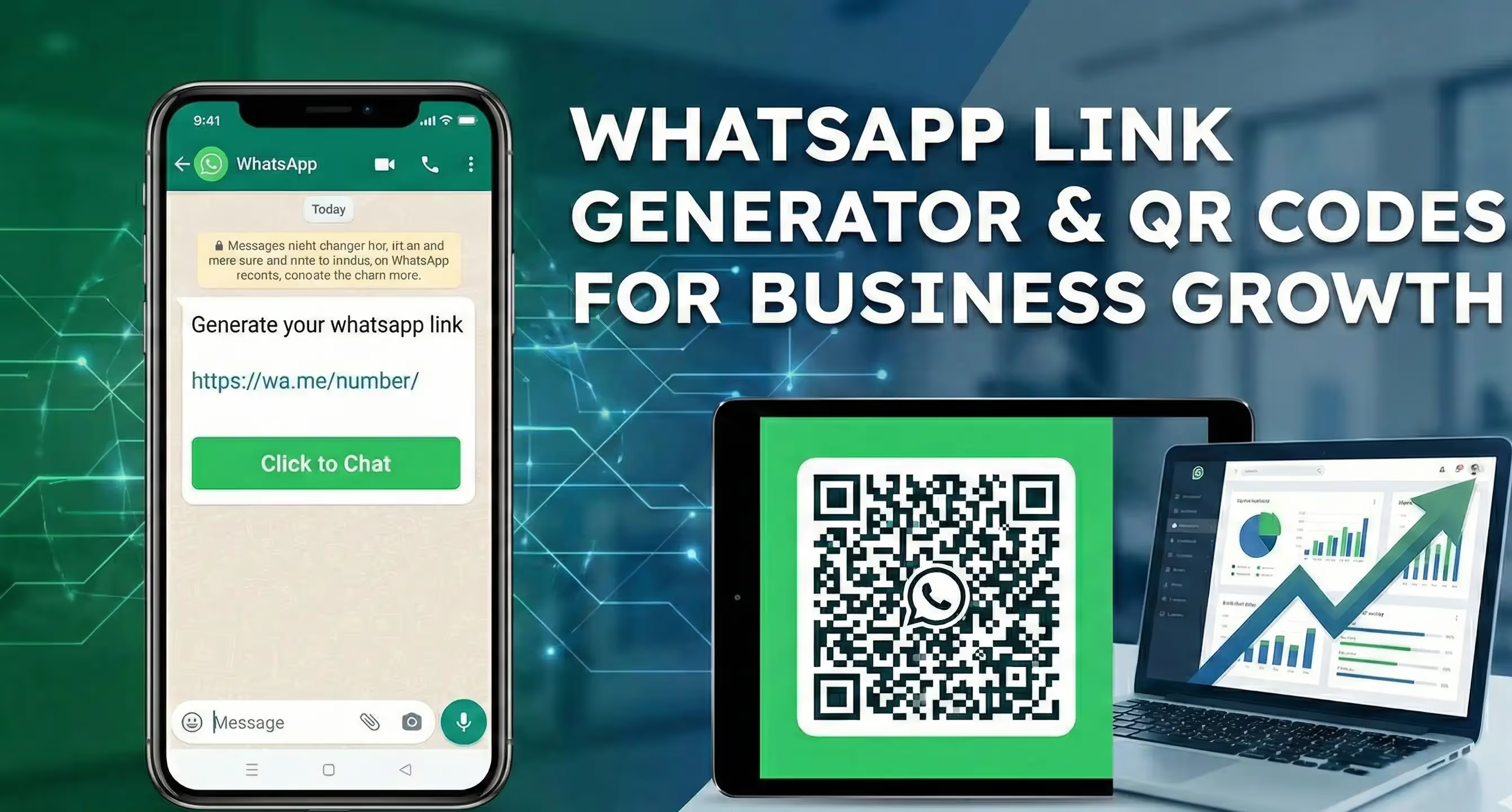
In het moderne digitale landschap is wrijving de vijand van conversie. De consument van vandaag is gewend aan onmiddellijke bevrediging; van hen vragen om handmatig een telefoonnummer in te voeren, het op te slaan in hun adresboek, te wachten tot de app is vernieuwd en dan pas een bericht te sturen, is gewoonweg te veel gevraagd. Een WhatsApp-link neemt al die barrières weg. Een WhatsApp-link, ook wel een 'click-to-chat'-link genoemd, is een directe URL die, wanneer je erop klikt, automatisch de WhatsApp-app op je toestel opent en een chatvenster start met het nummer van jouw bedrijf. Het is de digitale versie van een snelle rijstrook voor communicatie met klanten.
Waarom heb je een WhatsApp-link nodig?
De noodzaak van deze tool komt voort uit een fundamentele verschuiving in het gedrag van consumenten. E-mail zorgt voor afstand, en telefoontjes kunnen opdringerig of onhandig zijn. WhatsApp zit echter precies goed: het is direct, persoonlijk en voelt als een gesprek. Door een strategie met een WhatsApp-linkgenerator en QR-codes te gebruiken, kunnen bedrijven profiteren van het enorme gebruikersbestand van ’s werelds populairste berichtenapp.
Hoe gebruik je een WhatsApp-link: met een generator of handmatig?
Je kunt handmatig een WhatsApp-link maken, maar daarvoor moet je de opmaak precies goed hebben. De standaardopmaak is https://wa.me/number, waarbij het nummer fungeert als een volledig internationaal telefoonnummer. Handmatig invoeren leidt echter vaak tot fouten, zoals het toevoegen van haakjes, streepjes of voorloopnullen, waardoor de link niet meer werkt.
Het gebruik van een tool om WhatsApp-links te genereren is voor bedrijven meestal de beste keuze. Met deze tools kun je je nummer en een vooraf ingevuld bericht invoeren via een gebruiksvriendelijke interface. De generator zorgt voor de URL-codering (waarbij spaties worden omgezet in %20(bijvoorbeeld), zodat de link op alle apparaten perfect werkt. Bovendien bieden generators vaak de mogelijkheid om de link direct te testen, zodat je de gebruikerservaring kunt controleren voordat je de link publiceert.
Een WhatsApp-link gebruiken om een link te genereren: het proces automatiseren
Hoewel handmatig aanmaken prima werkt voor eenvoudige links, vragen geavanceerde marketingcampagnes om meer mogelijkheden. Daarom is het handig om op zoek te gaan naar een tool om WhatsApp-links te genereren. Online generators automatiseren het proces van het maken van URL's, zodat de opmaak altijd perfect is. Maar nog belangrijker: ze maken gebruik van de kracht van het 'vooraf ingevulde bericht'. Een standaardlink opent een leeg chatvenster, waardoor de klant zelf moet bedenken wat hij wil zeggen. Met een generator kun je een specifiek bericht in de link coderen, zodat het tekstveld al is ingevuld wanneer de klant erop klikt.
Een makelaar zou bijvoorbeeld een link kunnen genereren waarin al het volgende is ingevuld: "Hallo, ik ben geïnteresseerd in een bezichtiging van het pand aan Main Street." Dit heeft twee voordelen: het bespaart de klant moeite en het geeft het supportteam meteen context. Zonder deze context kan een simpel "Hallo" leiden tot een heen-en-weer-gesprek om de situatie te verduidelijken, wat tijdverspilling is. Door gebruik te maken van vooraf ingevulde berichten kun je je verkeersbronnen segmenteren.
Een link op een prijspagina kan een verkoopaanvraag genereren, terwijl een link op een helpcentrumpagina een supportticket kan genereren. Voor bedrijven die hun bereik willen vergroten, is het cruciaal om te begrijpen hoe ze deze eerste interacties moeten opzetten. Je kunt inspiratie opdoen in deze kant-en-klare WhatsApp Business-berichtvoorbeelden om boeiende, vooraf ingevulde teksten op te stellen die de betrokkenheid stimuleren.
Een WhatsApp-linkgenerator met QR-codefunctie gebruiken
Digitale links zijn geweldig voor websites en sociale media, maar ze lossen de kloof tussen ‘offline en online’ niet op. Als een gebruiker de code met de camera van zijn smartphone scant, ontcijfert het apparaat de URL en wordt de ‘click-to-chat’-actie meteen geactiveerd. De verbinding tussen fysieke producten en digitale communicatiekanalen is krachtig. Stel je voor dat winkels QR-codes op productverpakkingen of schapkaartjes kunnen plaatsen, zodat klanten direct vragen kunnen stellen over de voorraad.
Houd er bij het ontwerpen van deze codes rekening mee dat het niet per se om standaard zwart-witte vierkantjes hoeft te gaan. Met moderne generators kun je je merkkleuren gebruiken en je logo in het midden van de code plaatsen, wat het vertrouwen en de merkherkenning vergroot. Lees onze 5 tips voor het communiceren van je zakelijke WhatsApp-nummer voor meer strategieën over hoe je je contactgegevens effectief kunt delen.
Visuele aantrekkingskracht: WhatsApp-linkgenerator met afbeelding en voorbeelden
Een veelvoorkomend probleem waar bedrijven mee te maken krijgen bij het delen van onbewerkte wa.me Een van de nadelen van links op platforms als Facebook, LinkedIn of Twitter is dat ze er niet erg aantrekkelijk uitzien. Een kale link geeft vaak een standaardvoorbeeld weer, of erger nog: helemaal geen voorbeeld. Dit kan er onprofessioneel of als spam uitzien, waardoor de klikfrequentie (CTR) flink daalt. Deze uitdaging zorgt voor vraag naar een tool die WhatsApp-deel-links met een afbeelding genereert, of een tool die linkvoorbeelden voor WhatsApp maakt.
Het technische probleem zit hem in het feit dat de wa.me Het domein bevat niet altijd de specifieke Open Graph (OG)-tags die sociale mediaplatforms gebruiken om die uitgebreide kaartvoorbeelden met een titel, beschrijving en afbeelding te genereren. Om dit te omzeilen, gebruiken slimme marketeers specifieke tools of workarounds. Een effectieve strategie is om te linken naar een landingspagina op je eigen website die de WhatsApp-knop bevat, in plaats van rechtstreeks naar WhatsApp te linken. Zo heb je volledige controle over de OG-afbeelding en metadata. Als alternatief zijn er wrapper-services die je WhatsApp-link verpakken in een korte link die is geprogrammeerd om een specifieke "social card" weer te geven. Dit zorgt ervoor dat wanneer je je contactlink deelt, deze verschijnt met een aantrekkelijke afbeelding (zoals je logo of een supportmedewerker) en een duidelijke call-to-action, zoals "Chat met ons supportteam op WhatsApp". Visueel vertrouwen is een belangrijk onderdeel van digitale psychologie; gebruikers klikken veel eerder op een visuele link met je merknaam dan op een cryptische URL.
Klantbetrokkenheid vergroten met de Unified Inbox van Trengo
Meer gesprekken betekenen meer kansen — maar zonder structuur kunnen ze al snel overweldigend worden.
Breng alle gesprekken samen in één dashboard
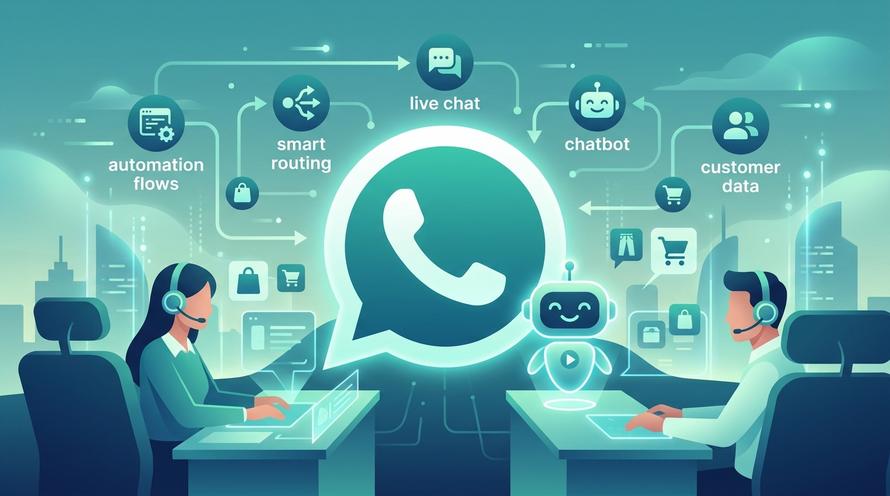
Om het intensieve WhatsApp-verkeer om te zetten in een gestructureerd bedrijfsproces, heb je een oplossing nodig die fungeert als een besturingssysteem voor klantcommunicatie. Trengo biedt een centrale inbox die de WhatsApp Business API integreert, waardoor je hele team gesprekken vanuit één dashboard kan beheren. In tegenstelling tot de losse app kunnen bij Trengo meerdere gebruikers tegelijk inloggen, gesprekken toewijzen aan specifieke afdelingen (zoals Verkoop of Klantenservice) en samenwerken via interne notities direct in de chatthread, zonder dat de klant deze ziet.
Gesprekken automatiseren met Flowbots
Opschalen gaat niet alleen over het inzetten van meer mensen; het draait om slimme automatisering. Met Trengo kun je "Flowbots" inzetten. Wanneer een klant op je gegenereerde link klikt met het vooraf ingevulde bericht "Ik ben geïnteresseerd in prijzen", kan de Flowbot direct reageren, vervolgvragen stellen (bijv. "Hoe groot is je bedrijf?") en de chat op basis van de antwoorden doorsturen naar de juiste medewerker. Zo zorgt je team ervoor dat ze zich kunnen richten op waardevolle interacties in plaats van op repetitieve gegevensinvoer.
Zorg voor een echte omnichannel-ervaring
Om beter te begrijpen hoe automatisering je workflow kan veranderen, kun je eens kijken hoe AI-chatbots de klantenservice stroomlijnen. Bovendien beperkt Trengo zich niet alleen tot WhatsApp; het brengt berichten van e-mail, Instagram en live chat samen, zodat de ervaring altijd consistent is, ongeacht waar de klant het gesprek begint. Je kunt meer lezen over het samenbrengen van deze kanalen in onze handleiding over hoe je WhatsApp en Instagram aan je communicatiestack toevoegt.
Praktijkvoorbeelden van WhatsApp-links en QR-codes
Om het potentieel van deze tools ten volle te kunnen waarderen, gaan we eens kijken hoe verschillende sectoren ze inzetten om groei en efficiëntie te stimuleren.
E-commerce: ondersteuning na aankoop
In de e-commerce is de ervaring na de aankoop cruciaal voor klantenbinding. Merken kunnen een gepersonaliseerde QR-code op de pakbon of op de productverpakking zelf afdrukken met de oproep: "Hulp nodig bij het installeren? Scan om te chatten." Als de klant de code scant, kan het vooraf ingevulde bericht het bestelnummer bevatten als dat dynamisch wordt gegenereerd, of simpelweg zeggen: "Ik heb hulp nodig bij mijn recente bestelling." Dit voorkomt de frustratie van het zoeken naar een support-e-mailadres en 24 uur wachten op een antwoord. Met Trengo kan deze chat naast Shopify-gegevens verschijnen, waardoor de medewerker direct ziet wat de klant heeft gekocht.
Vastgoed: Vragen over woningen
Makelaars zijn bijna altijd aan de telefoon. Door een grote, scanbare QR-code op ‘Te koop’-borden te plaatsen, kunnen voorbijgangers direct informatie opvragen over een woning. De gegenereerde link kan het specifieke adres al in de tekst bevatten: "Ik ben geïnteresseerd in het pand aan Maple Drive 123." In plaats van dat de lead verloren gaat in een voicemailbox, kan een Flowbot direct hun naam en budget vastleggen, zodat de makelaar een warme lead kan opvolgen terwijl ze nog voor het huis staan.
Horeca: Conciërgediensten
Hotels vervangen die logge telefoons op de kamer door WhatsApp-oplossingen. Een QR-code op het nachtkastje leidt naar een digitale conciërge. Gasten kunnen die scannen om schone handdoeken aan te vragen, een spa-afspraak te boeken of roomservice te bestellen. Dit ontlast de receptie en stelt het hotel in staat om verzoeken via één centraal dashboard te beheren, zodat het huishoud- en keukenpersoneel meteen op de hoogte wordt gebracht.
Tips voor het delen van je WhatsApp-links
Het aanmaken van de link is slechts de eerste stap; een strategische plaatsing zorgt pas echt voor meer bezoekers. Op sociale media is het gebruik van "Link in Bio"-tools de norm, maar zorg ervoor dat de WhatsApp-optie goed opvalt. Vermijd op je website om de link in de voettekst te verstoppen. Gebruik in plaats daarvan een zwevende widget die zichtbaar blijft terwijl de gebruiker scrolt. Dit zorgt voor een constante, ongedwongen uitnodiging om te chatten. Als je dit wilt implementeren, bekijk dan onze gids over hoe je effectief een live chat-widget aan je website toevoegt.
Veelgestelde vragen (FAQ)
Kan ik een WhatsApp-link maken voor een algemene groepschat?
Ja, maar het werkt anders dan bij een directe uitnodigingslink. Je moet beheerder van de groep zijn om in de groepsinstellingen een URL voor "Uitnodigen via link" aan te maken. Hiermee kan iedereen met de link lid worden van de groep zonder dat er individuele goedkeuring nodig is.
Kan ik bijhouden hoeveel mensen mijn WhatsApp-QR-code scannen?
Een standaard QR-code is statisch en kan niet worden bijgehouden, maar als je de WhatsApp-link via een URL-verkorter (zoals Bitly) verstuurt of de rapportagefuncties van Trengo gebruikt, kun je de doorklikpercentages en de herkomst van het verkeer bijhouden.
Verlopen WhatsApp-links?
Nee, standaard wa.me Links blijven geldig zolang het telefoonnummer dat aan het account is gekoppeld actief blijft en bij WhatsApp is geregistreerd.
Kan ik een WhatsApp-linkgenerator gebruiken zonder de WhatsApp Business API?
Ja, je kunt de gegenereerde links gebruiken in de gewone WhatsApp-app of de gratis Business-app, maar dan krijg je te maken met beperkingen op het gebied van meerdere gebruikers en automatisering, iets wat de API wel oplost.
Hoe maak ik een link met een eigen tekst?
Je kunt een aangepaste berichtlink maken door het volgende toe te voegen text= gevolgd door je URL-gecodeerde bericht in het standaard linkformaat, bijvoorbeeld: https://wa.me/number?text=Hello%20World.
Werkt de link ook voor internationale nummers?
Ja, maar je moet bij het genereren van de link de landcode vermelden zonder plustekens (+) of voorloopnullen (gebruik bijvoorbeeld 31612345678 in plaats van +31-06-12345678).
Hoe kan ik klikken op mijn WhatsApp-QR-code bijhouden?
Om de prestaties bij te houden, kun je het beste een URL-verkorter (zoals Bitly) gebruiken om je WhatsApp-link te verwerken voordat je deze omzet in een QR-code, of de statistieken van Trengo gebruiken om de bron van inkomende gesprekken bij te houden.
Is er een tool om WhatsApp-deelkoppelingen te maken waarmee je afbeeldingen kunt aanpassen?
Directe `wa.me`-links ondersteunen standaard geen aangepaste afbeeldingen; om een aangepaste afbeelding weer te geven wanneer je de link deelt, moet je de WhatsApp-URL opnemen in een aangepaste landingspagina of website met de juiste metatags.
Meer van dit

Ervaar de impact van Trengo en AI
Een betere, snellere service en meer loyale klanten. Bundel alle klantcontactkanalen op één platform en lever een uitmuntende service met AI.