

Generador gratuito de enlaces de Facebook Messenger: cómo crear enlaces m.me

Prueba Trengo gratis

Trengo reúne WhatsApp, correo electrónico, web, redes sociales y llamadas en una sola bandeja de entrada, lo que ahorra a tu equipo horas de trabajo repetitivo y garantiza que nunca se pierda ninguna conversación.
Vea Trengo en acción
- Amplias integraciones
- Fácil configuración
- Estructura de precios escalable

¿Qué es un enlace de Facebook Messenger (m.me)?
Resumen
Un generador de enlaces para compartir en Facebook Messenger ayuda a las empresas a crear una URL directa en la que se puede hacer clic (conocida como enlace «m.me») que abre al instante una conversación de chat con su página de empresa de Facebook. Esta guía completa explica qué es un enlace «m.me», por qué es fundamental para la interacción con los clientes, y ofrece tres métodos probados para generar el tuyo propio. También abordaremos técnicas avanzadas para realizar un seguimiento del rendimiento de los enlaces y las mejores prácticas para implementarlos con el fin de maximizar el contacto con los clientes e impulsar las conversiones.
TL;DR
- Un enlace de Facebook Messenger (enlace m.me) es una URL acortada que abre directamente una ventana de chat con una empresa.
- El formato estándar es https://m.me/YourPageUsername.
- Estos enlaces reducen las barreras, lo que facilita que los clientes se pongan en contacto contigo, lo que puede aumentar considerablemente las tasas de conversión.
- Puedes generar un enlace manualmente, a través de Meta Business Suite o mediante la aplicación móvil.
- Los enlaces avanzados pueden utilizar los parámetros `?ref=` para rastrear el origen del tráfico de tu chat.
- Para gestionar un gran volumen de conversaciones de Messenger, se necesita una bandeja de entrada unificada como Trengo que permita mantener unos tiempos de respuesta rápidos.
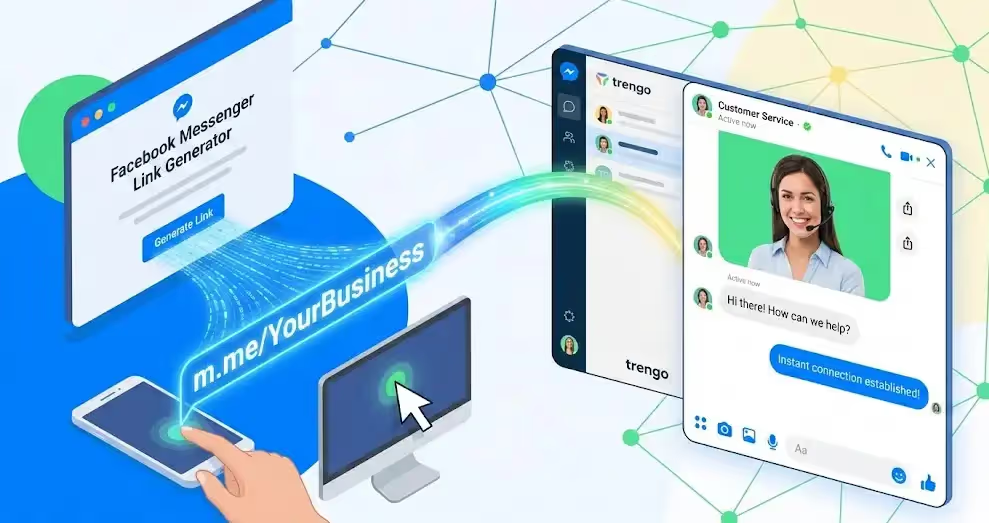
Un enlace de Facebook Messenger, conocido comúnmente como enlace «m.me», es una URL oficial acortada proporcionada por Meta que tiene un objetivo muy útil: abrir una conversación de chat directa con un usuario concreto de Facebook o con una página de empresa. El formato es sencillo y fácil de recordar: `m.me/TuNombreDeUsuario`. Cuando un cliente hace clic en este enlace, se salta la página principal de Facebook y se abre inmediatamente la aplicación de Messenger en su dispositivo móvil o una ventana de chat en su ordenador, ya dirigida a tu empresa. Esto crea una vía de comunicación fluida, eliminando los pasos de buscar, navegar hasta una página y luego encontrar el botón «Enviar mensaje». Para las empresas, un generador de enlaces para compartir en Facebook Messenger es una herramienta esencial para convertir el interés pasivo en participación activa, ya que facilita enormemente a los clientes iniciar una conversación.
Por qué tu empresa necesita un enlace directo a Messenger
En el competitivo panorama digital de 2026, cada clic y cada segundo cuentan. Obligar a un cliente potencial a pasar por múltiples pasos solo para hacer una simple pregunta es una forma segura de perder una venta. Un enlace directo a Messenger es más que una simple comodidad; es un activo estratégico para el crecimiento. Al implementar enlaces m.me, podrás optimizar tus canales de comunicación y observar un impacto tangible en tus resultados financieros.
- Contacto fluido con el cliente: La principal ventaja es la eliminación de barreras. En lugar de que el cliente tenga que buscar tu marca en Facebook, encontrar tu página y luego hacer clic en «Enviar mensaje», puede pasar de un anuncio, un correo electrónico o un sitio web directamente a una conversación con un solo clic. Esta inmediatez es lo que esperan los consumidores actuales.
- Aumento de las tasas de conversión: El chat en vivo ofrece sistemáticamente mejores resultados que los formularios de contacto tradicionales y el correo electrónico. El carácter conversacional de Messenger transmite una mayor sensación de cercanía y permite responder en tiempo real, lo que ayuda a generar confianza y a guiar a los clientes a lo largo del proceso de compra. Incorporar tu enlace m.me en un botón de «Chatea con nosotros» puede traducirse en un aumento significativo de la generación de clientes potenciales y de las ventas.
- El eficaz marketing «Click-to-Chat»: un enlace m.me es una herramienta de marketing muy versátil. Puedes incluirlo en tu biografía de Instagram, integrarlo en las firmas de tus correos electrónicos, añadirlo a tu perfil de Google My Business o incluso convertirlo en un código QR para materiales de marketing impresos, como folletos y tarjetas de visita. Cada ubicación se convierte en un nuevo punto de entrada rastreable a tu embudo de ventas. Este es un componente fundamental de una guía moderna sobre cómo optimizar Instagram para empresas, donde un único enlace en la biografía es un espacio privilegiado.
Cómo crear manualmente un enlace a Facebook Messenger: 3 métodos
Ahora que ya sabes el «por qué», pasemos al «cómo». Generar tu enlace m.me personalizado es muy sencillo, y hay varias formas de hacerlo, dependiendo de tus preferencias y de si utilizas un ordenador o un dispositivo móvil. A continuación te presentamos tres métodos fiables para obtener tu enlace de Facebook Messenger.
Método 1: El generador manual de URL (la forma más rápida)
Esta es la forma más rápida y directa de crear tu enlace si ya conoces el nombre de usuario de tu página de Facebook. Todo el proceso se basa en una fórmula sencilla.
- Identifica el nombre de usuario de tu página: El nombre de usuario de tu página es el identificador único que aparece en la URL de tu página de Facebook (por ejemplo, `facebook.com/TuNombreDeUsuario`). Lo encontrarás en la sección «Acerca de» de tu página o en «Configuración general de la página». No debe contener espacios ni caracteres especiales.
- Para crear la URL: solo tienes que añadir tu nombre de usuario al prefijo «m.me». La fórmula es: «https://m.me/YOUR-PAGE-USERNAME».
- Comprueba el enlace: copia y pega la URL que has creado en tu navegador. Debería redirigirte inmediatamente y abrir una ventana de chat de Messenger con tu página de empresa.
Nota importante: Presta atención a las mayúsculas y asegúrate de utilizar el nombre de usuario correcto, no el nombre de la página. El nombre de la página puede contener espacios (por ejemplo, «Servicio de atención al cliente de Trengo»), pero el nombre de usuario no (por ejemplo, «trengoapp»).
Método 2: Recuperar el enlace a través de Meta Business Suite (versión de escritorio)
Si buscas un método más oficial que te garantice que el enlace es el correcto y te permita acceder a otras herramientas, como los códigos QR, Meta Business Suite es la mejor opción.
- Ve a tu bandeja de entrada: inicia sesión en Meta Business Suite y ve a la sección «Bandeja de entrada» en el menú de la izquierda.
- Busca la configuración de mensajes: en la bandeja de entrada, busca el icono de configuración (una pequeña rueda dentada) o la opción «Complemento de chat». La interfaz cambia con frecuencia, pero el enlace a Messenger suele encontrarse en la pestaña de automatización o de configuración.
- Copia tu enlace de Messenger: Meta mostrará aquí tu enlace completo «m.me». Normalmente hay un botón «Copiar enlace» que te permite copiarlo con un solo clic. En esta sección, Meta suele ofrecer también una versión del enlace en forma de código QR escaneable, ideal para materiales de marketing offline.
Método 3: Obtener el enlace a través de la aplicación móvil de Facebook
Si gestionas tu negocio desde cualquier lugar, puedes encontrar y compartir fácilmente tu enlace de Messenger directamente desde tu dispositivo móvil.
- Abre tu página de Facebook: inicia la aplicación de Facebook y ve a la página de empresa que administras.
- Accede a la vista de administrador: Asegúrate de que estás viendo la página como administrador. Deberías ver las herramientas de gestión en la parte superior.
- Busca y copia el enlace: pulsa el icono «Más» o el menú de tres puntos en la pantalla principal de tu página. Entre las opciones que aparecen, selecciona «Copiar enlace de la página». Aunque esto suele copiar la URL estándar de Facebook, algunas versiones de la aplicación ofrecen una opción directa para «Compartir perfil», que puede incluir el enlace específico de Messenger `m.me`. Para mayor coherencia, los métodos manuales o de Business Suite suelen ser más fiables.
Creación de un generador de enlaces para compartir en Facebook Messenger para mensajes específicos
Una vez que domines la creación de un enlace m.me básico, puedes ir un paso más allá utilizando parámetros «ref». Un parámetro «ref» (referencia) es un fragmento de texto que se añade al final del enlace m.me para rastrear el origen de un clic concreto. Esto resulta muy valioso para los profesionales del marketing que desean medir la eficacia de las diferentes campañas.
El formato es: `https://m.me/YourPageUsername?ref=TRACKING-TAG`
Por ejemplo, podrías usar:
- `https://m.me/trengoapp?ref=newsletter-promo-dec25` para incluir un enlace en tu boletín de Navidad.
- `https://m.me/trengoapp?ref=instagram-story-new-feature` para un enlace en una historia de Instagram.
- `https://m.me/trengoapp?ref=website-contact-button` para el enlace de tu página «Contacto».
Cuando un usuario hace clic en uno de estos enlaces e inicia una conversación, se transmite el parámetro «ref». Estos datos pueden utilizarse para activar respuestas automáticas específicas. Por ejemplo, a un cliente que haga clic en el enlace del boletín informativo se le podría dar la bienvenida con un mensaje automático del tipo: «¡Gracias por tu interés en nuestra promoción navideña! ¿En qué puedo ayudarte hoy?». Este nivel de personalización es una pieza clave de un servicio de atención al cliente eficaz mediante chatbots con IA y puede mejorar considerablemente la experiencia del usuario.
Dónde colocar el enlace de Messenger
Crear el enlace es solo el primer paso. Para aprovechar realmente todo su potencial, debes colocarlo estratégicamente en el lugar donde tus clientes tengan más probabilidades de verlo y utilizarlo.
- Tu sitio web: El lugar más obvio es tu sitio web. Sustituye el formulario tradicional de «Contacto» por un botón de «Chatear en Messenger». Añade un widget de chat fijo que utilice tu enlace m.me para que los clientes puedan ponerse en contacto contigo desde cualquier página.
- Perfiles en redes sociales: Tus biografías en las redes sociales son un espacio muy valioso. Utiliza una herramienta como Linktree para incluir tu enlace de Messenger junto con otros enlaces importantes. También puedes crear publicaciones e historias con una llamada a la acción clara del tipo «Envíanos un mensaje directo para más detalles» y enlazar directamente a tu Messenger. Y ya que estás, plantéate utilizar un generador de enlaces de mensajes directos de Instagram para crear experiencias similares de acceso directo al chat en esa plataforma.
- Firmas de correo electrónico: añade tu enlace m.me a las firmas de correo electrónico de todo tu equipo. Así, cada correo electrónico enviado se convierte en una oportunidad para iniciar una conversación. La frase puede ser tan sencilla como: «¿Tienes alguna pregunta rápida? ¡Chatea con nosotros en Messenger!».
- Marketing offline: Nunca subestimes el poder de los soportes físicos. Genera un código QR que redirija a tu enlace m.me e imprímelo en tarjetas de visita, envases de productos, carteles en la tienda y folletos de eventos. Un cliente puede escanear el código y entablar al instante una conversación con tu equipo de atención al cliente. Esta estrategia es tan eficaz como utilizar herramientas para crear un enlace de WhatsApp para códigos QR.
¿Qué pasa cuando tu enlace se vuelve viral?
¡Enhorabuena! Tus nuevos enlaces m.me están teniendo un gran éxito. Los clientes hacen clic desde tu sitio web, tus firmas de correo electrónico y tus campañas en redes sociales. Pero este éxito plantea un nuevo y importante reto: gestionar el aluvión de mensajes entrantes. Depender de la bandeja de entrada nativa de Meta Business Suite puede convertirse rápidamente en un cuello de botella que ponga en riesgo tus ingresos.
- Caos en la colaboración: la bandeja de entrada nativa no está diseñada para equipos. Resulta difícil asignar conversaciones, dejar notas privadas a los compañeros o saber quién se está ocupando de cada consulta de un cliente. Esto provoca respuestas lentas y una duplicación de esfuerzos.
- El problema del «silo»: tus clientes no solo utilizan Facebook Messenger. Te envían correos electrónicos, mensajes por WhatsApp y utilizan el chat en vivo de tu sitio web. La bandeja de entrada nativa mantiene tus conversaciones de Messenger completamente separadas de estos otros canales, lo que obliga a tu equipo a cambiar constantemente de pestaña y crea una visión fragmentada del recorrido del cliente.
- Clientes potenciales e ingresos perdidos: los tiempos de respuesta lentos son letales para la conversión. Si un cliente tiene que esperar horas para recibir una respuesta porque tu equipo está desbordado o se ha pasado por alto un mensaje, simplemente se irá a la competencia. Cada mensaje sin responder supone ingresos potenciales que se dejan escapar.
Gestiona tus conversaciones de Messenger con la bandeja de entrada unificada de Trengo
Ahí es donde reside la verdadera solución. Para ampliar tu marketing conversacional, necesitas una plataforma capaz de gestionar el volumen y la complejidad que conlleva el éxito. Trengo es una plataforma inteligente de interacción con el cliente que centraliza todos tus canales de comunicación en una única bandeja de entrada potente y colaborativa. Al gestionar tus conversaciones de Messenger con Trengo, superas los retos que plantea la ampliación y conviertes tus canales de mensajería en una máquina generadora de ingresos.
Centralizar la comunicación multicanal
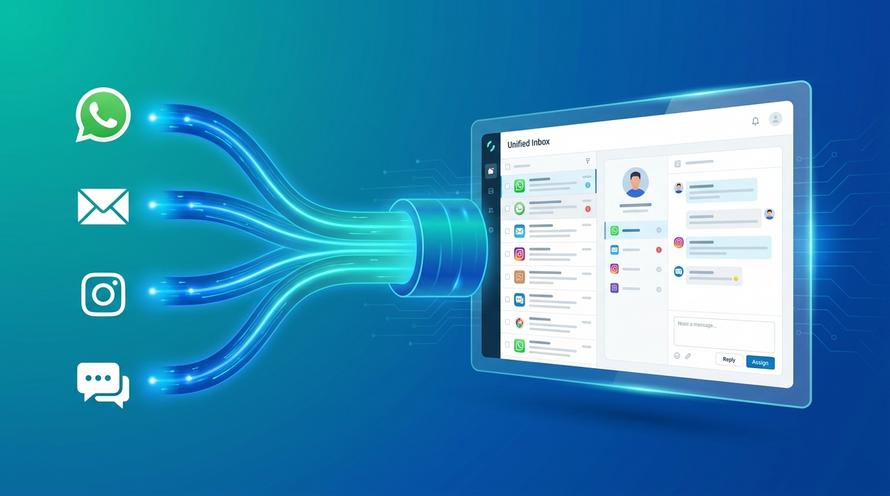
La bandeja de entrada unificada de Trengo reúne Facebook Messenger, el correo electrónico, los mensajes directos de Instagram, WhatsApp y el chat en vivo de la página web en una única vista optimizada. Tu equipo puede gestionar una conversación que comience en Messenger y darle seguimiento por correo electrónico sin salir en ningún momento de la plataforma de Trengo. Esto ofrece una visión completa y de 360 grados de cada interacción con el cliente, independientemente del canal. Para las empresas que dependen en gran medida de WhatsApp, Trengo actúa como una potente solución basada en la API de WhatsApp Business integrada con todos tus demás canales.
Colabora con las tareas en equipo y el etiquetado
Olvídate de la confusión de la bandeja de entrada nativa. Con Trengo, puedes asignar al instante las conversaciones al miembro del equipo o al departamento adecuado. ¿Necesitas ayuda de un especialista? Solo tienes que etiquetar a un compañero con @ en una nota interna directamente dentro del hilo de conversación. El cliente nunca ve estos comentarios internos, lo que permite a tu equipo colaborar a la perfección para resolver los problemas más rápidamente. Esta funcionalidad transforma tu servicio de atención al cliente de un grupo de personas sueltas en un equipo cohesionado y eficiente.
Automatiza las respuestas con agentes de IA y chatbots
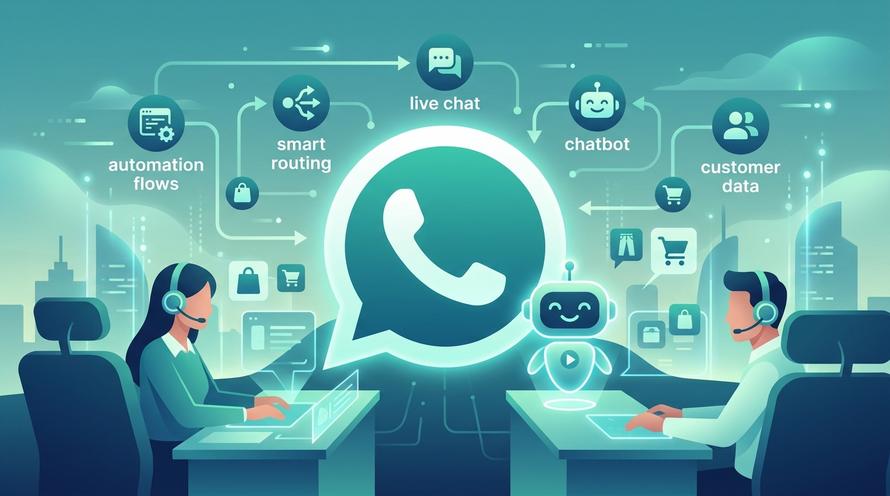
¿Qué ocurre cuando un cliente hace clic en tu enlace m.me a las 2 de la madrugada? Con Trengo, no perderás ese cliente potencial. Puedes implementar potentes herramientas de automatización, como Flowbots y AI Agents, para gestionar las conversaciones las 24 horas del día, los 7 días de la semana. Estos bots pueden responder a las preguntas más frecuentes, evaluar a los clientes potenciales mediante preguntas predefinidas e incluso crear tickets en tu sistema. Esto garantiza que cada cliente reciba una respuesta inmediata, lo que mejora la satisfacción y permite captar clientes potenciales valiosos mientras tu equipo no está conectado.
Preguntas frecuentes (FAQ)
¿Cómo puedo obtener un enlace a Facebook Messenger para un perfil personal?
El proceso es idéntico para un perfil personal. Puedes utilizar el formato `https://m.me/YourPersonalProfileUsername` o usar nuestro generador gratuito de enlaces de Messenger para crear un enlace directo a un chat con tu cuenta personal. Sin embargo, ten en cuenta que tu configuración de privacidad puede influir en quién puede enviarte mensajes a través de este enlace.
¿Cómo puedo saber si un enlace es un enlace de Facebook Messenger?
Puedes identificar un enlace de Facebook Messenger por su dominio. Todos los enlaces oficiales de Messenger comienzan por «m.me/». Si ves este formato, puedes estar seguro de que se trata de un enlace legítimo, propiedad de Meta y gestionado por esta, que abrirá de forma segura una ventana de chat.
¿Cómo se genera un enlace de Facebook para una publicación concreta?
El enlace de una publicación concreta es diferente de un enlace de Messenger. Para obtener el enlace de una publicación, ve a la publicación en Facebook, haz clic en el menú de los tres puntos que aparece junto a ella y selecciona «Copiar enlace». Esta URL dirigirá a los usuarios a ese contenido concreto, no a una conversación de chat con tu página.
Ver más

Reunámonos
Haga crecer su negocio con la fidelización. Reúna todos los contactos con sus clientes en una única plataforma para satisfacerlos en todo momento.


