WhatsApp Business description examples & samples for perfect business profiles


Try Trengo for Free

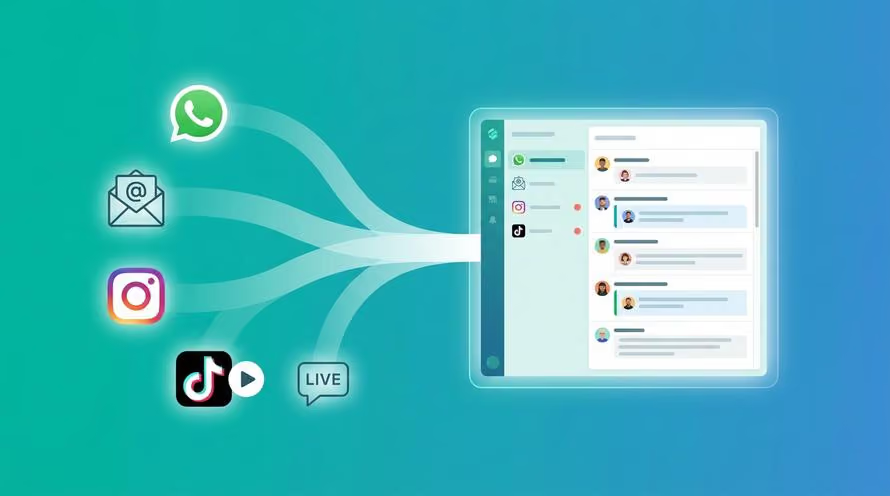
Trengo unites WhatsApp, email, web, social media, and calls in one inbox, saving your team hours of repetitive work and ensures no conversation is ever lost
When a customer adds you on WhatsApp, they should be able to find helpful information right then - right there.
By adding a WhatsApp Business description to your profile, you make sure all information is at their fingertips. And if you do it right, a clear description might even drag the customer over the line to actually get in touch.
In this blog, I'll tell you everything you need to know about a WhatsApp Business description and give you 11 WhatsApp Business description samples to help you on your way.
What is a WhatsApp Business description?
When a customer opens your contact details in WhatsApp, they can see your WhatsApp Business Profile. This Business Profile includes your address, industry, email address, website, and WhatsApp Business description.
Let's focus on that last one. In a WhatsApp Business description, you can describe your business in a few sentences. It's key to use a strong description that covers your brand completely and stimulates the customer to take action.

Why would you use a clear description for WhatsApp Business?
Using a clear business description for WhatsApp can help you achieve the following:
- Add a professional and authentic look
- Give consumers a clear understanding of what you do
- Increase the odds of potential customers reaching out
What does a clear WhatsApp Business description look like?
Even though a WhatsApp Business description totally depends on your brand, a clear description should follow the following best practices:
1. Stick with your core messaging
The primary goal of a WhatsApp Business description is to tell your customers who you are and what to expect from your business. It is important that the description is in line with the core messaging on your website, in your content — actually in all of your communication. After all, you want customers to have the same experience with your brand on WhatsApp as on your website.
2. End with a call to action
After a short introduction, you can invite the customer to reach out to you. The customer already saved your number on WhatsApp. They might need a little push before they actually send you a message. Your WhatsApp Business description (e-commerce) is the perfect spot to drag them over the line.
Top 11 WhatsApp Business description samples
It can be hard to describe your business and stimulate the customer in just a few sentences. That's why I have put together a list of WhatsApp Business description samples for different situations.
Because the first part of the description should be about your brand, the description samples mainly focus on the call to action. Hopefully, it can inspire you.
Let's dive in.
Description samples for general situations
- "We offer must-have clothing for boys and girls. From T-shirts to trousers. Visit our store on weekdays from 8 am-5 pm and find your best fit."
- "We offer the newest wedding dresses according to the latest trends. 👰 Send us a message to make a shopping appointment right away."
- "We deliver your groceries fresh from your favorite locals. Pick your products and choose your delivery day. Contact us, and we'll get back to you within 24 hours."
Description samples for customer service
- "We offer sportswear for all sizes - from tip to toe. Let's get to work. 💪 Reach out for questions on delivery, service, or returns."
- "We offer high-quality shoes for the whole family. Italian leather and custom-made.👞 Please contact us for questions on maintenance."
- "We deliver plants in all sizes and forms to create a cozy home. Green, shiny, and the best quality. Text us to get more information on your new housemate."
Description samples for sales
- "We deliver the best quality fruit and vegetables from trusted local suppliers to your kitchen. Reach out for more information on products and prices."
- "We offer personalized jewelry for women of all ages. From earrings to necklaces and bracelets. 💍 Contact us to discuss the options and to place an order."
- ."We deliver a special breakfast from our kitchen to your front door. You pick, we deliver. Message us for prices and different boxes."
Description samples for special events
- "We deliver gifts all over the world - from flowers to chocolate. 💐 We are extra busy this time of year and will try to reply within 24 hours. Happy Valentinesday!"
- "We offer a wide variety of cosmetic products, including both big brands and small suppliers. Get your gift on time and order today! Delivery time is longer due to Christmas."
Start engaging via WhatsApp Business
It's time to start using WhatsApp Business to its full capacity. With Trengo, our customer service platform, you can provide the best possible customer experience via WhatsApp Business. Trengo allows you to receive your WhatsApp messages together with all your other channels in one inbox, use WhatsApp Business with multiple users, build WhatsApp chatbots, and more.
Ask for a demo and start engaging via WhatsApp Business today.
Read more: All you need to know about the WhatsApp Business API
Frequently Asked Questions (FAQs)
1. What is a good WhatsApp Business description?
A good WhatsApp Business description is concise, clear, and customer-focused. It quickly explains who you are, what you offer, and encourages customers to take action, such as messaging you for more information or to place an order. The best descriptions align with your brand’s tone and highlight your unique selling points, making it easy for customers to understand why they should engage with your business.
2. How do I write a professional WhatsApp Business description?
To write a professional description:
- Stick to your core messaging and keep it consistent with your website and other channels.
- Use simple, jargon-free language.
- Highlight what makes your business unique.
- End with a clear call to action (e.g., “Message us to order!”).
- Keep it within WhatsApp’s character limit (typically 139–256 characters, depending on the platform).
- Optionally, use emojis to add personality, but don’t overdo it.
3. What should I include in my WhatsApp Business profile description?
Include:
- A brief overview of your business and offerings.
- Your unique selling points or what sets you apart.
- A welcoming or friendly tone.
- A call to action (e.g., “Contact us for more details”).
- Any relevant info like business hours, special offers, or your website link if space allows.
4. How do I write a WhatsApp Business description for a new brand?
For a new brand:
- Introduce your business clearly (what you do and for whom).
- Highlight your brand’s mission or value proposition.
- Use language that fits your target audience.
- End with a prompt for engagement, such as “Message us to learn more” or “Chat with us for exclusive offers!”.
5. Can I change my WhatsApp Business description anytime?
Yes, you can update your WhatsApp Business description at any time. Simply go to your WhatsApp Business app or API dashboard, navigate to your profile settings, edit the description field, and save your changes. Regularly updating your description to reflect new offers, seasonal campaigns, or business changes is a best practice.
6. Can I use a PDF in my WhatsApp Business description?
No, you cannot embed a PDF file or an active download link directly in the text of your bio. However, you can direct users to your website or encourage them to message you to receive a PDF brochure via chat.



Let's meet
Grow your business with loyalty. Bring all of your customer contact into one, single platform to unlock delight at every step of the way.