

6 Best AI chatbots for lead generation in 2026 that actually work


Try Trengo for Free

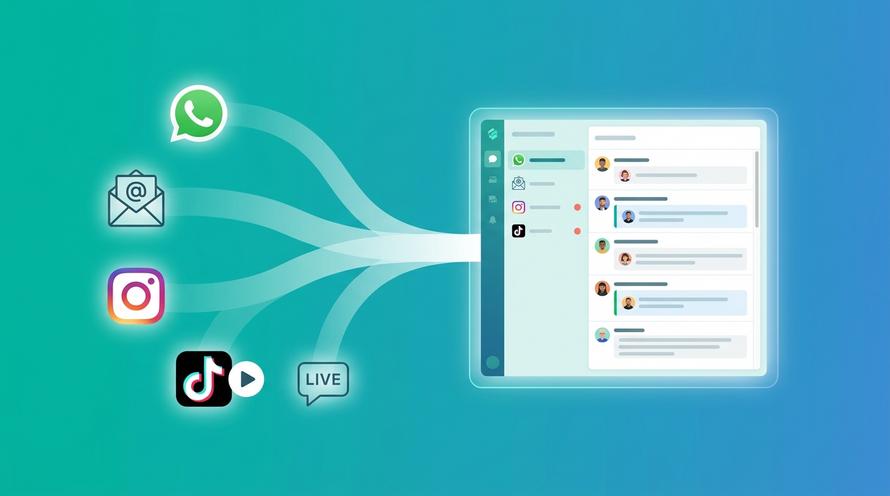
Trengo unites WhatsApp, email, web, social media, and calls in one inbox, saving your team hours of repetitive work and ensures no conversation is ever lost

You’ve put in the hard work to drive traffic to your site. But watching those visitor numbers tick up without seeing a rise in qualified leads? That feels overwhelming. You want to welcome every potential customer, but your team needs to sleep, and manual follow-ups take time you just don’t have.
Enter the AI chatbot.
In 2026, we aren't talking about the robotic, confusing pop-ups of the past. Today’s AI chatbots act like helpful, intelligent team members. They engage visitors the moment they land on your page, answering questions and gathering details so your sales team can step in exactly when it matters.
It’s about working smarter, not harder. Instead of drowning in spreadsheets or missing out on late-night inquiries, these tools ensure every visitor feels seen and heard. This allows your team to focus on closing deals rather than manually qualifying every single chat.
We know finding the right tool can be tricky with so many options out there. To help you cut through the noise, we’ve curated the 6 best AI chatbots for lead generation that actually work.
Here is what you can expect in this guide:
- What is a lead generation chatbot?
- Why you should care: The benefits of using lead generation chatbots
- Clear advice on which bot fits your specific business needs.
Let’s get your leads flowing.
What is a lead generation chatbot?
Think of a lead generation chatbot as your most reliable, always-on sales development representative. Unlike the static forms of the past that passively waited for visitors to type in their details, these AI-driven assistants proactively start conversations.
They don’t just say "hello." They use intelligent cues like which page a visitor is reading or how long they’ve been scrolling to ask the right question at the right moment. For example, if a visitor is lingering on your pricing page, the chatbot might ask, "Do you have questions about which plan fits your team best?" rather than a generic "How can I help?"
Once the conversation starts, the AI qualifies the lead by asking friendly, relevant questions about their needs, budget, and timeline. It then captures this data and either schedules a meeting directly or seamlessly hands the conversation over to a human colleague when the time is right.
It’s not about replacing your team; it’s about freeing them up to focus on closing deals rather than chasing cold inquiries.
Why you should care: The benefits of using lead generation chatbots
Integrating an AI chatbot into your lead generation strategy isn't just a tech upgrade; it's a productivity multiplier. Here is how it empowers your business:
- Capture leads while you sleep
Your customers don't always shop during office hours. An AI chatbot engages night owls and international visitors instantly, ensuring you never miss an opportunity just because your office is closed. - Stop the "busy work" of qualification
Your sales team shouldn't spend hours filtering through unqualified contacts. The chatbot handles the initial vetting, ensuring that only high-intent leads, people genuinely ready to buy, make it to your team's calendar. - Speed is the new currency
Modern buyers expect instant answers. By providing immediate responses to common questions, you reduce drop-off rates and keep potential customers engaged when their interest is highest. - A personal touch at scale
A human can’t remember every returning visitor, but it’s easy for AI. These bots recall past interactions, allowing them to greet return visitors by name or reference previous chats, making every lead feel personally valued.
How AI chatbots build your pipeline, step-by-step
Understanding how a lead generation chatbot works is key to maximising its value. It’s not a static form; it’s a dynamic workflow that turns a casual visitor into a qualified prospect through three essential, automated stages.
1. The intelligent conversation starter
A modern lead generation chatbot doesn't wait for a visitor to click a tiny button. It uses context to engage proactively, making the interaction feel personalised from the start.
Instead of a generic greeting, the AI uses natural language understanding (NLU) to grasp what the visitor is looking for, even if they phrase their question casually. The bot then initiates a relevant conversation based on:
- Behaviour: Did the visitor spend five minutes on the pricing page? The bot prompts them with a question about comparing plans.
- Source: Did they arrive from a specific ad campaign? The bot greets them with a tailored message referencing that campaign’s offer.
This personalised approach ensures that the conversation starts exactly when the visitor's interest is highest.
2. Real-time qualification and scoring
Once the dialogue begins, the chatbot’s primary job is to qualify the lead. It acts as a polite interviewer, asking strategic questions about budget, timeline, and specific needs.
This process is vital because it instantly filters out non-relevant inquiries. The AI automatically assigns a lead score based on the responses. For example, a visitor who states they need a solution next month scores higher than someone who is just researching.
The benefit here is immediate: your sales team avoids chasing cold leads. The bot gathers the necessary contact information e.g., email, name, company size, as a natural part of the discussion, making the process feel less intrusive than filling out a long form.
3. The automated handoff to your team
This is where organisation meets opportunity. After the chatbot qualifies and scores a lead, the data doesn't sit isolated in a chat transcript.
The best AI chatbots integrate seamlessly with your Customer Relationship Management (CRM) and marketing automation systems (like HubSpot or Salesforce). This ensures a perfect handoff:
- Instant Sync: The bot automatically creates a new contact record, updates the lead score, and logs the full chat transcript, no manual data entry required.
- Triggered Action: For high-scoring leads, the system can automatically assign them to the right sales representative or trigger an immediate calendar invitation for a demo.
- Nurturing: For "warm" leads, the system can automatically place them into a personalised email drip campaign based on the interests the chatbot uncovered.
This unified approach guarantees that your team receives only highly qualified leads, complete with all the necessary context to start the conversation on the right foot.
6 Best AI chatbots for lead generation in 2026 tried and tested
Let’s have a look at the best AI chatbot platforms that actively drive lead generation. We will explore their core features, what we liked, what we disliked, and their pricing, helping you choose the optimal solution for your business.
1. Trengo
Best for: Businesses that want a unified, multi-channel inbox where lead generation and customer support happen in one place.
Trengo isn't just a standalone chatbot builder; it is a comprehensive engagement platform that connects your AI chatbot to all your communication channels e.g., WhatsApp, Instagram, email, and website chat. The magic here is the balance between automation and human connection. You can build a chatbot to qualify leads, ask discovery questions, and even book meetings automatically.
But unlike other tools that leave leads stuck in a loop, Trengo excels at the "handoff." When a lead signals high intent (like asking for a bespoke quote), the bot instantly routes the conversation to the right human agent's inbox, complete with the full context of the chat. This means your sales team steps in exactly when they are needed, without missing a beat.
Standout Features
- Omnichannel automation: Build one chatbot experience and deploy it across WhatsApp, Instagram, your website, and other channels, all from a single workflow.
- Smart routing rules: Automatically assign qualified leads to specific sales reps based on language, region, or product interest.
- No-code builder: A drag-and-drop interface that makes setting up complex conversational flows simple for non-technical teams.
- WhatsApp integration: As a Meta Business Partner, Trengo offers native WhatsApp Business capabilities, allowing you to send proactive template messages to nurture leads.
What we liked
- The unified experience: We love that you don't need separate tools for different channels. Whether a lead replies to an Instagram story or chats on your site, it all lands in one view.
- Human handover: The transition from bot to human is flawless. Agents can see exactly what the bot asked before they took over, which prevents customers from having to repeat themselves.
- Ease of use: You can get a working lead-gen bot up and running in an afternoon without needing a developer.
What we disliked
- Pricing clarity: Trengo’s pricing is straightforward, but costs may vary when businesses add extra channels or advanced automation features. For teams scaling quickly, it’s helpful to review which add-ons are essential to avoid unexpected increases.
- Analytics depth: Trengo’s dashboard gives a clear overview of conversation volume, response times, and channel performance. However, businesses looking for very granular behavioural insights such as detailed drop-off points within complex automated journeys, may still need additional specialised analytics tools.
Pricing: Starts at €99/month for 5 users (Growth plan).
2. Tidio
Best for: Small to medium-sized businesses (SMBs) looking for a quick-to-launch solution that combines basic automation with live chat.
Tidio is often the first stop for businesses dipping their toes into automation, and for good reason. It strips away the intimidation factor of AI. Its "Lyro" AI agent is designed to be plug-and-play: you simply feed it your URL or FAQ page, and it starts answering customer questions based on that data immediately.
For lead generation, Tidio shines by keeping things visual. Its drag-and-drop builder allows you to create simple but effective "flows" that trigger when a visitor lands on your site. For example, if someone visits your "Services" page twice, Tidio can pop up with a discount code or a question to capture their email before they leave. It’s less about complex enterprise workflows and more about capturing the low-hanging fruit quickly.
Standout Features
- Lyro AI: A conversational AI add-on that learns your support content in minutes to answer common pre-sales questions without human help.
- Visual flow builder: An intuitive, drag-and-drop editor that lets you map out simple "if this, then that" scenarios for qualifying leads.
- Live typing preview: See what your visitors are typing before they hit send, giving your sales agents a head start on preparing the perfect pitch.
- Shopify integration: Deeply integrated with Shopify to see what is in a visitor's cart, allowing the bot to send targeted messages to save abandoned sales.
What we liked
- Speed to value: You can genuinely get a working chatbot live on your site in under 15 minutes. The setup wizard is excellent for beginners.
- Visitor list: We love the "live view" feature that lets you see exactly who is browsing your website in real-time and where they are from, allowing you to manually start a chat if you spot a high-value prospect.
- Free-forever option: Tidio offers a decent free plan that includes basic chatbots, which is perfect for startups testing the waters.
What we disliked
- Confusing pricing: While the base price looks low, the costs can become unpredictable. The "Lyro" AI conversations and "Flows" are often billed as separate add-ons, meaning your bill can jump significantly if you have a busy month.
- Limited customisation: If you need complex routing rules (like "send enterprise leads to John and SMB leads to Sarah"), Tidio’s backend can feel a bit too simplistic compared to more robust platforms.
Pricing: Starts at $29/month (Starter plan). Lyro AI is often an additional cost depending on usage.
3. Intercom
Best for: SaaS companies and larger teams who want a premium, "all-in-one" customer engagement platform that blends support and sales.
Intercom is a heavyweight in the world of customer messaging. While it started as a support tool, its lead generation capabilities are robust. Its "Fin" AI agent is another star here, a sophisticated AI that doesn't just answer questions but can handle complex back-and-forth conversations to qualify leads before they ever reach a human.
What makes Intercom different is how it treats every visitor as a VIP. Its "Messenger" is highly customisable, allowing you to create "Series", automated sequences of messages that nurture a lead based on their behaviour. For example, if a high-value prospect visits your pricing page three times, Intercom can trigger a specific workflow that alerts your sales director on Slack while simultaneously offering the visitor a priority demo booking.
Standout Features
- Fin AI Agent: An advanced AI that resolves complex queries instantly using your existing help centre content and can distinguish between a support ticket and a sales opportunity.
- Series: Visual, cross-channel campaigns that nurture leads through email, chat, and in-app messages based on their actions (or inaction).
- Account-Based Marketing (ABM): It automatically identifies VIP visitors from target companies (via Clearbit integration) and routes them to their dedicated account manager.
- Product Tours: Interactive, on-screen guides that can onboard new trial users automatically, increasing the likelihood they convert to paid customers.
What we liked
- The "Messenger" interface: It is arguably the best-looking and most user-friendly chat widget on the market. It feels modern and engaging for visitors.
- Unified customer view: You get a complete history of every touchpoint a customer has had with you, marketing emails, support chats, and product usage, all in one timeline.
- Deep integrations: It plays perfectly with tools like Salesforce and HubSpot, syncing data in real-time so your sales team always has the full picture.
What we disliked
- Unpredictable pricing: This is the big one. You pay per seat, but the AI "Fin" charges per resolution ($0.99 per resolution). If your traffic spikes or you get a lot of simple questions, your bill can skyrocket unexpectedly.
- Complexity: Because it does so much (support, marketing, engagement), the backend can feel overwhelming. Setting up a simple lead-gen bot might require navigating through several different menus and settings.
Pricing: Starts at $39/seat/mo (Essential plan). Note that AI features ("Fin") and advanced marketing workflows often incur additional costs.
4. Drift
Best for: B2B sales teams who want to accelerate revenue and completely replace static lead forms with real-time conversations.
Drift calls itself a "Revenue Acceleration Platform," and for good reason. It doesn't just wait for visitors to ask a question; it actively hunts for buyers. While other bots prioritise resolving support tickets, Drift prioritises getting a qualified lead onto a sales rep's calendar.
Its philosophy is simple: forms are friction. Instead of forcing high-intent buyers to fill out a 10-field form and wait 24 hours for an email, Drift engages them instantly. It uses "Playbooks" to qualify visitors in real-time and routes the best leads directly to a human agent’s Zoom link. If you are doing Account-Based Marketing (ABM), Drift is essential, it recognises your VIP target accounts the moment they land on your site and rolls out the red carpet.
Standout Features
- Drift Fastlane: The ultimate lead-gen feature. It turns your static forms into a conversation. When a lead submits a form, Fastlane checks if they are qualified and instantly prompts them to book a meeting, skipping the "we'll get back to you" email.
- Deanonymisation (Intel): It identifies which company is visiting your website (even if they don't chat) and alerts the sales rep who owns that account so they can reach out proactively.
- Meeting Scheduler: The bot has direct access to your sales team's calendars. Once a lead is qualified, the bot books the demo right there in the chat window.
- ABM Routing: If a VIP prospect lands on your homepage, Drift bypasses the bot entirely and pings the dedicated account owner to jump into a live chat immediately.
What we liked
- Speed to lead: The ability to go from "visitor" to "booked demo" in under 60 seconds is unmatched. It captures buyers at the exact moment of highest intent.
- Sales focus: The reporting isn't about "ticket resolution time"; it’s about "pipeline generated" and "revenue influenced." It speaks the language of your VP of Sales.
- Context for reps: When a human takes over, they don't just see the chat; they see the visitor's company, firmographics, and exactly which pages they looked at before chatting.
What we disliked
- High barrier to entry: Drift is expensive. It is built for enterprise teams with the budget to support it. If you are a small startup, the cost might outweigh the returns.
- Complexity: Because it is so powerful, setting up the "Playbooks" and routing rules requires a dedicated marketing ops person. It’s not a "set it and forget it" tool.
Pricing: Premium plans start around $2,500/month (billed annually), with custom pricing for Enterprise features.
5. Sendbird
Best for: Product teams and developers who want to build a fully custom, in-app lead generation experience that feels native to their brand.
Sendbird is a bit different from the other tools on this list. While it offers a no-code dashboard, its real power lies in its flexibility for mobile apps and custom web platforms. If you have a SaaS product or a mobile app and want a chatbot that doesn't look like a generic third-party widget, Sendbird is your answer.
For lead generation, Sendbird recently introduced "AI Chatbot Forms." This feature is a game-changer because it blends natural conversation with structured data collection. Instead of a stiff form, the AI engages the visitor in a chat, and as the visitor answers questions, the bot automatically fills out the form fields in the background. It feels less like an interrogation and more like a helpful consultation, which significantly boosts completion rates.
Standout Features
- AI Chatbot Forms: The bot intelligently extracts lead details (name, email, company size) from a natural conversation and populates your CRM fields automatically.
- Knowledge Base Integration: You can feed the AI your PDFs, Notion docs, and website URLs so it can answer technical pre-sales questions accurately without human input.
- In-App Native Feel: Because it provides robust SDKs (Software Development Kits), you can design the chat interface to match your app’s UI perfectly, same fonts, same colours, same vibe.
- Smart Handoffs: It detects when a high-value lead is frustrated or asking complex pricing questions and routes them to a human agent with the full conversation history.
What we liked
- The "Invisible" Form: We love how it disguises lead capture as a friendly chat. Visitors don't feel like they are filling out a form, yet you still get the structured data you need.
- Customisation: You aren't stuck with a standard "blue bubble" in the corner. You can make the chat experience look exactly how you want it.
- Global Reach: It has excellent built-in translation features, allowing you to capture leads from different countries in their native language automatically.
What we disliked
- Developer Heavy: While they have a no-code dashboard, getting the most value out of Sendbird (especially for mobile apps) really requires a developer to implement it properly. It’s not as "plug-and-play" as Tidio or Trengo.
- Pricing Model: They charge based on "Monthly Active Users" (MAU). This can be tricky for lead generation because if a marketing campaign goes viral and brings 50,000 visitors to your site, your bill could jump significantly, even if those visitors don't buy anything.
Pricing: Starts at $399/month (Starter plan), with costs scaling based on the number of active users.
6. eesel AI
Best for: Businesses that want a "knowledge-first" chatbot that generates leads by answering complex product questions accurately, without needing manual scripts.
eesel AI takes a refreshingly different approach to lead generation. While other tools rely on pre-written "decision trees" (e.g., Press 1 for Sales), eesel AI focuses on removing the friction of uncertainty. It connects directly to your company's internal knowledge, your Notion pages, Confluence docs, Google Drive, and even Slack history to become an instant expert on your product.
For lead generation, this is powerful because modern buyers often have specific, technical questions before they are ready to book a demo. Instead of giving them a generic "Our sales team will get back to you," eesel AI answers questions like "Does your API support GraphQL?" or "Is this GDPR compliant?" instantly and accurately. By resolving these doubts in real-time, it unblocks the path to purchase and captures high-intent leads who are genuinely ready to buy.
Standout Features
- Instant Knowledge Sync: It indexes your existing documentation (Notion, Google Docs, Help Centre) in minutes, so you don't have to write manual answers or scripts.
- Simulation Mode: Before you let the bot talk to real humans, you can test it against your past customer email/chat history. It shows you exactly how it would have answered, allowing you to launch with total confidence.
- Oracle: A feature that allows the bot to browse your website or specific links in real-time to answer questions based on the most up-to-date content you have published.
- Escalation Rules: You can set strict rules, such as "If a user asks about Enterprise Pricing, do not answer immediately tag the Sales Director."
What we liked
- Accuracy: Because it cites its sources (e.g., "I found this in the API Documentation"), it builds immense trust with technical buyers. It doesn't "hallucinate" answers as often as generic AI models.
- Low Maintenance: You don't need to constantly update the bot. If you update your pricing PDF or a Notion doc, the bot automatically learns the new information.
- Transparency: We love the "Simulation" feature. Seeing exactly how the bot performs before it goes live removes the fear of AI saying something wrong to a VIP lead.
What we disliked
- Visual Limits: It lacks the flashy, visual "drag-and-drop" campaign builders that tools like Intercom or Drift have. It is text-forward and functional, not cinematic.
- Pricing Barrier: The starting price is higher than entry-level tools like Tidio, which might price out very small startups or solopreneurs who just want a basic lead capture form.
Pricing: Starts at $299/month (Team plan).
How did we choose the best chatbots for lead generation?
To find the tools that are actually worth your budget, I didn’t just browse their feature pages. I signed up, built test flows, and evaluated them against the real-world friction points that marketing and sales teams face every day.
We weren't looking for the tool with the most buttons; we were looking for the ones that actually fill a pipeline. Here is the criteria used to cut:
1. The "Can I use this?" test
Ease of setup is non-negotiable.
In 2026, you shouldn't need a computer science degree to launch a lead-gen bot. I prioritised truly no-code platforms. If I had to email a developer to change a welcome message or update a pricing tier in the chat flow, it didn't make the list. The best tools let your marketing team iterate on messaging in minutes, not days.
2. Context over scripts
Does it actually "know" your business?
Old-school chatbots relied on rigid decision trees (if X, say Y). That doesn't work for modern buyers. I looked for tools that use Knowledge Base ingestion—meaning they can read your support docs, website, and PDFs to answer specific questions accurately. If a lead asks, "Do you integrate with Salesforce?" the bot should answer "Yes" immediately, not present a menu of 5 unrelated options.
3. The "Dead-End" prevention
How smooth is the human handoff?
Nothing kills a sale faster than a bot that loops endlessly. The most critical feature I tested was the escalation path. Does the bot know when it's out of its depth? Can it transfer the chat and the full transcript to a human sales rep instantly? We only chose tools that treat the chatbot as a teammate, not a replacement for your sales force.
4. Integration depth
Does it sync data, or just dump it?
A chatbot that captures emails but leaves them in a separate dashboard is useless. I evaluated how well these tools play with the "Big 3" of your stack: CRM, Calendar, and Email. The winning tools didn't just push contact info; they updated lead scores, triggered workflows, and booked meetings directly on sales calendars without manual data entry.
5. Honest pricing
No "success taxes."
Some platforms punish you for growth by charging extra fees per "resolution" or conversation. I favoured tools with transparent, predictable pricing models. You should be able to forecast your monthly bill, even if your marketing campaign goes viral and brings in double the traffic.
When to use chatbots for lead generation?
Knowing which tool to use is half the battle; knowing when to deploy it is the other half. You don't need a chatbot for every single interaction, but there are specific moments in the customer journey where a human is too slow and a static form is too boring.
Here are the four critical scenarios where an AI chatbot creates the biggest impact on your pipeline.
1. When your leads are "Ghosting" you after hours
We’ve all seen it: traffic spikes at 8:00 PM, but your sales team clocked out at 5:00 PM. By the time they follow up the next morning, that potential customer has already moved on to a competitor who answered instantly.
- The Fix: Deploy a chatbot to act as your "Night Shift" SDR.
- Real-world example: Imagine a SaaS buyer in London browsing a New York-based tech site. Instead of seeing a "We are closed" banner, they are greeted by a bot that says, "I see you're looking at our Enterprise plan. Do you have questions about API limits?" The bot answers their technical questions instantly and books a demo for the New York team’s morning slot. You wake up to a booked meeting, not a cold lead.
2. When your sales team is drowning in unqualified chats
If your top account executives are spending hours answering "How do I reset my password?" or "Do you have a free plan?", you have a resource allocation problem.
- The Fix: Use a chatbot as a friendly gatekeeper.
- Real-world example: A digital agency receives 50 inquiries a day. 40 of them are small businesses with zero budget, and 10 are high-value corporate clients. A lead gen chatbot asks a simple qualifying question upfront: "What is your estimated monthly budget?"
- Low budget: The bot automatically shares a link to a "Self-Service Course."
- High budget: The bot says, "Great, I'd love to connect you with our Senior Strategist. Here is her calendar."
Your team stops chasing bad leads and starts closing good ones.
3. When you are running a webinar or event
Registration forms are friction. Every extra field (Name, Company, Job Title, Email) drops your conversion rate by significant margins.
- The Fix: "Conversational Registration."
- Real-world example: You are hosting a webinar on "2026 Marketing Trends." Instead of sending traffic to a landing page with a boring form, you send them to a chatbot flow. The bot says, "Hi! Want to save a seat for the webinar next Tuesday?" The user clicks "Yes," and because the bot already knows their email from a previous visit (or asks for it simply), the registration is done in one click. It feels like a chat, not an administrative task.
4. When your "Contact Us" form has a high bounce rate
If you have a complex product (like mortgages, insurance, or custom software), a blank "Message" box on a contact form can feel intimidating to a visitor. They don't know what to ask, so they leave.
- The Fix: Proactive guidance.
- Real-world example: A visitor lands on a home renovation website. A static form waits passively at the bottom. A chatbot, however, pops up after 10 seconds of scrolling: "Are you planning a kitchen remodel or a bathroom update?"
This simple prompt reduces the mental load. Once the visitor clicks "Kitchen," the bot guides them through the next steps easily. By holding their hand, you convert a hesitant browser into a confident lead.
How to build a lead generation chatbot?
Building a chatbot doesn't need to be a six-month IT project. With the right approach, it can be an afternoon win.
Whether you are a startup or a scaling enterprise, the process is the same: keep it simple, keep it human, and keep it focused on the goal. Here is how to build a bot that actually fills your pipeline, with Trengo as your ultimate partner in the process.
1. Choose the right platform
A chatbot is only effective if it lives where your customers spend their time — WhatsApp, Instagram, your website, or any other channel they use every day. So you need a platform that connects those channels and keeps the experience consistent.
Why Trengo works best:
Most tools require separate bots for each channel. Trengo lets you build one AI-powered bot and deploy it everywhere, creating a unified customer experience without juggling multiple systems or subscriptions.
2. Create a simple, focused bot flow
Every chatbot needs a clear role. Is it meant to book demos, answer product questions, qualify leads, or nudge visitors toward the right plan? Define the purpose before you start building.
How to build it in Trengo:
- Use Trengo’s visual, no-code builder to map the conversation step by step.
- Start with a helpful opener such as: “Hi! Can I help you find pricing, product details, or book a demo?”
- Match the tone to your brand. With Trengo, you can customise the wording so your bot sounds friendly, professional, or playful, never robotic.
3. Add smart lead-qualification questions
A good lead bot doesn’t just chat, it filters. Ask questions that help you understand whether someone is browsing casually or is ready to buy.
Examples you can build directly into Trengo’s builder:
- “What’s your timeline for getting started?”
- “How big is your team?”
- “What challenge are you trying to solve today?”
Pro tip:
Use conditional logic. If a lead indicates high intent, for example, a large team or an urgent timeline, route them directly to a live agent or prompt them to book a call. Trengo’s workflows make this instant and automatic.
4. Integrate with your stack
A lead stuck in a chatbot is useless. It needs to move to your CRM.
Don't let data sit in silos. Connect your chatbot to the tools you use daily.
With Trengo, this is seamless. When the bot captures an email or phone number, it can automatically push that profile into HubSpot, Salesforce, or Pipedrive. This ensures your sales team wakes up to a populated pipeline, not a list of manual data entry tasks.
5. Test, deploy, and refine
Before you go live, act like a customer. Click through every button in your flow. Does the "Book a Meeting" link actually open the calendar? Does the bot get confused if you type "help"?
Once you are confident, hit publish. But don't walk away. Use Trengo’s analytics dashboard to see where people are dropping off.
- Are 50% of people leaving after the "Budget" question?
- Maybe it’s too early to ask.
Tweak it. Test it. Improve it.
Wrapping up
We have covered a lot of ground, from the mechanics of lead qualification to the top tools that are changing the game in 2026. But if you take one thing away from this guide, let it be this: Lead generation shouldn't be a manual burden.
Your team has enough on their plate without chasing down every "Hello" that comes through your inbox.
By implementing the right chatbot, you aren't just adding a piece of software; you are hiring a 24/7 team member who never sleeps, never misses a detail, and always knows exactly who to route to your sales team. Whether you choose a specialised tool for detailed technical questions or a unified powerhouse like Trengo to handle everything in one place, the goal remains the same: turning traffic into revenue.
Don't let another qualified lead bounce because your office was closed. You have the knowledge. You have the tools. Now, it’s time to turn those conversations into conversions.
Ready to see how a chatbot can fill your pipeline while you sleep? Book a free demo with Trengo today and let us show you exactly how to build your first lead-gen machine in minutes.
Frequently Asked Questions (FAQs)
What is a lead generation chatbot and how does it work?
A lead generation chatbot is an automated tool that starts conversations, asks qualifying questions and collects customer information. It works by engaging visitors instantly on a website, WhatsApp, Instagram or landing page, then guiding them to the next step. Platforms like Trengo centralise all chatbot-captured leads in one inbox for easy follow-up.
How do lead generation chatbots differ from standard support chatbots?
Support chatbots focus on troubleshooting and answering FAQs. Lead generation chatbots focus on capturing attention, collecting contact details and nudging visitors towards a purchase or booking. With Trengo, businesses can run both support and lead gen flows within the same system.
What types of businesses can benefit the most from lead gen chatbots?
Ecommerce brands, SaaS companies, real estate teams, healthcare clinics, education providers and service-based businesses see strong results. Any business that wants more qualified enquiries can benefit. Trengo helps these teams automate lead capture across all channels.
What are the biggest advantages of using a chatbot for capturing leads?
Key advantages include instant engagement, faster qualification, 24/7 availability, reduced manual work and higher conversion rates. Chatbots also prevent leads from slipping through during busy hours. Trengo enhances these benefits with automation, AI suggestions and multi-agent workflows.
Which tools are best for building lead generation chatbots in 2026?
Tools that support automation, omnichannel messaging and CRM integrations work best. Trengo is a strong option because it offers no-code chatbot building, WhatsApp automation, website chat integration and AI-powered lead routing—all in one platform.
How do I integrate a chatbot with my website, CRM or WhatsApp?
Most modern platforms offer plug-and-play scripts, APIs or native integrations. With Trengo, you can embed a chat widget on your site, connect WhatsApp through the Business API and sync lead data with your CRM. This keeps every channel connected without technical complexity.
What are common use cases for lead generation chatbots (B2B, ecommerce, real estate, healthcare)?
Chatbots help B2B companies book demos, assist ecommerce buyers with product questions, qualify real estate leads, and support healthcare clinics with appointment requests. Trengo allows each industry to customise chatbot flows based on its audience and goals.
How can chatbots capture leads from websites, landing pages, WhatsApp and Instagram?
Chatbots can start conversations through website pop-ups, embedded widgets, WhatsApp links, Instagram DMs and ad click-to-chat buttons. Trengo connects all these sources so every lead enters the same shared inbox, ready for tagging, qualifying and follow-up.
Can a chatbot qualify leads automatically based on customer answers?
Yes. Chatbots can ask structured questions about budget, timeline, needs or location, then automatically score or route the lead. Trengo’s automation flows allow businesses to tag, segment and route leads instantly based on their responses.
How can chatbots follow up with leads after capturing their information?
Chatbots can send reminders, share resources, schedule calls or trigger human follow-ups. They can also send personalised WhatsApp or email messages based on behaviour. Trengo supports automated follow-up campaigns across WhatsApp, email and chat.
Can AI chatbots personalise the lead capture journey for each visitor?
Yes. AI can tailor questions, recommend products and adjust messaging based on visitor behaviour or past conversations. Trengo uses AI to offer dynamic responses and personalised flows, ensuring each visitor receives a relevant, helpful experience.



Let's meet
Grow your business with loyalty. Bring all of your customer contact into one, single platform to unlock delight at every step of the way.


