WhatsApp Business Banned: Reasons, Exact Recovery & Prevention Steps

Try Trengo for Free

Trengo unites WhatsApp, email, web, social media, and calls in one inbox, saving your team hours of repetitive work and ensures no conversation is ever lost
WhatsApp Business Banned: Exact Steps for Account Recovery and Prevention
Summary
If you are looking for a WhatsApp business banned my number solution, this guide provides the exact steps to recover your account and restore customer communication. We cover the root causes of account restrictions, offer proven review message templates to submit to Meta, and explain how upgrading to the official API through a provider like Trengo completely safeguards your business from future bans.
TL;DR
- A WhatsApp Business account ban happens when algorithms detect spam, unauthorized bulk messaging, or terms of service violations.
- Temporary blocks usually resolve automatically within 24 hours, while permanent bans require a formal review request to Meta.
- You can recover your number by submitting an in-app WhatsApp Business ban appeal form with a polite, clear explanation.
- If the in-app appeal fails, emailing WhatsApp support directly is the next best step for account recovery.
- Upgrading to the official WhatsApp Business API via Trengo prevents bans by using pre-approved message templates.
Understanding the WhatsApp Business Ban: What is It?
A WhatsApp Business ban is a restriction placed on an account by Meta's automated algorithms or human moderators when it detects violations of their Commerce and Messaging Policies. When businesses rely on this platform, discovering your account is disabled can trigger panic, leaving sales and support teams completely disconnected from customers. It is essential to understand why WhatsApp Business gets banned so you can navigate the recovery process effectively. Millions of accounts are flagged monthly by sophisticated AI filters designed to protect users from unsolicited messages, fraud, and harassment. The free WhatsApp Business app is highly susceptible to these bans if used for bulk messaging, whereas the official API provides a secure, compliant environment for scaling businesses.
Why Did WhatsApp Business Ban My Number?
Understanding exactly why did WhatsApp Business banned my number is the first step toward recovery. WhatsApp actively monitors accounts for abusive behavior. Here are the most common triggers:
- Automated or Bulk Messaging (Spam): Sending the same promotional message to hundreds of non-consenting users is a major red flag. Whether users search for spam meaning in hindi, spam meaning in tamil, or any other language, the definition remains the same globally: unwanted, unsolicited bulk communication that disrupts the user experience.
- Violating Terms of Service: Sending prohibited content, such as restricted goods, adult material, or abusive language, will result in an immediate WhatsApp business account banned notification.
- Getting Blocked by Too Many Users: If a high volume of recipients block a business number within a short timeframe, the algorithm assumes the account is sending nuisance messages and triggers an automatic ban.
- Using Unofficial Apps: Utilizing third-party modified versions like WhatsApp Plus or GBWhatsApp is strictly prohibited and serves as an instant ban trigger.
"WhatsApp Business Banned for No Reason": The False Positive
Many business owners search for why their WhatsApp Business banned for no reason, feeling the restriction is entirely unjust. While it feels frustrating, WhatsApp rarely bans a number without any algorithmic trigger; however, false positives do occur. Sometimes, a legitimate business sending a completely normal update to opted-in customers might trip a spam filter simply due to the velocity of messages sent from the free app. If you truly did not violate the terms, rest assured that your WhatsApp Business banned appeal is highly likely to be successful once reviewed by a human moderator.
Temporary Blocks vs. Permanent Bans
It is crucial to differentiate between the two main types of restrictions before seeking a how to solve WhatsApp Business banned solution.
- Temporary Blocks: If you see your WhatsApp Business blocked for 24 hours, the screen will display a countdown timer. This is typically a warning for using unofficial apps or sending too many messages too quickly. The solution is to wait out the timer, delete any unauthorized apps, and get the official WhatsApp Business download directly from the authorized app store.
- Permanent Bans: A permanent ban displays a severe message stating your account is not allowed to use WhatsApp. This requires active intervention. Figuring out how long WhatsApp Business banned status lasts in this scenario depends entirely on how quickly you file an appeal. If you leave a WhatsApp Business blocked without action, it will remain permanently disabled.
Exact Steps to Recover a Banned WhatsApp Business Account
If you are frantically searching for how to remove WhatsApp Business banned status, you must follow Meta's official channels. No third-party hacking tool can restore your access. Follow this structured WhatsApp Business banned solution to regain control of your communication lines.
Submitting the WhatsApp Business Ban Appeal Form
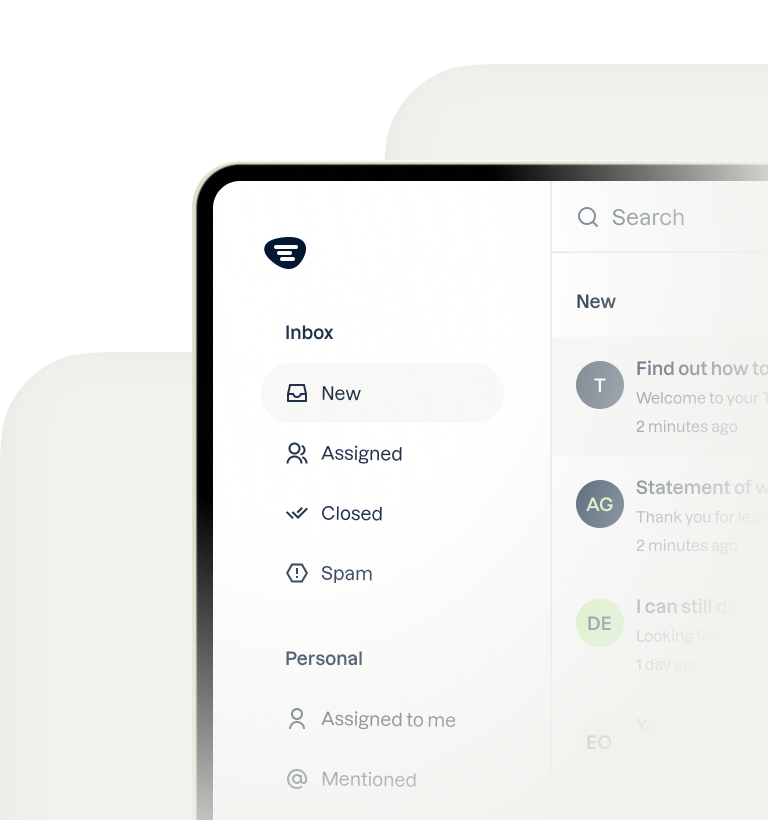
When you open the app and see the banned notice, you are usually presented with a Request a Review button. Tapping this button initiates the official WhatsApp Business ban appeal form. You will be prompted to enter a 6-digit SMS registration code to verify your ownership of the number. After verification, you can submit details justifying your appeal. For anyone wondering about WhatsApp Business banned how to unbanned or my WhatsApp Business is banned how to unbanned, this in-app process is always your mandatory first step.
Writing an Effective WhatsApp Business Banned Review Message
Searchers frequently look for the perfect WhatsApp Business banned review message to guarantee success. Your appeal must be professional, concise, and polite. Here are three templates based on common scenarios:
- The False Positive Template: Dear WhatsApp Support, my account was recently disabled, but I believe this was an error. I only use this number to communicate with opted-in customers and strictly follow your Terms of Service. Please review and restore my account.
- The Hijacked Account Template: Hello, my account was compromised and used to send unauthorized messages without my knowledge. I have since secured my device. I request you to reinstate my account as I am a legitimate business owner.
- The First-Offense Template: Dear Support Team, I sincerely apologize as I unknowingly violated the bulk messaging policy. I am a small business owner and will ensure this never happens again. Please grant me a second chance to use your platform compliantly.
For ideas on how to safely communicate once your account is restored, check out our ready-to-use WhatsApp Business bulk message templates to ensure you stay within Meta's guidelines.
Contacting WhatsApp Support Directly via Email
If the in-app review fails or the screen is inaccessible, contacting WhatsApp via email is your next option. Send an email to the official WhatsApp support email at [email protected]. Use the subject line WhatsApp Business Banned Account Recovery - [Your Phone Number in International Format]. While many search for a direct WhatsApp helpline number or ways to contact WhatsApp by phone, Meta does not offer phone support for the free app. Using the official WhatsApp Business support for banned number email address is the only viable alternative. Be sure to use the specific WhatsApp Business email for banned number inquiries rather than general consumer support for faster routing.
Prevent Future Bans: Transitioning to the WhatsApp Business API with Trengo
Once you successfully execute a how to recover WhatsApp Business banned account strategy, returning to the free app to scale your business is a massive risk. The free app is designed exclusively for micro-businesses. To fully safeguard your operations in 2026, upgrading to Trengo's WhatsApp Business API products is the ultimate solution. By partnering with a verified Business Solution Provider like Trengo, businesses eliminate the risk of random spam bans because all outgoing promotional messages are pre-approved by Meta.
Centralizing Operations with a Multichannel Team Inbox
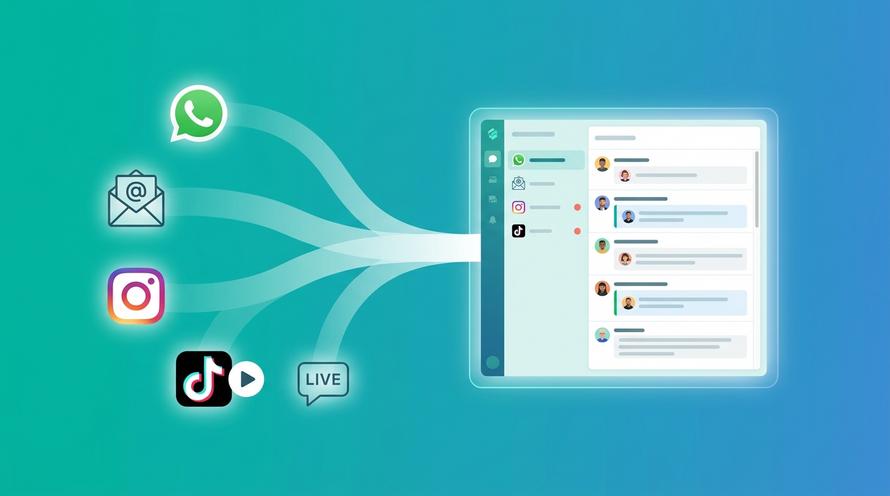
The free WhatsApp apps limit team collaboration, often resulting in multiple employees logging in and out from different IP addresses. This erratic behavior frequently triggers suspicious activity flags and bans. Upgrading your WhatsApp Business account through Trengo unlocks a powerful omnichannel shared inbox. An entire team can securely manage customer conversations from a single interface alongside emails, live chat, and social media DMs. This unified approach prevents login bans and enhances productivity while allowing you to fully leverage the core benefits of WhatsApp Business safely.
Safe Customer Support Automation and AI Agents
Using unauthorized auto-reply tools on the free app leads to immediate, permanent bans. In contrast, Trengo allows you to deploy safe, officially approved customer support automation. You can set up compliant workflows, auto-replies, and intelligent routing without fearing algorithm penalties. Furthermore, Trengo's AI Agent can handle repetitive customer queries instantly, maintaining a highly conversational tone that aligns with Meta's strict API guidelines. Implementing these tools is vastly superior to risky workarounds, as detailed in the Trengo guide on AI customer engagement. Taking these steps is the best way to ensure you are operating a safe, getting a verified WhatsApp Business account that scales without interruption.
Frequently Asked Questions (FAQ)
Why did I suddenly get banned from WhatsApp?
Sudden bans are almost always triggered by WhatsApp's automated anti-spam systems. This happens if you send too many messages to people who do not have your number saved in their address book, if you use an unofficial modified WhatsApp application, or if multiple users report and block your number in a short time frame.
How to recover blocked business WhatsApp?
To successfully execute a WhatsApp Business banned how to recover process, open the app, tap Request a Review, and enter the 6-digit SMS verification code. Submit a polite explanation stating your compliance with their terms of service, and wait for the support team to review your case. If unsuccessful, email WhatsApp Business support directly.
How can I get my business WhatsApp back?
Getting your account back requires patience and utilizing Meta's official channels. No third-party software can unban an account. You must use the in-app appeal form and provide clear evidence that your my activity WhatsApp was legitimate, conversational, and completely free of unauthorized spamming.
How long is a WhatsApp ban for?
If you are wondering how long WhatsApp Business banned periods last, a temporary ban usually spans 8 to 24 hours with a visible countdown timer. A permanent ban lasts forever unless you submit a formal appeal. Once appealed, the review process typically takes between 24 to 48 hours to complete.
Can WhatsApp Business be blocked by your admin?
Yes, this is possible. if you encounter a WhatsApp Business blocked by your admin error, this means your company's IT administrator has restricted access to the app on a managed corporate device using Mobile Device Management software. This is a local device restriction, not an actual account ban from Meta, so you must contact your internal IT department to resolve it.
What does "this account can no longer use WhatsApp due to spam" mean?
The specific error this account can no longer use WhatsApp due to spam means Meta's machine learning identified messaging patterns consistent with spam bots. This includes sending identical messages to bulk lists, scraping numbers, or receiving high block rates. Legitimate businesses can successfully appeal this if the flag was a false positive.
Does WhatsApp Business get banned for spamming in different languages?
Yes, WhatsApp's AI filters detect behavioral patterns like message volume and block rates rather than specific languages. Whether the underlying intent relates to spam meaning in urdu, WhatsApp meaning in hindi, or any other region, the penalty remains identical. Fortunately, the WhatsApp Business banned my number solution in hindi or English requires the exact same appeal process globally.
What does one tick mean on WhatsApp after being unbanned?
Yes. If you are wondering what does one tick mean on WhatsApp after recovering an account, it simply indicates the message was successfully sent from your phone but has not reached the recipient's device. This usually happens if their phone is off, lacks internet access, or if the user has locally blocked your number. It does not mean your account is still banned.


Let's meet
Grow your business with loyalty. Bring all of your customer contact into one, single platform to unlock delight at every step of the way.