WhatsApp calling for business
WhatsApp calling.
From the same inbox as your conversations.
Answer WhatsApp calls in Trengo, where your support or sales team already handle all messages. Calls ring for the right person or team, with the customer's ticket and full history one click away. Missed a call? Call the customer back in one click.


4.3 G2

4.4 Trustpilot
1 number
shared by your whole team
24 hours
to reply freely after a customer's last message
72 hours
free messaging after a Click-to-WhatsApp ad
Title text
Label
One number. Your whole team.
Everyone answers from the same number, on desktop or browser — no shared phone on the desk. Assign conversations, mention a colleague in an internal note and see who's replying. Connect more than one number, for example per country or brand
Label
Message customers first
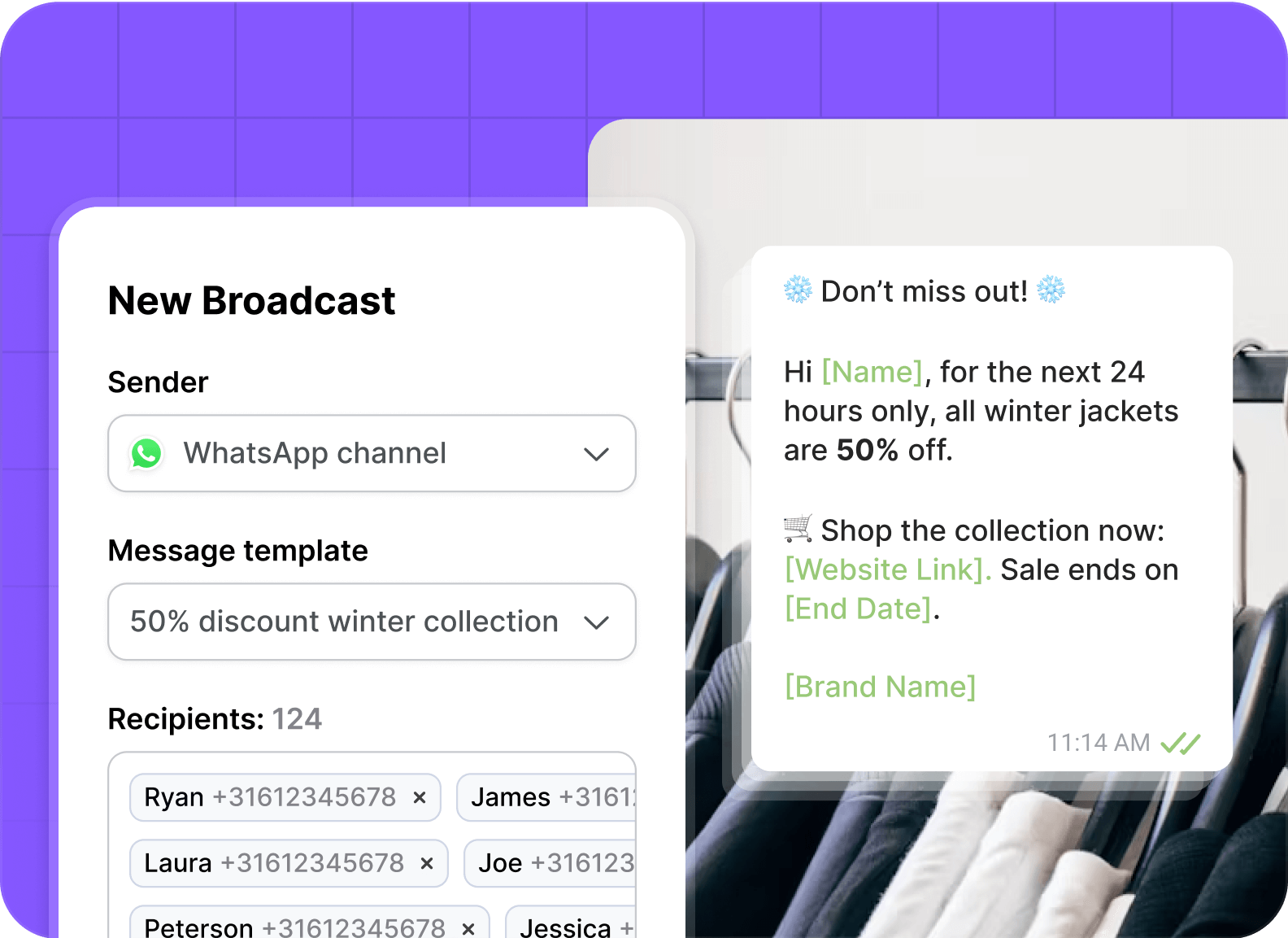
Start conversations with Meta-approved templates: booking confirmations, payment reminders, delivery updates. Personalise each message with details like name, booking number or amount due, and send broadcasts to segments of customers who opted in.
Label
Keep your number. Keep the app.
With WhatsApp Coexistence you use the WhatsApp Business App and Trengo on the same number, at the same time. Messages sent from the app show up in Trengo, so the team sees the whole conversation. Move over at your own pace, without going offline.
Label
Repeat questions, handled
Let the AI Agent answer common questions on WhatsApp around the clock, in your customer's language. It hands over to a colleague with a summary when it needs a person. Or use rules and auto-replies: business hours, routing, quick replies.

"We're managing a significant portion of business operations through Trengo AI, the system consistently gives us a strong sense of reliability. AI based lead qualification saves 270 hours of manual work per month."

Setup options
Three ways to get your number
New, kept or moved — once your number is connected, your whole team can start answering.

A new number
Get a new WhatsApp Business number and connect it to Trengo.
Best for: teams starting on WhatsApp
You'll need: a phone number that isn't on WhatsApp yet

Keep your app number
With Coexistence, use the WhatsApp Business App and Trengo on the same number.
Best for: teams moving from the WhatsApp Business App
You'll need: your current WhatsApp Business App number

Move from another provider
Migrate your existing API number from another provider to Trengo.
Best for: teams already on the WhatsApp Business API
You'll need: access to your current provider account
Let AI answer the repeat questions,and your team take the rest.
WhatsApp plugs into the same AI Agent and Journeys you already build inside Trengo. Two layers of automation working together, on every conversation.
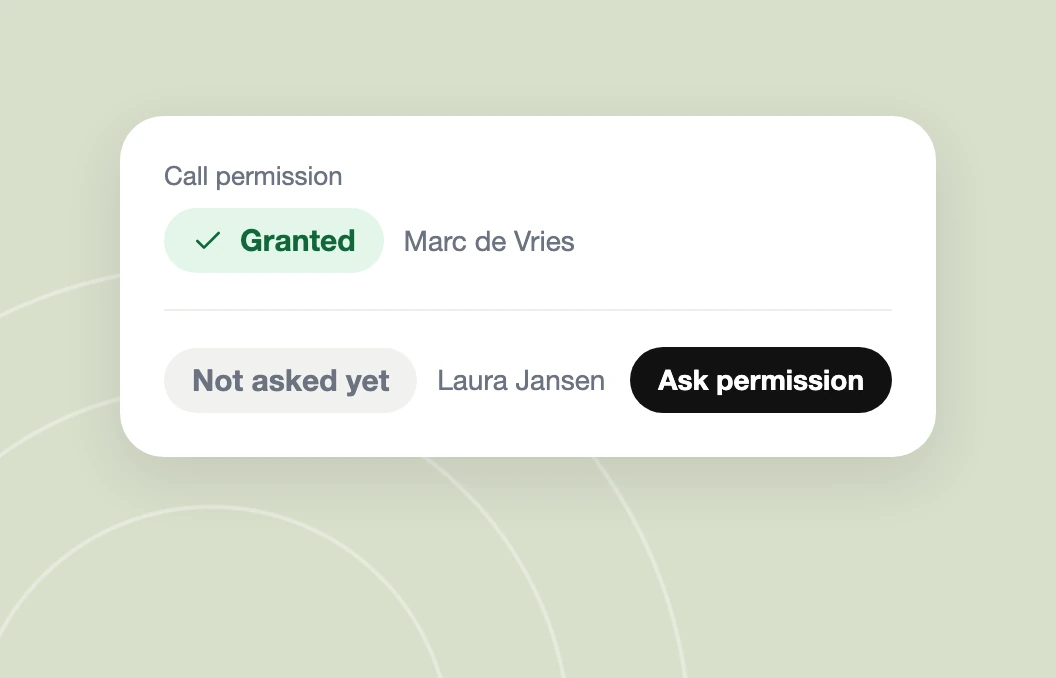
A customer messages you on WhatsApp, and their history is already next to the chat.
A customer messages you on WhatsApp, and their history is already next to the chat.
A customer messages you on WhatsApp, and their history is already next to the chat.
AI Agent on WhatsApp
Answers the repeat questions in your tone of voice, 24/7, and hands over with a summary.
AI Journeys on WhatsApp
Send the right update at the right moment, automatically, from what happens in your systems.
Good to know before you start
What it costs
Who charges
What
Messages customers send you
—
Free
Your replies within 24 hours (service messages)
Meta
Per message, rate depends on the customer's country
Templates (marketing, utility, authentication)
Meta
Per message, by category and country
Chats started from a Click-to-WhatsApp ad
Meta
Free for 72 hours
Meta's fees are paid by you, on top of your Trengo plan. See Meta's rate card.
Rules to know

Marketing messages only to customers who opted in.
After 24 hours without a reply from the customer, you can only send templates.
New numbers start with a daily limit on business-started conversations, which grows as your quality stays high.
App vs API
WhatsApp Business App
WhatsApp Business API with Trengo
Users
1 phone + linked devices
Whole team, one number
Shared inbox, assigning, notes
No
Yes
Templates outside 24 hours
No
Yes
Broadcasts
Broadcast lists, contacts must have saved your number
To opted-in segments
AI Agent, rules, integrations
Limited
Yes
Other channels in the same place
No
Email, chat, social, voice
Messages
Free
Meta per-message fees
Questions about WhatsApp Business API
What is the WhatsApp API?

The WhatsApp Business API is a tool that allows businesses to receive and answer unlimited WhatsApp messages at scale. Unlike the standard WhatsApp Business app, the API connects to a platform like Trengo, enabling features like team inboxes, AI chatbots, and integration with other business software.
What's the difference between the WhatsApp Business App and the API?
The free Business App is for single users on one device. The WhatsApp API is built for teams. It allows multiple users to manage conversations from a shared platform like Trengo and enables advanced features like AI agents, chatbots, and integration with other business tools.
Is the WhatsApp API free?
No, the official WhatsApp Business API is not free. Meta (the parent company of WhatsApp) charges businesses per conversation. However, the first 1,000 service conversations each month are free. Trengo provides access to the API and the platform to manage it, with pricing plans based on your needs.
How do I get access to the WhatsApp API?
You can get access through an official WhatsApp Business Solution Provider (BSP) like Trengo. We handle the technical integration with Meta, provide the software to manage your conversations, and guide you through the quick process of connecting your phone number.
What is an official Meta Business Partner?
A Meta Business Partner is a company recognised by Meta for its technical expertise and ability to help businesses grow across Meta platforms. These partners have access to exclusive resources, training, and support from Meta.
Can I send bulk or broadcast WhatsApp Business messages?
Yes, with the WhatsApp Business API integrated through Trengo, you can send broadcast messages to multiple recipients simultaneously. This feature is ideal for sharing promotions, newsletters, and updates with your audience.
What can I do with WhatsApp messaging templates in Trengo?
In Trengo, WhatsApp messaging templates allow you to pre-write messages for various scenarios, such as appointment confirmations, delivery updates, or promotional content. These templates ensure consistent and efficient communication with your customers.
Can multiple teammates use the same WhatsApp Business number in Trengo?
Yes! Trengo enables multiple teams to manage and respond to messages from the same WhatsApp Business number. You can assign incoming messages to specific team members and collaborate efficiently within the platform.
What are the benefits of using WhatsApp Business in Trengo?
Using WhatsApp Business through Trengo offers several advantages:
- Centralised communication: Manage all customer interactions in one platform
- Team collaboration: Multiple team members can handle conversations simultaneously.
- AI & automation: Utilise chatbots and automated replies to answer conversations. Plus use AI Journeys to handle FAQs automatically.
- Broadcasting: Send bulk messages to your customer base.
- Integrations: Connect with other tools like CRM systems for enhanced functionality.
Can I create marketing campaigns for leads in WhatsApp with Trengo?
Yes, Trengo allows you to create and manage marketing campaigns on WhatsApp. You can send broadcast messages to leads, share promotional content, and engage with potential customers directly through the platform.
How much does it cost to use WhatsApp Business in Trengo?
The cost of using WhatsApp Business (and the WhatsApp Business API pricing) varies based on factors like volume and the plan you pick. Trengo offers competitive pricing, including no connection fees and the first thousand messages each month for free. For detailed pricing information, check out our pricing page.
How is using WhatsApp Business in Trengo different from other customer engagement solutions?
Trengo provides a unified platform where businesses can manage WhatsApp communications alongside other channels like email, live chat, and social media. We’ve been a WhatsApp Business expert from the start . Our integration of the channel facilitates seamless team collaboration, advanced automation, and comprehensive analytics, enhancing overall customer engagement.
For more detailed information on how to set up WhatsApp Business API, please visit Trengo's Help Centre.
Questions about security, GDPR or pricing?
Ready to bring WhatsApp into your inbox?
Official Meta Business Partner. We connect your number and help you get approved.