

How to create Instagram direct message link: step-by-step guide


Try Trengo for Free

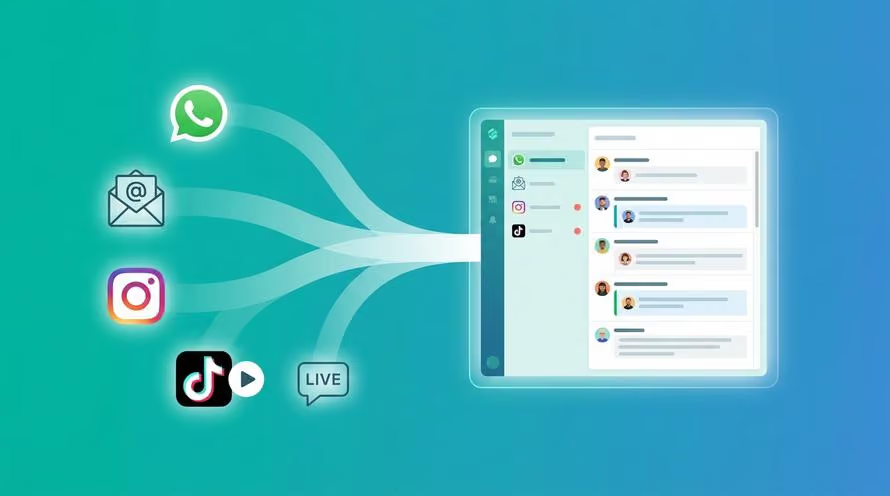
Trengo unites WhatsApp, email, web, social media, and calls in one inbox, saving your team hours of repetitive work and ensures no conversation is ever lost

Instagram is more than just a visual platform. With a free instagram dm(direct message) link generator tool, you can create a direct message link in seconds and make it easier for customers to reach you. For businesses, Instagram is where interest turns into engagement and engagement turns into sales. One of the simplest ways to make that connection seamless is through an Instagram direct message link. This feature lets customers contact you instantly, without searching your profile or typing messages manually. In this guide, we’ll explore what an Instagram direct message link is, why it matters for your business, and how you can create one step by step to start more meaningful conversations with your audience.
Understanding Instagram Direct Message Links
An Instagram direct message link—often called an Instagram DM link or chat link—allows someone to skip browsing your profile and jump straight into a private conversation with you on Instagram. Instead of sending people to your feed, it opens a direct messaging window where they can ask questions, share feedback, or start a purchase enquiry immediately.
These links work much like traditional URL shortcuts, with the format designed by Instagram to make initiating one-on-one chats effortless. Officially, Meta notes that ig.me links may not function on Instagram’s web version, but in practice, many businesses find them working without issues.
By giving your audience a quick way to reach you, you reduce friction in the communication process—and that can make all the difference when someone is ready to connect. In the next section, we’ll explore why these links can be a powerful tool for building stronger customer relationships and improving your marketing results.
Why Businesses Should Use Instagram Direct Message Links
Instagram DM links aren’t just convenient—they help businesses connect faster and build stronger relationships with potential and existing customers. Let’s break down a few reasons why adding a DM link to your profile or content can make a big impact.
Makes Engagement Effortless
With over two billion active users, Instagram is full of people ready to interact with brands they love. The challenge is making that first interaction easy. A direct message link removes barriers by giving people a single tap to start a chat. When communication feels simple, engagement naturally increases—and that’s where meaningful conversations begin.
Helps You Capture and Qualify Leads
Every direct message is a potential lead. When someone clicks your DM link, they’re showing genuine interest in your product or service. This presents an opportunity to learn more about their needs, collect insights, and guide them toward the right solution. Over time, those individual conversations can turn into valuable, long-term customer relationships.
Converts Conversations into Sales
Once a customer starts a direct message, you can offer personalized recommendations and answer questions instantly. This real-time exchange helps remove doubts and accelerates purchase decisions. Whether it’s clarifying product details or sharing pricing options, your prompt response can be what turns a curious visitor into a loyal buyer.
Streamlines Customer Support
An Instagram DM link also simplifies post-purchase communication. Customers can message you directly to check order updates, share feedback, or request help—with chat history available to keep every interaction consistent and personal. It’s a quick way to resolve issues and show customers you’re there for them beyond the sale.
How to create an Instagram direct message (ig.me) link
Creating an Instagram DM link is quick and doesn’t require any technical skills. You can generate one manually, directly through Instagram, or by using a link generator. Let’s look at each method in detail.
Create an ig.me link manually
If you prefer the DIY route, you can easily build your own DM link with just your Instagram handle.
Here’s how:
- Type this URL: https://ig.me/m/yourusername
- Replace yourusername with your Instagram handle (without the “@” symbol).
- For example, if your handle is @trengobusiness, your link will be https://ig.me/m/trengobusiness
Once created, you can paste this link anywhere—on your website, email signature, or Instagram bio—to let customers message you directly.
Create a DM link within Instagram
You can also share a direct message link right from the Instagram app.
Here’s how to do it:
- Open Instagram and go to your direct messages.
- Select a conversation you want to share.
- Tap the information icon (or three dots) on the top right.
- Choose “Share link” to generate your direct message link.
This is especially useful when you want to invite someone to continue a conversation in DMs after an initial interaction on a post or story.
Use a link generator tool
Use a free instagram dm link generator tool if you manage multiple accounts or want a quicker option. Platforms like Trengo make it simple to centralize and manage all incoming Instagram DMs. Once connected to your Trengo inbox, you can create and share your ig.me link instantly, combine it with QR codes, and track engagement, all within one workspace.
Harness the power of instagram dm api with Trengo
Trengo helps you make the most of Instagram direct message links by connecting your inbox to the Instagram DM API. Once you have access and link your Instagram account to Trengo, managing Instagram messages becomes a breeze.
Manage all conversations in one place
With Trengo’s omnichannel inbox, you can bring Instagram DMs together with messages from Facebook, WhatsApp, Telegram, and other platforms. This centralizes your customer conversations, making it easy to track and respond quickly without switching apps.
Integrate with your crm and e-commerce platforms
Trengo supports integration with popular CRM tools like HubSpot, Salesforce, and Pipedrive, as well as e-commerce platforms such as Shopify and WooCommerce. These connections let you update contact records, create deals, and automate notifications—all while chatting in real time on Instagram.
Automate your sales and support processes
Use Trengo’s automation workflows to route messages to the right team members, send welcome and away messages, and gather customer feedback with surveys. Automating these tasks saves time and ensures prompt, consistent responses that improve customer satisfaction.
Track team performance and optimize
Trengo’s reporting features provide insights into metrics like response times and conversation volumes. Use this data to identify strengths and training needs in your team, helping your business deliver better support and grow stronger relationships on Instagram.
Final words
Creating an Instagram direct message link is a simple yet powerful way to connect with your audience more efficiently. By adding a DM link to your profile, posts, or stories, you make it easy for customers to reach you instantly, driving engagement, generating leads, and boosting sales. Whether you choose to create the link manually or through a tool like Trengo, implementing this strategy can significantly improve your customer communication and support efforts.
Ready to take your Instagram messaging to the next level? Request your free demo today and discover how Trengo can streamline your social media interactions and grow your business effortlessly.
Frequently Asked Questions (FAQs)
What is the format of an Instagram DM link?
An Instagram DM link follows the format https://www.instagram.com/direct/t/USER_ID, which directs users to a private message with a specific account. You can also use https://m.me/INSTAGRAM_USERNAME via Facebook Messenger integration to open a DM.
Is it possible to track clicks on my Instagram DM link?
Yes, by using URL shorteners or tracking services such as Bitly or UTM parameters, you can monitor how many people click your Instagram DM link. This data helps analyse engagement and optimise marketing efforts.
How do Instagram DM links help with customer service and sales?
Instagram DM links provide a quick, direct way for customers to reach your business. They reduce friction in communication, allowing faster responses, personalised support, and easy lead generation, all of which improve sales and satisfaction.
What tools can help manage Instagram DMs more effectively?
Omnichannel messaging platforms like Trengo enable businesses to manage Instagram DMs alongside emails, chats, and social media messages in one centralised inbox. This simplifies workflow and ensures no customer query is missed.
Are there automation tools for replying to Instagram DMs?
Yes, automation is possible with tools like Trengo that offer auto-replies, chatbot integrations, and AI-powered suggestions to handle common questions instantly, boosting response speed and freeing up staff for complex issues.
Can I integrate Instagram DMs with CRM tools?
Many CRM platforms can integrate Instagram DMs to maintain customer data and interaction history in one place. Trengo also offers CRM integrations, enabling seamless management of Instagram conversations alongside customer profiles.
What tools allow me to manage Instagram DMs from multiple accounts in one place?
Platforms such as Trengo provide unified inboxes that support multiple Instagram accounts, facilitating easy switching, smoother team collaboration, and efficient message handling across brands or departments.
How can I track and measure the performance of Instagram DM campaigns?
Using tracking links with analytics tools and monitoring response metrics like message volume, reply time, and conversion rates help assess campaign success. Trengo provides reporting features that aggregate such data across channels.
How can I connect Instagram DM links directly to my Trengo inbox?
You can link your Instagram business accounts to Trengo through its integration settings. Once connected, all Instagram DMs, including those from DM links, arrive in your Trengo inbox for unified management.
Can I route Instagram DM link conversations to the right team using Trengo?
Yes, Trengo’s automation rules enable routing messages based on keywords, customer profiles, or accounts, directing Instagram DM conversations to the appropriate teams for faster and specialised support.
Can Trengo’s automation tools send instant replies when customers use my Instagram DM link?
Trengo offers automation features that can send instant welcome messages or answer frequently asked questions as soon as a customer initiates a conversation via your Instagram DM link.
How does using Instagram DM links with Trengo improve lead capture and response times?
Combining Instagram DM links with Trengo centralises communication, allowing teams to respond promptly, track conversations, and convert enquiries into leads more efficiently. Automation and routing further reduce delays, ensuring no opportunity is missed.



Let's meet
Grow your business with loyalty. Bring all of your customer contact into one, single platform to unlock delight at every step of the way.


