WhatsApp Enterprise: an A-Z guide for enterprise businesses


Try Trengo for Free

Trengo unites WhatsApp, email, web, social media, and calls in one inbox, saving your team hours of repetitive work and ensures no conversation is ever lost
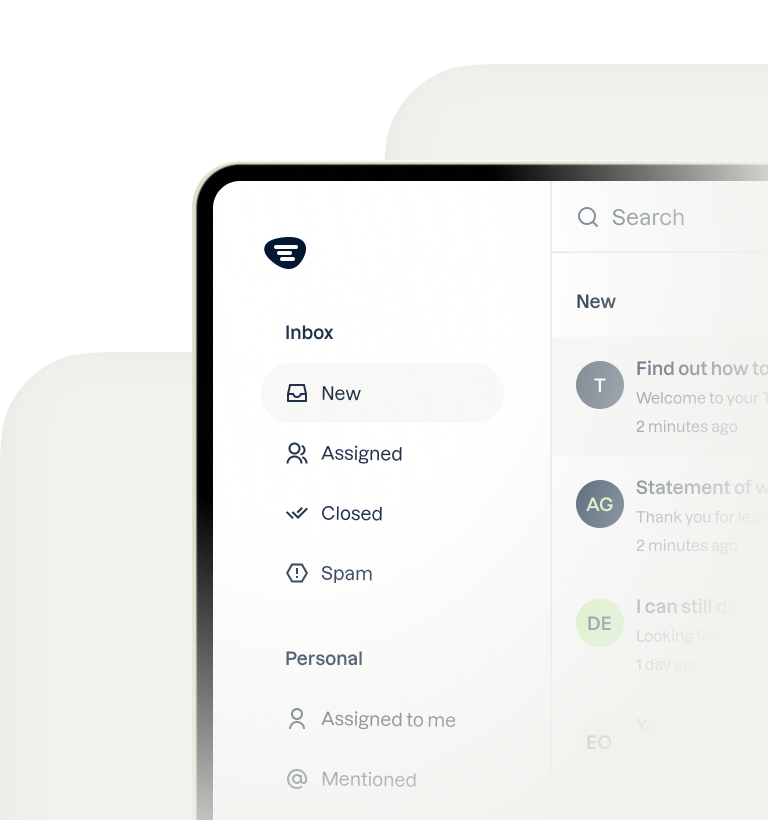
Enterprises often have thousands of customers who they must keep happy. One of the most important (and most challenging) parts of keeping your customers happy is answering their questions quickly and accurately.
More and more businesses are using WhatsApp to communicate with their customers because of the scalability of the process, and enterprises should do just that.
In this article, we will go through the benefits of leveraging WhatsApp as an enterprise business, why you need to use the WhatsApp Business API and not just a WhatsApp Business account, and some enterprise features to scale and automate business processes.
Benefits of leveraging WhatsApp as an enterprise business
#1. Large audience reach
WhatsApp’s large audience reach is one of the prime reasons why enterprises prefer using it for marketing and customer service purposes. The platform has over 2 billion users worldwide, the highest for any social media application.
This large audience reach means enterprises can leverage WhatsApp to reach customers in various regions and countries, making it an effective global marketing tool.
It’s not just about the large number of active users on WhatsApp; the platform has an open rate of 98%, which means it’s almost a certainty that if you market your product via WhatsApp, your prospects will open the message you send them.
With such a reach, enterprises can use WhatsApp to scale their marketing efforts globally.
#2. Marketing
Targeted marketing is all about personalization, and enterprise businesses need personalization to deliver relevant and targeted messaging.
By leveraging WhatsApp Business, enterprises can create targeted marketing campaigns that resonate with customers and drive higher engagement and conversion rates.

Here’s how marketing via WhatsApp can help you win and retain customers:
- Better engagement: Allows enterprises to deliver tailored marketing messages that are more likely to resonate with customers. This helps achieve high customer engagement, including increased open and response rates to marketing messages.
- Increased conversion rates: As customers are more likely to respond positively to marketing messages that are relevant to their interests and needs, targeted marketing can lead to an increased conversion rate.
- Enhanced customer experience: WhatsApp enables enterprises to provide customers with a more personalized and engaging experience, increasing customer satisfaction and loyalty.
- A better understanding of customer needs: Enterprises can collect and analyze customer data, which can provide valuable insights into customer preferences, behaviour, and needs. This information can be used to optimize marketing campaigns and improve overall customer experience.
#3. High-level automation
WhatsApp’s high-level automation can aid you in scaling customer service and save crucial time and resources. The platform lets you streamline marketing efforts, improve efficiency, and increase work productivity.
You can use chatbots to automate customer service and have them online 24/7, so the customers don't have to wait for a problem to be resolved for too long.
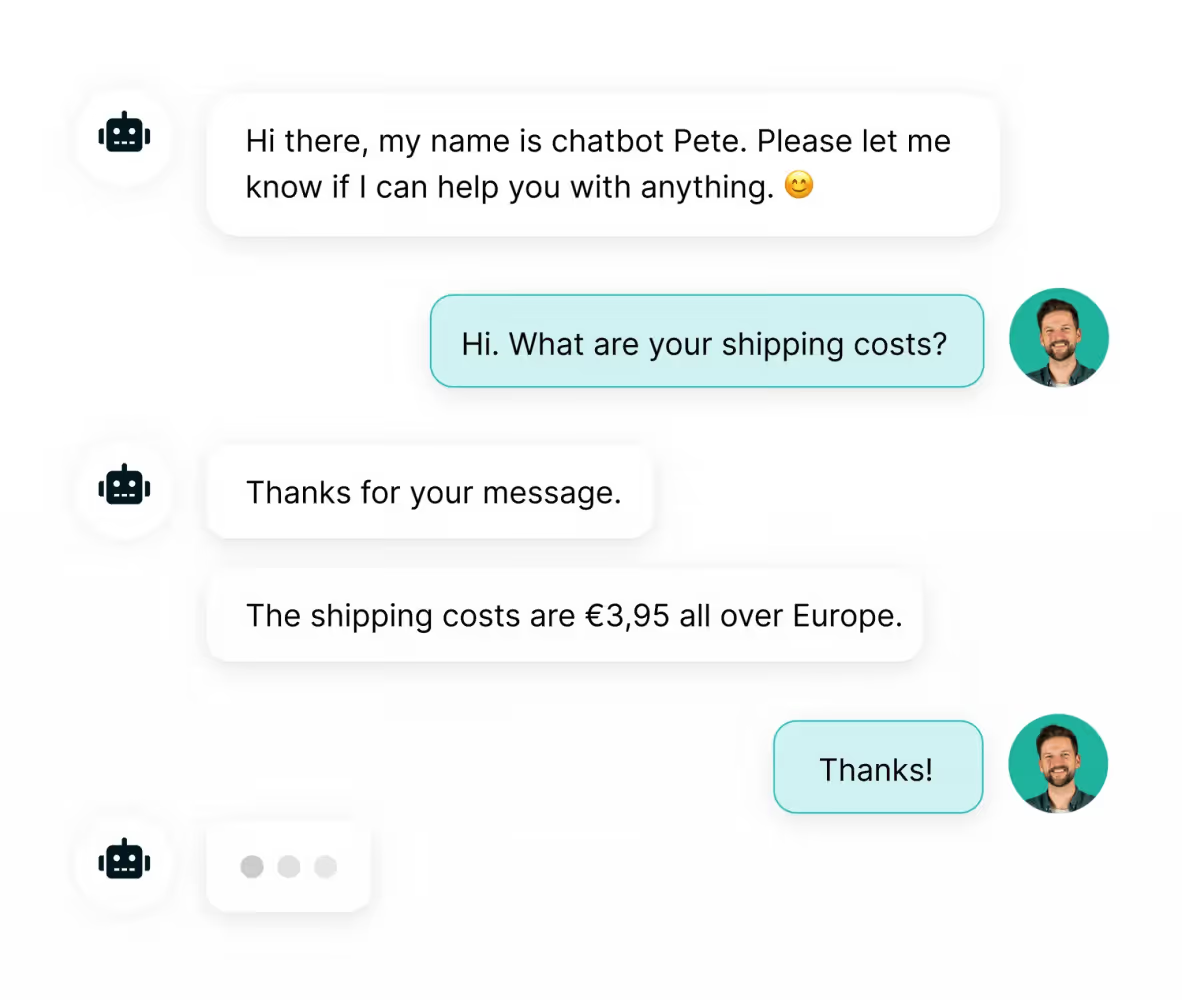
WhatsApp even lets you send personalized automated messages and send quick auto-replies to your customers.
Have a notice or update you want to give all your customers? Do it with a WhatsApp broadcast message in minutes.
#4. Enhanced security features
In 2022, ethical hackers found 65,000 vulnerabilities online that were primarily related to data breaches.
With the increasing use of digital technologies and online communication, security has become a crucial concern for enterprises.
To tackle this problem, WhatsApp provides enhanced security features like Two-Factor Authentication and access controls, that can help enterprises protect the privacy and security of their customers.
Here’s what both these enhanced security features do:
Two-factor authentication (2FA) adds an additional layer of security to the login process. It requires users to input two pieces of information (a password and an OTP sent to the registered mobile number).
Access control allows enterprises to manage user access to their WhatsApp business account so that only employees authorized to access WhatsApp have access to it and no one else.
Why you need to use the WhatsApp Business API
#1. Onboard and manage multiple users
As an enterprise, you will have multiple employees looking after customer service and marketing. So it's beneficial for you to onboard multiple users on WhatsApp and cater to customer needs. For this, you will need the WhatsApp Business API.
WhatsApp Business API was introduced for onboarding four or more users on the same Business account. Once the onboarding is done, you can assign messages to different team members, have internal discussions, and help more customers.
https://www.youtube.com/watch?v=-7XoR8Lr6Q0
When you have a big team and an enormous amount of WhatsApp messages coming in daily, it will be a nightmare to allocate messages to your customer service department manually; that's where WhatsApp Business API comes in handy.
The API helps you automate the process; with a round-robin rule, all customer service agents get the exact number of messages to deal with.
Lastly, when you have multiple customer service agents looking after customer queries, they must communicate internally for a streamlined process, and WhatsApp Business API lets them do just that.
Customer service reps can share an inbox, send messages, and also tag other reps if needed.
📚 Related → How to use WhatsApp Business with multiple users
#2. Add a live chat to your website
Adding a WhatsApp web chat to your website can benefit your business in three ways:
- Allows you to keep in touch with visitors even after they leave your website
- Help you send messages to cart abandoners and convert them into customers
- Adds a personal touch to your customer service, making it more conversational and relatable
By using WhatsApp Business API, you can build a more personal relationship with your customers and optimize your conversion rate more easily.
📚 Related → How to add a WhatsApp chat to your website
#3. Use WhatsApp as a marketing channel
WhatsApp has evolved from being just a messaging platform that facilitated inbound communication for businesses to now being an outbound marketing tool through its Broadcast feature.
This feature has opened doors for enterprises to share news about their product launches, order updates or both in a more personal and interactive way.
All you need to do is:
- Create a group of customers
- Add a call to action to your message
- Broadcast the message to all your customers by sending it just once
One of the biggest advantages of using WhatsApp for marketing is that the channel is more personal than email. Customers will receive your messages between chats from friends and family, resulting in higher open rates and click-throughs.
If you're not already using WhatsApp for outbound marketing, now is the time to take advantage of this tool and gain an edge over your competitors.
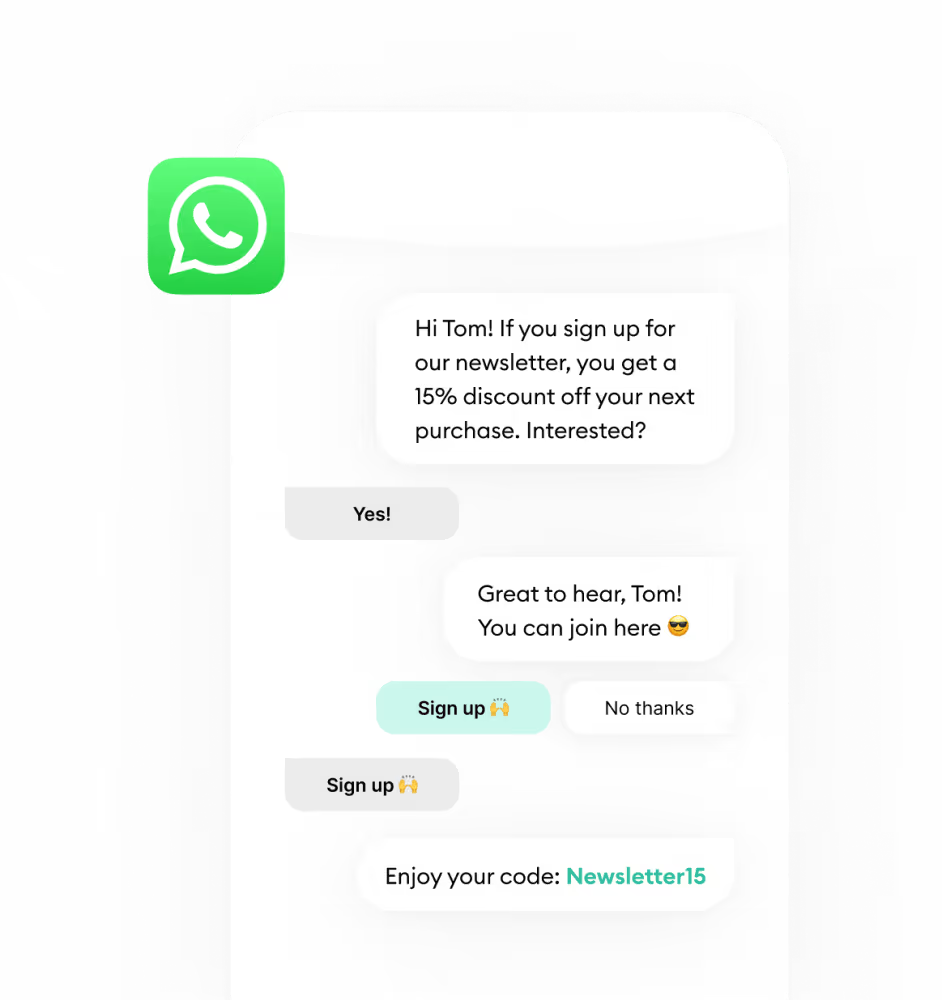
For an enterprise with a team of customer support executives and hundreds of thousands of customers, using the regular WhatsApp Business app to send broadcast messages isn't an efficient way.
That's because you can only send a broadcast message to a maximum of 256 contacts via the app. If you have a larger newsletter list, you'll need to send multiple broadcasts.
What’s more, the app only allows one customer service rep to communicate with customers, as it doesn't support more than one phone number.
So what do you do? The answer’s simple: Use the WhatsApp Business API.
WhatsApp Business API is designed for enterprises that want to onboard multiple customer service employees. With the API, you can send the WhatsApp broadcast message to 1000 contacts in a day.
The best part? With the API, each contact will receive your message as if it was sent exclusively to them.
There's no need to group your customers, and you won't have to forward the newsletter to each contact individually.
📚 Related → WhatsApp marketing: how does it work?
Key WhatsApp enterprise features
Some key WhatsApp Business enterprise features that bring scalability and automation into the game are:
#1. Chatbots
WhatsApp chatbots allow enterprises to engage their customers through automated conversations. A WhatsApp solution like Trengo offers two types of chatbots - regular and flowbots.
The regular bot is the one you see most businesses offer, but the flowbot gives your customers multiple choice options that they can select and get the information they need.
Benefits of using a WhatsApp chatbot for an enterprise
- Improved customer engagement: Enterprises can provide real-time assistance to multiple customers simultaneously, which improves engagement and fosters brand loyalty. Chatbots can also provide personalized recommendations based on customer preferences, increasing the chances of conversions and repeat business.
- Cost-effective customer service: Chatbots can handle a significant volume of customer inquiries with little to no human help, reducing customer service costs.
- Increased efficiency: Handles multiple customer inquiries simultaneously, reducing wait times and improving the overall efficiency of your enterprise’s customer service process.
- 24/7 availability: The ability to operate round the clock helps customers gain assistance at any time of the day or night.
- Data collection and analysis: Can collect data on customer interactions, providing valuable insights into customer preferences and behaviour that an enterprise can study to optimize its processes.
- Collect leads: Enterprises can program the chatbot to collect contact information and even schedule events.
👀 Note → You must use the WhatsApp Business API to build a chatbot that can cater to your audience. But the API doesn’t have its own interface; to use it, you’d have to integrate it with a WhatsApp Business Solution Provider such as Trengo.
#2. Set Rules
You, as an enterprise, can streamline your team's inbox by using rules.
Rules allow you to automate various tasks, such as tagging, assigning, and managing, eliminating the need for manual labour.
A rule typically consists of a condition that will trigger a specific action. To give a practical example, when you press a button on a coffee maker, coffee comes out automatically.
Similarly, once you create rules, they will be executed automatically, saving you time and energy that can be better utilized elsewhere.
Here are how rules in Trengo look like:

Types of rules that will help you as an enterprise
#1. Adding labels to conversations
You can set rules that add specific labels to conversations.
Some of these labels you might use are:
- Urgency
- Business scale
- Business location
- Support query
- Product of interest
- Designated person or team
- Status
By recognizing subject lines, email addresses, or contact names, Trengo can label messages under each category mentioned above.
#2. Passing conversations to team members
Did you know, you can automate passing conversations to team members via rules without reviewing messages your customers send?
At Trengo, we use dedicated account managers for certain profiles. We write down the key account manager in the custom profile field and set up the rule below.
The rule we set up assigns all conversations from a customer profile to a specific account manager.
If you want to assign a conversation to a whole team rather than an individual colleague, you can do that too. The rules our tool sets will take care of the assigning process for you, freeing up your time and allowing you to focus on other tasks.
Some other rules that you can use as an enterprise are:
- Inform customers about peak hours
- Measure customer satisfaction
- Follow up on live chat conversations
You can go through our detailed guide on how to set these rules with Trengo.
#3. WhatsApp Analytics
Offering a high-quality customer journey is key for most enterprise businesses. That's why they need to measure both team performance and customer happiness via each channel.
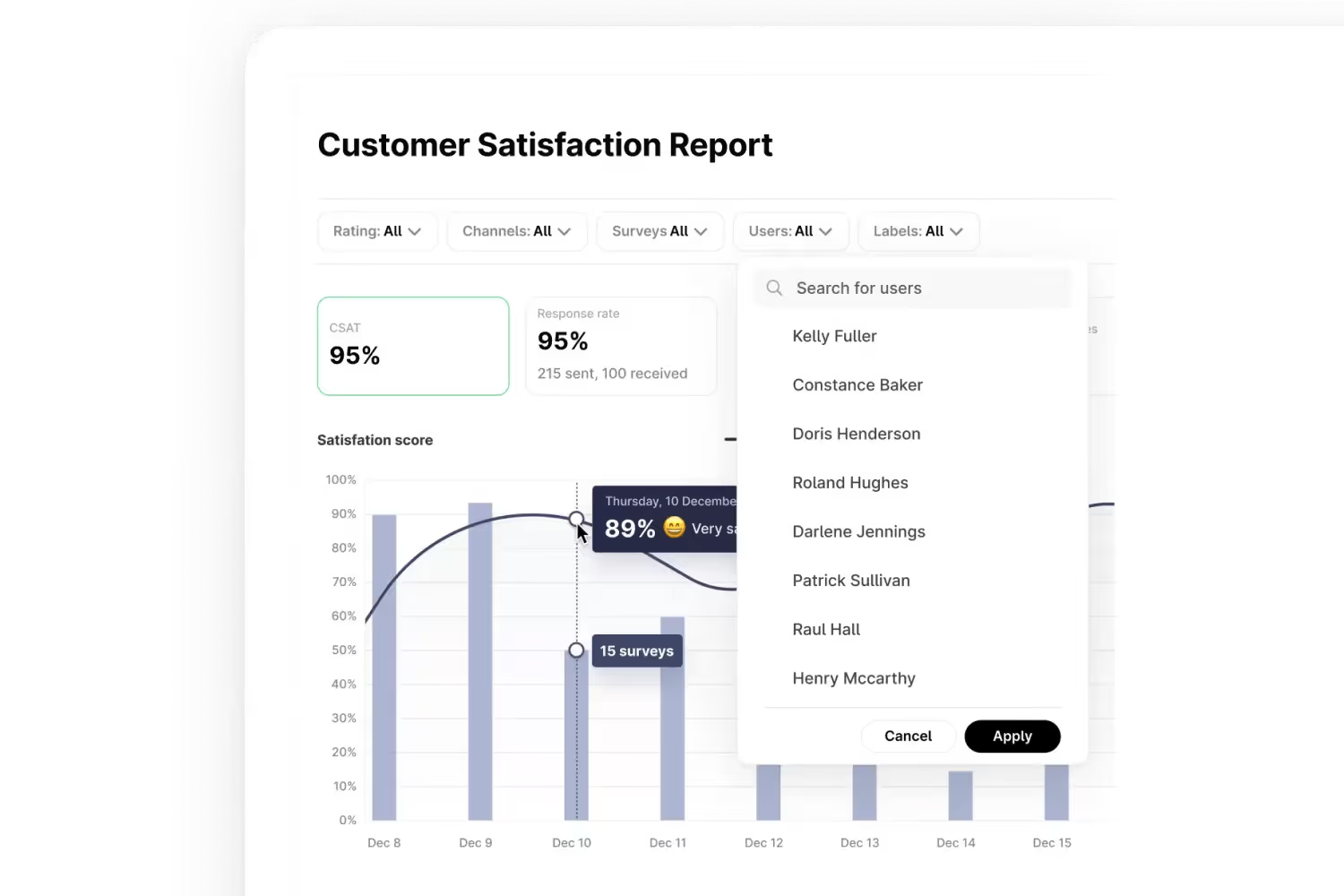
WhatsApp analytics let you know:
- Customer satisfaction rate: If the customers are happy with your marketing and customer service efforts
- Ticket resolution rate: The time it takes for your customer service team to resolve customer queries
- Most common questions: Questions that most of your customers ask
- Query handling frequency: The number of messages your customer service team is handling per day
You need WhatsApp Business API to get access to in-depth analytics.
Conclusion
WhatsApp is the app that your customers use to talk to friends and family. So why should your company only stick to legacy channels such as email?
By using the WhatsApp Business API, you get to be where you customers are.
Start a 14-day free trial here



Let's meet
Grow your business with loyalty. Bring all of your customer contact into one, single platform to unlock delight at every step of the way.