Automate inbox tasks with these 5 efficient rules


Try Trengo for Free

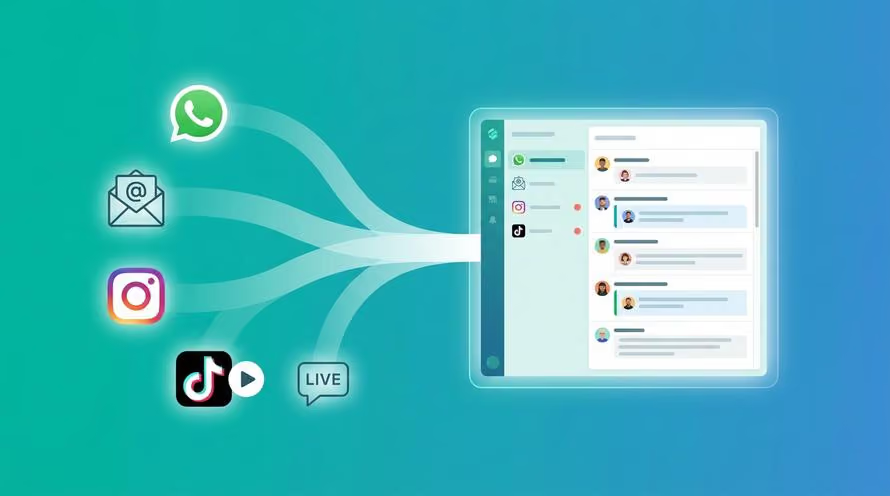
Trengo unites WhatsApp, email, web, social media, and calls in one inbox, saving your team hours of repetitive work and ensures no conversation is ever lost
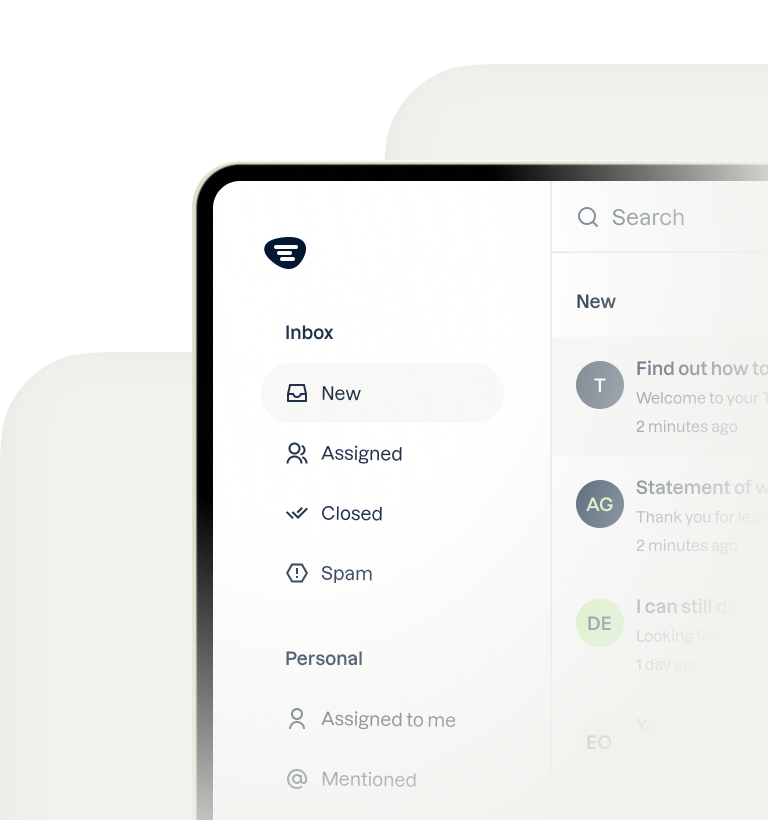
Take a second to think of all the small tasks you perform on a daily basis to keep your inbox organized. Dragging emails to the right folders, forwarding emails to the right colleagues, setting ticket results, and so on.
Do you get tired just thinking about it? Because I sure do.
These repetitive tasks don't seem to take a lot of your time separately. But they'll add up, and you'll lose time you'd rather spend on more important things: your actual work.
So, it's time to turn things around. I'll tell you how you can automate tasks in your inbox based on the five most-used rules in Trengo.
What is a rule?
Rules in Trengo allow you to automate tasks in your team inbox. That means emails will no longer require manual tagging, assigning, or dragging.
Rules consist of a condition that triggers a specific action.
I'll give you a practical example: when you press the button of your coffee machine, it triggers and gives you some coffee.
Rules in Trengo will look something like this:

These rules are automated. That means once you have created them, they will execute automatically.
This way, rules can automate tasks in you inbox the way you want them to.
Five most-used rules in Trengo
Here are five of the most-used rules in Trengo.
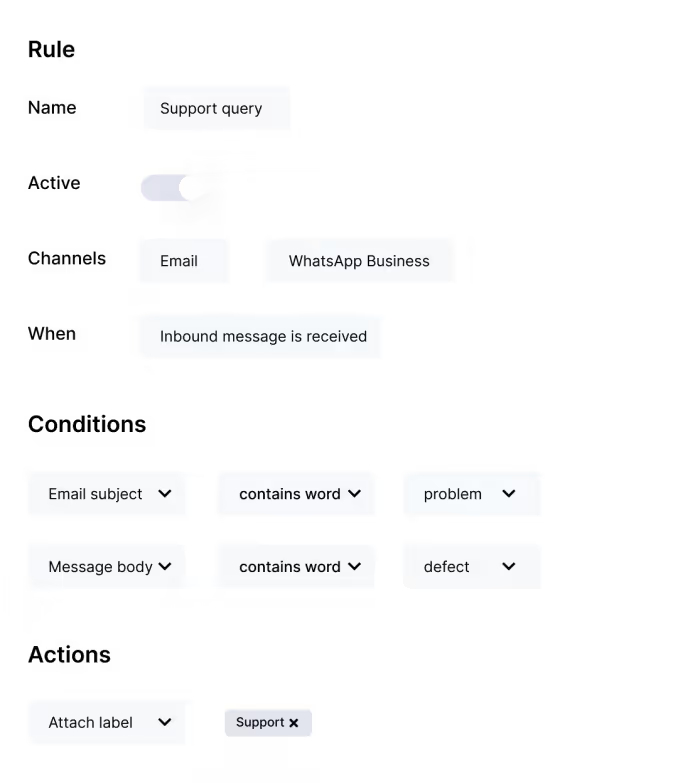
1. Adding labels to conversations
You can set rules that add specific labels to conversations.
You can think of labels that show:
- Urgency
- Business scale
- Business location
- Support query
- Product of interest
- Designated person or team
- Status
Trengo can recognize, for example, subjects, email addresses, and contact names. This way, the inbox will stick the right label to the conversation.
How to set up this rule in Trengo
Here's an example of attaching a label to a support query. Fill in the following fields, and you're good to go.
Note: don't forget to create labels first.
2. Passing conversations to colleagues and teams
Instead of going through every email to get some context and then assign it to the right colleague, you can use rules to do the job for you.
For example, at Trengo, we use dedicated account managers for certain profiles. We write down the key account manager in the custom profile field and set up the rule below. From here on, all conversations from this customer profile will automatically assign to that specific account manager.
It's also possible to assign a conversation directly to a team instead of a colleague.
Set up this rule in Trengo
You can fill in the following fields if you use a dedicated account manager for certain customer profiles.

3. Inform customers during peak hours
During peak hours, your team may not be able to respond as fast as they normally do. Instead of leaving your customer hanging in the chat, you can use rules to inform them about the increased response time.
Set up this rule in Trengo
Copy the following message and then set up the rule in Trengo:
"Currently, our chat is a little busier than usual. That's why we can't answer your question as fast as we normally do. We are trying our best to get back to you as soon as possible. If you don't want to wait, we can also answer your question via email."

4. Measure customer satisfaction
What better moment to measure customer satisfaction than straight after the conversation is closed?
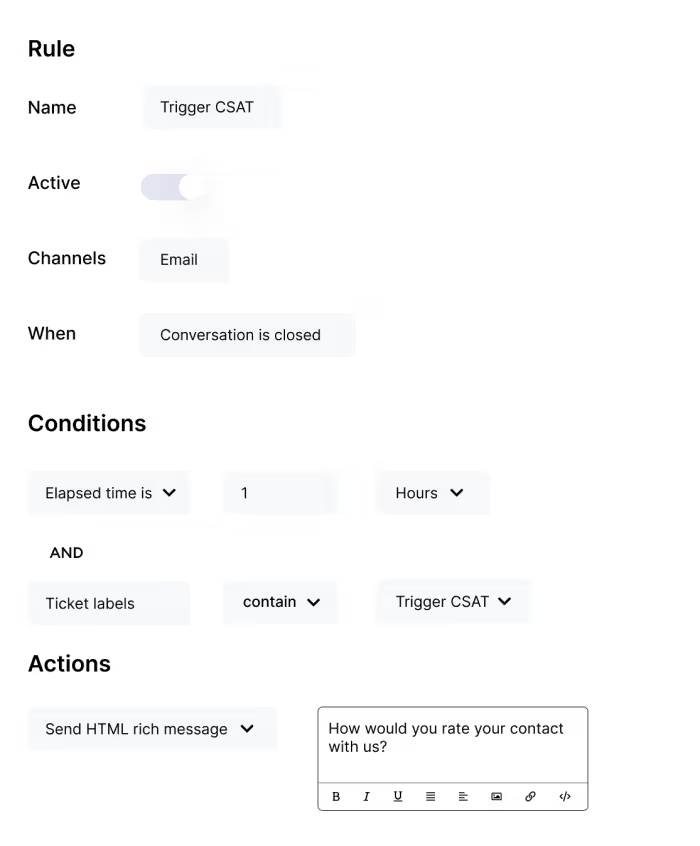
At Trengo, we created a rule which follows up on closed conversations one hour after the elapsed time.
Set up this rule in Trengo
We sometimes close conversations that aren't necessarily finished. That's why we created the label "Trigger CSAT", which we only add once a conversation is really over and done with. We stick this label to conversations that we know are completely finished, and we've made it a condition for this rule.
5. Follow-up on live chat conversations
At Trengo, we use rules to follow-up on customers after a live chat conversation.
Here's how it works:
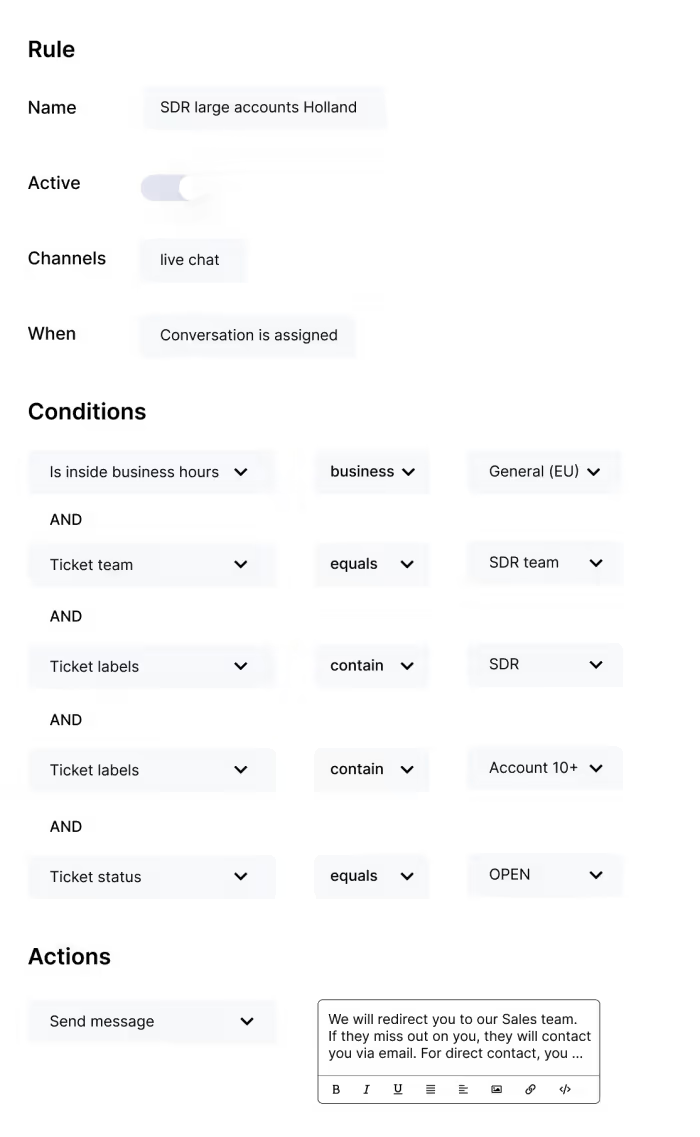
When a (potential) customer starts a conversation via live chat, our flowbot asks for some customer information. For example: are they here for Sales or Support, and how big is their team? After receiving this information, the flowbot assigns the conversation to the right team. An auto-reply soon follows, telling the customer when the team will reach out.
Set up this rule in Trengo
Here's how we've set up this rule in Trengo:
Start automating tasks in your inbox
I hope these 5 most-used rules inspired you to automate your workflow. Good luck!



Let's meet
Grow your business with loyalty. Bring all of your customer contact into one, single platform to unlock delight at every step of the way.