Question 1 of 5
📊 Your team readiness score
0
/ 10
Analyzing your answers…


Try Trengo for Free

Trengo unites WhatsApp, email, web, social media, and calls in one inbox, saving your team hours of repetitive work and ensures no conversation is ever lost
Keeping your app current is critical for security and accessing the latest tools, but finding the right WhatsApp Business update 2026 download can be confusing. This guide covers how to secure the latest version of WhatsApp Business on Android, iOS, and desktop, while addressing common update failures. We also explore why manual updates on individual phones pose risks for growing teams and how upgrading to the WhatsApp Business API via Trengo offers a more stable, professional solution.
Running the whatsapp business update 2026 latest version is the best way to ensure your client data remains secure and your communication tools function correctly. Whether you are using a standard Android device or an iPhone, the process is generally automated, but manual intervention is often required when features stop working or the app expires.
For the vast majority of users, the official app stores are the safest route. This ensures the software has been vetted for malware. Here is how to perform a whatsapp business update for Android and iOS devices:
If you do not see an update option, you likely already have the latest version of WhatsApp Business installed.
For users who cannot access the Google Play Store, such as those with Huawei devices without Google Services or those preferring direct APK downloads, updating WhatsApp Business requires a slightly different approach. You can safely download the "latest version 2026 new version" through official alternative app galleries or reputable APK mirror sites:
This method addresses the "update without Play Store" query and is particularly useful for devices like Huawei, ensuring they can still access the full functionality of WhatsApp Business.
Warning: Manual APK management is risky and unsustainable for teams. If you are constantly sideloading apps, consider connecting WhatsApp Business to a unified platform that handles the technical connection via API, eliminating the need for manual phone updates.
The desktop and web versions of WhatsApp Business typically handle updates automatically, but you can always ensure you're on the latest version:
These methods ensure your "WhatsApp Business update for PC" and web versions are always current, offering a consistent experience across all your devices.
Understanding what's new in whatsapp business update logs helps you stay ahead of competitors. The 2026 roadmap has introduced significant changes aimed at commerce and automation.
The whatsapp business update 2026 latest version download includes expanded capabilities for "Flows," allowing customers to book appointments or choose seats directly within the chat window. Additionally, Meta has improved the stability of "Channels" for broadcasting updates to unlimited followers. For businesses leveraging automation, these updates provide smoother integration points for automating customer interactions and deploying simple auto-responders.
If you are asking what is special about whatsapp business this year, it is the deeper integration with the Meta ecosystem, allowing for better ad targeting and catalog management directly from the app.
It is frustrating when you encounter a whatsapp business update problem right when you need to reply to a customer. If you find that whatsapp business not updating, consider these common causes:
Encountering issues when trying to update your WhatsApp Business app can be frustrating. If you're wondering "why is my WhatsApp Business not updating?" or "why is WhatsApp Business not working?" here are some common problems and their straightforward solutions:
Addressing these common "WhatsApp Business update problems" will usually resolve your update failures, getting you back on track with the latest features.
While the standard app is fine for freelancers, relying on physical phones creates significant liability for growing companies. When you ask what happens if i don't update whatsapp, the answer is usually that the app expires and cuts off communication. However, the bigger risk is the update process itself.
The standard free app tethers your business communication to a single device (or a limited number of linked web sessions). If the primary phone runs out of battery, breaks, or fails a whatsapp business update, your entire support channel goes offline. Furthermore, manual updates mean you cannot easily scale; you cannot simply add more agents to handle incoming volume because the standard app does not support a true shared inbox architecture.
The ultimate "update" for a growing business isn't a new APK—it's moving to the WhatsApp Business API with Trengo. By using Trengo, you decouple your business number from a physical phone. You no longer need to worry about manually downloading the whatsapp business update 2026 files because the connection is hosted in the cloud.
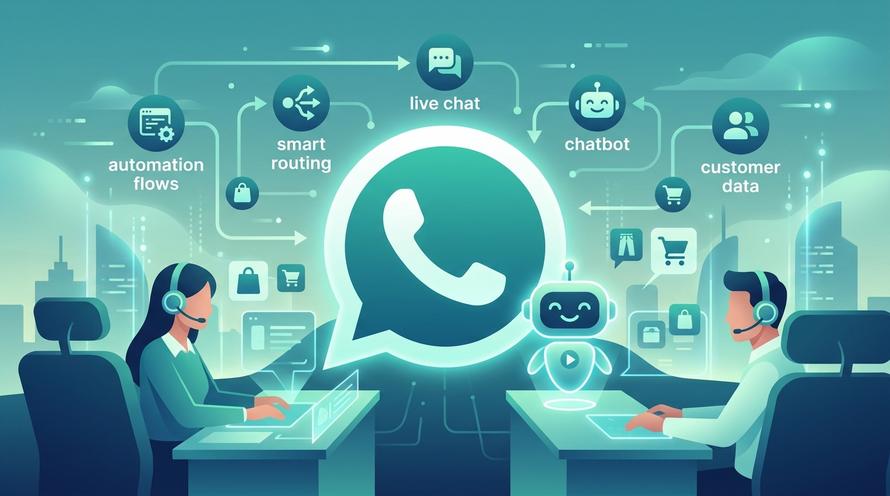
With Trengo, you gain access to a shared team inbox solution where multiple users can reply to WhatsApp messages simultaneously from any device. You can also implement advanced features that the standard app lacks, such as:
This shift transforms WhatsApp from a chaotic phone app into a professional communication channel.

To enable auto-updates, go to the settings of your Google Play Store or Apple App Store. In the settings menu, select "Network Preferences" and enable "Auto-update apps" over Wi-Fi. This ensures you always have the latest features without manual intervention.
Yes, WhatsApp Business builds expire after a certain period. If you do not perform a whatsapp business update regularly, the app will eventually lock you out and refuse to connect to the servers until the latest version is installed.
To revert to the standard messenger, back up your chats in WhatsApp Business settings first. Then, uninstall the Business app, install standard WhatsApp, and verify your number. Note: You may lose specific business data like catalogs and labels during this transition.
You always need a phone number to verify the account initially. However, by using the WhatsApp Business API via Trengo, you can operate whatsapp business without phone number dependency, meaning the physical SIM card does not need to be in an active phone for the service to work.
Downloading from sites like Uptodown is generally safe if you stick to verified badges, but it is never as secure as the official store. Third-party APKs always carry a slight risk of malware or data theft, so use official channels whenever possible.
More like this
Grow your business with loyalty. Bring all of your customer contact into one, single platform to unlock delight at every step of the way.

Trengo is an official WhatsApp Business partner. Connect WhatsApp, email, Instagram, Facebook, and all your channels in one unified inbox and goes to the correct team.