Free Facebook Messenger Link Generator: How to Create m.me Links

Try Trengo for Free

Trengo unites WhatsApp, email, web, social media, and calls in one inbox, saving your team hours of repetitive work and ensures no conversation is ever lost
What is a Facebook Messenger Link (m.me)?
Summary
A Facebook Messenger share link generator helps businesses create a direct, clickable URL (known as an m.me link) that instantly opens a chat conversation with their Facebook Business Page. This comprehensive guide explains what an m.me link is, why it's crucial for customer engagement, and provides three proven methods for generating your own. We'll also cover advanced techniques for tracking link performance and best practices for deploying your link to maximize customer contact and drive conversions.
TL;DR
- A Facebook Messenger link (m.me link) is a shortened URL that directly opens a chat window with a business.
- The standard format is https://m.me/YourPageUsername.
- These links reduce friction, making it easier for customers to contact you, which can significantly boost conversion rates.
- You can generate a link manually, through the Meta Business Suite, or via the mobile app.
- Advanced links can use `?ref=` parameters to track where your chat traffic originates from.
- Managing high volumes of Messenger chats requires a unified inbox like Trengo to maintain fast response times.
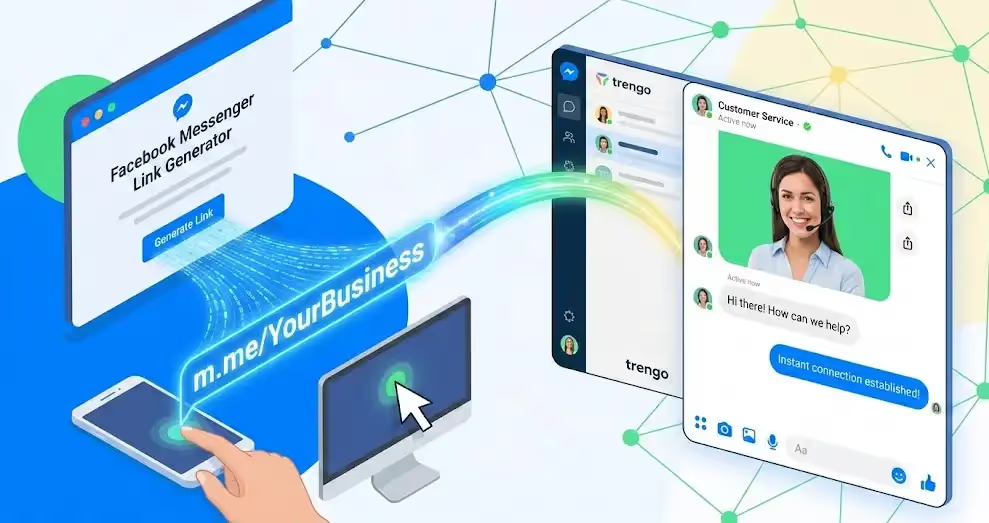
A Facebook Messenger link, commonly known as an m.me link, is a shortened, official URL provided by Meta that serves one powerful purpose: to open a direct chat conversation with a specific Facebook user or Business Page. The format is simple and memorable: `m.me/YourUsername`. When a customer clicks this link, it bypasses the main Facebook page and immediately launches the Messenger app on their mobile device or opens a chat window on their desktop, pre-addressed to your business. This creates a frictionless pathway for communication, removing the steps of searching, navigating to a page, and then finding the "Send Message" button. For businesses, a Facebook Messenger share link generator is an essential tool for turning passive interest into active engagement by making it incredibly easy for customers to start a conversation.
Why Your Business Needs a Direct Messenger Link
In the competitive digital landscape of 2026, every click and every second counts. Forcing a potential customer to navigate through multiple steps just to ask a simple question is a guaranteed way to lose a sale. A direct Messenger link is more than a convenience; it's a strategic asset for growth. By implementing m.me links, you can streamline your communication channels and see a tangible impact on your bottom line.
- Frictionless Customer Contact: The primary benefit is the removal of barriers. Instead of a customer having to search for your brand on Facebook, find your page, and then click "Message," they can go from an ad, email, or website directly into a conversation with a single click. This immediacy is what modern consumers expect.
- Boosted Conversion Rates: Live chat consistently outperforms traditional contact forms and email. The conversational nature of Messenger feels more personal and allows for real-time answers, which helps build trust and guide customers through the purchasing process. Embedding your m.me link in a "Chat with Us" button can lead to significantly higher lead generation and sales.
- Powerful Click-to-Chat Marketing: An m.me link is a versatile marketing tool. You can place it in your Instagram bio, embed it in email signatures, add it to your Google Business Profile, or even turn it into a QR code for physical marketing materials like flyers and business cards. Each placement becomes a new, trackable entry point into your sales funnel. This is a core component of a modern guide on optimizing Instagram for business, where a single link in the bio is prime real estate.
How to Create a Link to Facebook Messenger Manually: 3 Methods
Now that you understand the "why," let's dive into the "how." Generating your unique m.me link is straightforward, and there are several ways to do it depending on your preference and whether you're on a desktop or mobile device. Here are three reliable methods to get your Facebook Messenger link.
Method 1: The Manual URL Generator (The Quickest Way)
This is the fastest and most direct way to create your link if you already know your Facebook Page's username. The entire process is based on a simple formula.
- Identify Your Page Username: Your Page Username is the unique identifier in your Facebook Page's URL (e.g., `facebook.com/YourPageUsername`). You can find this in your Page's "About" section or under "General Page Settings." It should not contain spaces or special characters.
- Construct the URL: Simply append your username to the `m.me` prefix. The formula is: `https://m.me/YOUR-PAGE-USERNAME`.
- Test the Link: Copy and paste the URL you created into your browser. It should immediately redirect and open a Messenger chat window with your Business Page.
Important Note: Be careful with capitalization and ensure you are using the correct username, not the Page Name. The Page Name can have spaces (e.g., "Trengo Customer Service"), but the username cannot (e.g., "trengoapp").
Method 2: Retrieving the Link via Meta Business Suite (Desktop)
For a more official method that guarantees you have the correct link and provides access to other tools like QR codes, the Meta Business Suite is the best option.
- Navigate to your Inbox: Log in to the Meta Business Suite and go to the "Inbox" section from the left-hand menu.
- Find Messaging Settings: In the Inbox, look for the settings icon (a small cogwheel) or a "Chat Plugin" option. The interface changes frequently, but your Messenger link is typically located under an automation or settings tab.
- Copy Your Messenger Link: Meta will display your full `m.me` link here. There is usually a "Copy Link" button that allows you to grab it with one click. In this section, Meta often provides a scannable QR code version of the link as well, which is perfect for offline marketing materials.
Method 3: Getting the Link via the Facebook Mobile App
If you're managing your business on the go, you can easily find and share your Messenger link directly from your mobile device.
- Open Your Facebook Page: Launch the Facebook app and navigate to the Business Page you manage.
- Access the Admin View: Make sure you are viewing the page as an admin. You should see management tools at the top.
- Find and Copy the Link: Tap the "More" or three-dot menu icon on your page's main screen. From the options that appear, select "Copy Page Link." While this often copies the standard Facebook URL, some versions of the app provide a direct option to "Share Profile" which may include the Messenger-specific `m.me` link. For consistency, the manual or Business Suite methods are often more reliable.
Creating a Facebook Messenger Share Link Generator for Specific Messages
Once you've mastered creating a basic m.me link, you can take it a step further by using `ref` parameters. A `ref` (reference) parameter is a piece of text you add to the end of your m.me link to track where a specific click came from. This is invaluable for marketers who want to measure the effectiveness of different campaigns.
The format is: `https://m.me/YourPageUsername?ref=TRACKING-TAG`
For example, you could use:
- `https://m.me/trengoapp?ref=newsletter-promo-dec25` for a link in your holiday newsletter.
- `https://m.me/trengoapp?ref=instagram-story-new-feature` for a link in an Instagram Story.
- `https://m.me/trengoapp?ref=website-contact-button` for the link on your "Contact Us" page.
When a user clicks one of these links and starts a conversation, the `ref` parameter is passed along. This data can then be used to trigger specific automated responses. For instance, a customer clicking the newsletter link could be greeted with an automated message like, "Thanks for your interest in our holiday promo! How can I help you today?" This level of personalization is a cornerstone of effective AI chatbot customer service and can dramatically improve user experience.
Where to Place Your Messenger Link
Generating the link is only the first step. To truly leverage its power, you need to strategically place it where your customers are most likely to see and use it.
- Your Website: The most obvious place is your website. Replace your traditional "Contact Us" form with a "Chat on Messenger" button. Add a sticky chat widget that uses your m.me link so customers can reach you from any page.
- Social Media Profiles: Your social media bios are prime real estate. Use a tool like Linktree to include your Messenger link alongside other important links. You can also create posts and stories with a clear call-to-action to "DM us for details" and link directly to your Messenger. While you're at it, consider using an Instagram DM link generator to create similar direct-to-chat experiences on that platform.
- Email Signatures: Add your m.me link to the email signatures of your entire team. This turns every email sent into a potential conversation starter. The line can be as simple as: "Have a quick question? Chat with us on Messenger!"
- Offline Marketing: Never underestimate the power of physical media. Generate a QR code that points to your m.me link and print it on business cards, product packaging, in-store signage, and event flyers. A customer can scan the code and instantly be in a conversation with your support team. This strategy is just as effective as using tools to create a WhatsApp link for QR codes.
What Happens When Your Link Goes Viral?
Congratulations! Your new m.me links are a huge success. Customers are clicking from your website, your email signatures, and your social media campaigns. But this success introduces a new, significant challenge: managing the flood of incoming messages. Relying on the native Meta Business Suite inbox can quickly become a bottleneck that puts your revenue at risk.
- Collaboration Chaos: The native inbox is not built for teams. It's difficult to assign conversations, leave private notes for colleagues, or track who is handling which customer query. This leads to slow responses and duplicated effort.
- The Silo Problem: Your customers don't just use Facebook Messenger. They email you, send messages on WhatsApp, and use your website's live chat. The native inbox keeps your Messenger conversations completely separate from these other channels, forcing your team to constantly switch between tabs and creating a fragmented view of the customer journey.
- Lost Leads and Revenue: Slow response times are a conversion killer. If a customer has to wait hours for a reply because your team is overwhelmed or a message was missed, they will simply go to a competitor. Every unanswered message is potential revenue left on the table.
Manage Your Messenger Conversations with Trengo’s Unified Inbox
This is where the true solution lies. To scale your conversational marketing, you need a platform that can handle the volume and complexity that success brings. Trengo is a smart customer engagement platform that centralizes all your communication channels into one powerful, collaborative inbox. When you manage your Messenger conversations with Trengo, you solve the challenges of scale and turn your messaging channels into a revenue-generating machine.
Centralize Multi-Channel Communication
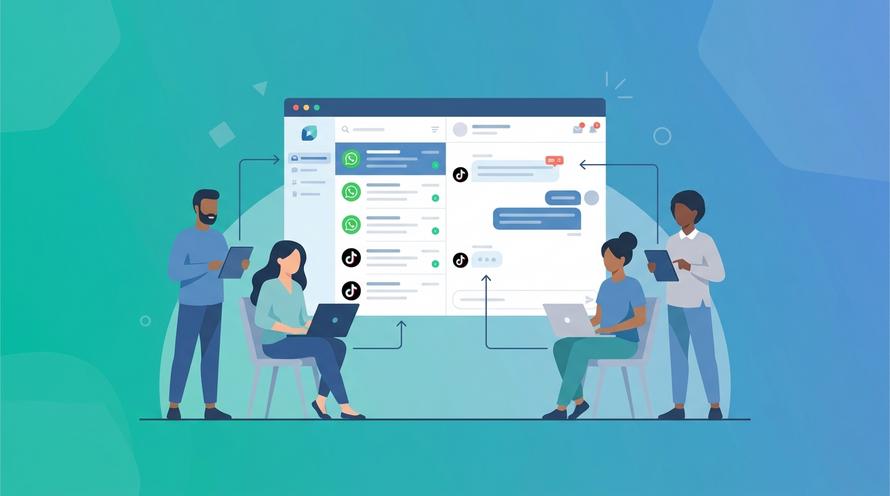
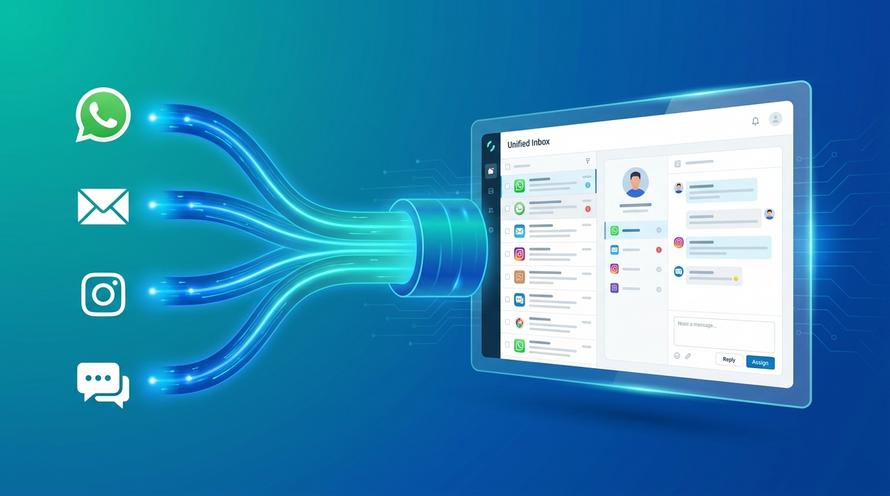
Trengo's unified inbox brings together Facebook Messenger, email, Instagram DMs, WhatsApp, and website live chat into a single, streamlined view. Your team can handle a conversation that starts on Messenger and follow up via email without ever leaving the Trengo platform. This provides a complete, 360-degree view of every customer interaction, regardless of the channel. For businesses heavily reliant on WhatsApp, Trengo acts as a powerful WhatsApp Business API solution integrated with all your other channels.
Collaborate with Team Assignments and Tagging
Forget the confusion of the native inbox. With Trengo, you can instantly assign conversations to the right team member or department. Need help from a specialist? Simply @tag a colleague in an internal note right within the conversation thread. The customer never sees these internal comments, allowing your team to collaborate seamlessly to solve issues faster. This functionality turns your customer service from a group of individuals into a cohesive, efficient team.
Automate Responses with AI Agents and Chatbots
What happens when a customer clicks your m.me link at 2 AM? With Trengo, you don't miss the lead. You can deploy powerful automation tools like Flowbots and AI Agents to handle conversations 24/7. These bots can answer frequently asked questions, qualify leads by asking pre-set questions, and even create tickets in your system. This ensures every customer receives an instant response, improving satisfaction and capturing valuable leads while your team is offline.
Frequently Asked Questions (FAQ)
How do I get a link to Facebook Messenger for a personal profile?
The process is identical for a personal profile. You can use the format `https://m.me/YourPersonalProfileUsername` or use our free Messenger Link Generetor to create a direct link to a chat with your personal account. However, be aware that your privacy settings may affect who can message you using this link.
How can I tell if a link is a Facebook Messenger link?
You can identify a Facebook Messenger link by its domain. All official Messenger links start with `m.me/`. If you see this format, you can be confident that it is a legitimate link owned and operated by Meta that will safely open a chat window.
How to generate a Facebook link for a specific post?
A link for a specific post is different from a Messenger link. To get a post link, navigate to the post on Facebook, click the three-dot menu on the post, and select "Copy link." This URL will direct people to view that specific content, not to a chat conversation with your page.

Let's meet
Grow your business with loyalty. Bring all of your customer contact into one, single platform to unlock delight at every step of the way.