How to Create an Email List & Newsletter in 7 Steps


Try Trengo for Free

Trengo unites WhatsApp, email, web, social media, and calls in one inbox, saving your team hours of repetitive work and ensures no conversation is ever lost
First, Build Your Foundation: How to Create an Email List
Summary
Learning how to create an email newsletter is a powerful way for businesses to drive customer engagement and retention in 2026. This process involves more than just writing an email; it requires strategically building an audience, choosing the right tools, designing compelling content, and efficiently managing the customer conversations that result. By following a structured approach, any business can leverage newsletters to foster a loyal community and support its growth.
TL;DR
- Start by building an email list ethically using website forms, lead magnets, or social media links.
- Define a clear goal for your newsletter, whether it's driving sales, sharing updates, or building a community.
- Choose a platform that fits your needs, from dedicated email services to design tools like Canva, but understand the limitations of basic tools like Gmail or Outlook.
- Design a mobile-friendly template, craft valuable content with a strong subject line, and include clear calls to action.
- The real value comes after sending; use a tool like a shared inbox to manage replies and customer conversations effectively.
- Always test your newsletter before sending and analyze performance metrics to improve future campaigns.
A newsletter is only as valuable as the audience that reads it. Before you can think about design or content, you must have a plan to ethically and effectively collect email addresses from people who are genuinely interested in what you have to say. This list is your most crucial asset, so building it with care is the most important prerequisite for success.
How to create an email list for your website
Your website is prime real estate for capturing subscriber information. The key is to make it easy and appealing for visitors to sign up. One of the most effective methods is using embedded sign-up forms placed in strategic locations like your blog sidebar, footer, or at the end of articles. You can also use pop up forms, but use them sparingly to avoid disrupting the user experience. To significantly boost sign ups, offer a lead magnet: a valuable piece of content like a free ebook, checklist, or exclusive discount code in exchange for an email address. This provides instant value and sets a positive tone for your future communications.
How to create an email list for free and without a website
You don't need a large budget or even a full website to start building your audience. Many email marketing platforms, like Mailchimp, offer free landing page builders. You can create a simple, dedicated page with a sign up form and promote the link directly in your social media bios, email signature, or on digital business cards. If you interact with customers in person at events or in a physical store, you can collect emails directly. Furthermore, direct customer interactions through support channels are a great opportunity to invite satisfied customers to join your list for updates and special offers.
The 7 Step Process to Create Your First Email Newsletter
With your list-building strategy in motion, you can now focus on creating the newsletter itself. This process can be broken down into seven manageable steps, taking you from a blank page to a sent campaign that gets results.
Step 1: Define Your Goal and Audience
Before you write a single word, ask yourself: what is this newsletter for? The goal will shape every other decision you make. Are you trying to drive direct sales with promotions, build a community with exclusive content, announce product updates, or establish yourself as an industry expert? Clearly defining your goal helps you measure success. Equally important is understanding your audience. What are their pain points? What content would they find valuable or entertaining? A newsletter that serves the reader’s needs is one that gets opened consistently.
Step 2: Choose the Right Platform for Your Needs
The tool you use to create and send your newsletter has a significant impact on your capabilities. Here are the most common options:
- Dedicated Email Platforms: Services like Mailchimp, Brevo, or ConvertKit are the professional standard. They offer robust features for analytics, automation, subscriber management, and legal compliance like easy unsubscribe options. Most have free tiers for beginners.
- Design Tools like Canva: You can learn how to create an email newsletter in Canva to produce visually stunning layouts. However, Canva is a design tool, not a sending platform. You will need to export your design as an image or PDF and then use an actual email service to send it, which can present display issues and lacks tracking capabilities.
- Everyday Tools like Gmail and Outlook: For a very small, personal list, you can learn how to create an email newsletter in Gmail or Outlook. You can use a distribution list to send a formatted email. However, this method has serious limitations. It offers no analytics, limited personalization, and a high risk of your emails being marked as spam, which can damage your domain's reputation. It’s not a scalable or professional solution for a growing business.
Step 3: Design an On Brand Newsletter Template
Good newsletter design is about clarity and consistency. Your template should be instantly recognizable as yours. Start with a clean, simple layout that is mobile friendly, as a majority of users will read your email on their phone. Include a clear header with your logo, use your brand's color scheme, and choose readable fonts. Most email platforms offer pre built newsletter templates, which are a great starting point. You can customize these to match your brand identity without needing to code anything yourself.
Step 4: Craft Compelling Content
The body of your newsletter is where you deliver value. Aim for a healthy mix of content to keep your audience engaged. You can include educational articles, behind the scenes looks at your company, promotional offers, user generated content, or industry news. The most critical piece of writing is your subject line. It must grab attention in a crowded inbox without resorting to clickbait. Make it clear, concise, and compelling by highlighting the primary value the reader will get from opening your email.
Step 5: Add Clear Calls to Action and Links
Every newsletter you send should have a purpose and guide the reader toward a specific action. These calls to action (CTAs) should be obvious and easy to click. Use action oriented language in your links and buttons, such as "Read the Full Story," "Shop the New Collection," or "Claim Your Discount." Ensure all links work correctly and direct users to the intended page. A newsletter without a clear CTA is a missed opportunity to engage your audience further.
Step 6: Test Before You Send
This is a step you should never skip. Before sending your newsletter to your entire list, send a test version to yourself and a few colleagues. Open it on both desktop and mobile devices to check for any formatting issues. Read through the copy one last time to catch typos or grammatical errors. Click every single link to ensure they are not broken. This simple quality check can save you from the embarrassment of sending a flawed email to your entire audience.
Step 7: Send and Analyze Your Performance
Once you hit send, your job isn't over. Most email platforms provide analytics that offer valuable insights into your campaign's performance. Pay attention to key metrics like open rate (the percentage of subscribers who opened your email) and click through rate (the percentage who clicked on a link). This data tells you what your audience responds to, helping you refine your subject lines, content, and CTAs to improve future newsletters.
The Real Work Begins After You Click 'Send': Managing Newsletter Responses with Trengo
Creating and sending an engaging newsletter is a major accomplishment. But a successful campaign generates more than just clicks; it generates conversations. Customers will reply with questions, support requests, and feedback. If you aren't prepared to handle this influx of communication, you risk frustrating customers and missing valuable opportunities. This is where the real work begins, and where a unified approach to communication becomes essential.
Stop Juggling Inboxes: Unify All Customer Conversations
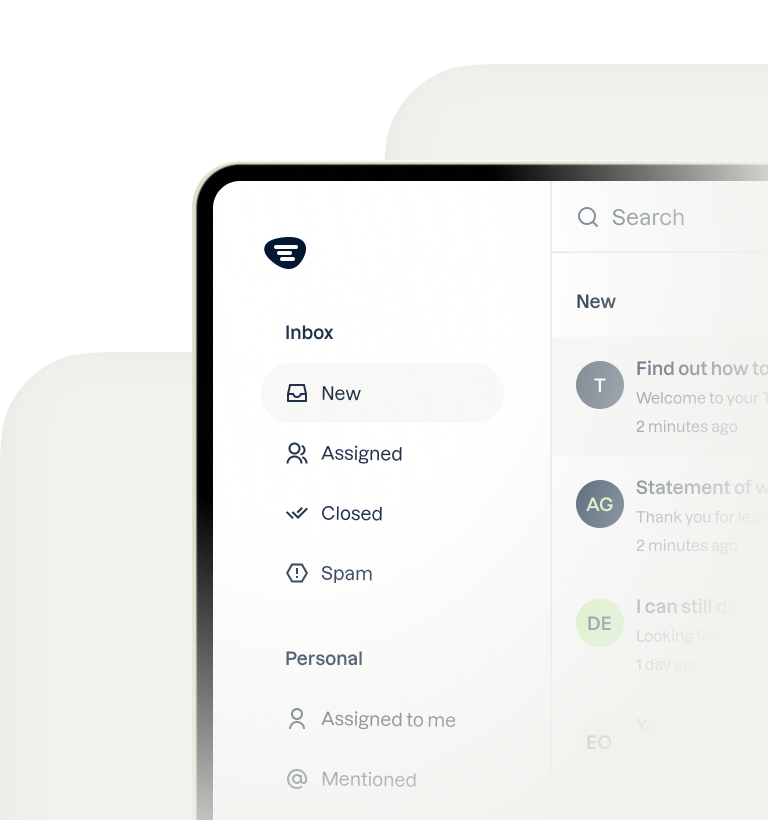
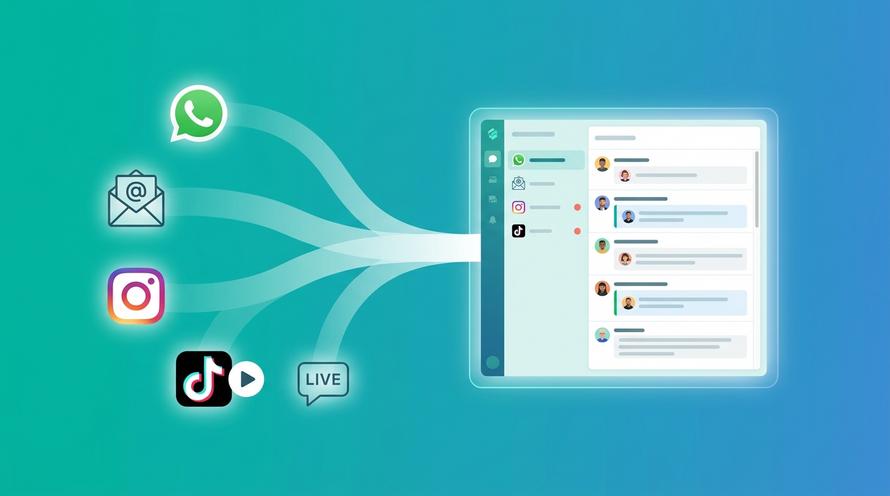
The typical problem for a growing business is communication chaos. Newsletter replies land in one email account, website live chat inquiries go to another platform, and social media DMs are in a separate app. This fragmentation makes it impossible to deliver a consistent and efficient customer experience. The solution is Trengo's Omnichannel inbox, which centralizes all customer conversations from email, live chat, WhatsApp, and social media into a single, shared view. When a customer replies to your newsletter, any available team member can see the message and respond instantly, creating a seamless experience.
Collaborate with Your Team to Provide Faster, Smarter Support
Managing newsletter responses often requires teamwork. A marketing team member might receive a technical product question, or a sales inquiry might come in as a reply to a content piece. Trengo's collaboration features are built for this reality. Inside a customer conversation, you can leave internal notes for context or tag a colleague from another department to get their input without forwarding emails or switching apps. This streamlines your workflow, ensures the right expert handles the query, and leads to faster, more accurate resolutions. By integrating your communication into one customer service platform, you turn every newsletter into an opportunity for stellar support.

Frequently Asked Questions

Ready to not only send great newsletters but also manage every customer conversation that follows? Unify your communication and delight your customers with Trengo's shared inbox. Start your free 14-day trial today.


Let's meet
Grow your business with loyalty. Bring all of your customer contact into one, single platform to unlock delight at every step of the way.