WhatsApp Business analytics: how to get insights from customer interactions


Try Trengo for Free

Trengo unites WhatsApp, email, web, social media, and calls in one inbox, saving your team hours of repetitive work and ensures no conversation is ever lost
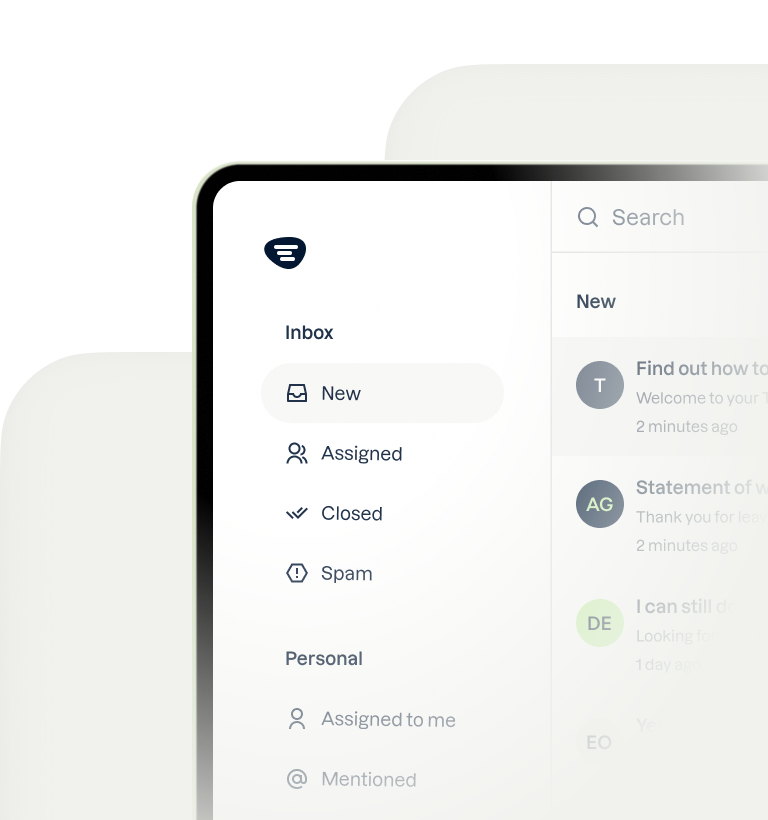
What is WhatsApp analytics?
Summary
WhatsApp analytics is the process of measuring and analyzing your business conversations on WhatsApp, from message volumes to response times and customer satisfaction. The free WhatsApp Business app only offers basic statistics, so for in-depth WhatsApp Business analytics you need the WhatsApp Business API. Meta provides message, conversation, and template analytics for the API, while a customer service platform like Trengo adds team metrics such as first response time, resolution time, and CSAT. This article explains which metrics to track, how to get started, and how to pick the right WhatsApp analytics tool.
TL;DR
- WhatsApp analytics shows how happy your customers are and how well your team performs on WhatsApp.
- The WhatsApp Business app only offers basic statistics about your messages.
- With the WhatsApp Business API, Meta reports on messages, conversations, costs, and message templates.
- Team metrics like first response time, resolution time, and CSAT require a customer service platform on top of the API.
- Choose an official WhatsApp Business Solution Provider that shows all the metrics you need in one dashboard.
WhatsApp analytics is the collection and analysis of data from your WhatsApp Business conversations, such as how many messages come in, how fast your team responds, and how satisfied customers are with the help they get.
When interacting with customers, businesses need to track critical KPIs that help them determine how they are doing. If you want to be successful, you need to answer the following questions constantly:
- Are my customers happy?
- How is my team performing?
- Can my team handle the current workload?
With traditional channels like email and voice, most professionals already have the right tools to measure performance. But with newer channels like WhatsApp Business, how do you measure all of these important metrics?
In this article, we’ll discuss the benefits of analyzing interactions via WhatsApp, which metrics to track, how to get insights into your WhatsApp Business analytics, and how you can start measuring today.
The benefits of analyzing customer interactions via WhatsApp
Now that WhatsApp has evolved into an important customer communication channel, it’s time to start treating it as one. This means you’ll have to know how you’re performing there. And to measure is to know.
When you analyze your WhatsApp interactions with customers, you’ll learn:
- If your customers are happy (and if not, how you can solve that)
- How fast your team is responding to messages
- How fast your team is resolving issues
- Which topics are being discussed the most (and if you can automate answering those questions)
- How many messages your team is handling daily (and if you need to hire extra manpower)
The above metrics give customer service managers the insight they need to improve the service they are offering via WhatsApp.
WhatsApp Business analytics: how to get started
Google has Google Analytics. But WhatsApp doesn’t have one analytics tool that covers your entire customer service. What you can measure depends on whether you use the WhatsApp Business app or the WhatsApp Business API.
Analytics in the WhatsApp Business app
The closest you’ll get with the WhatsApp Business app is basic statistics, such as the number of messages sent and received. There are no reports on response times, agent performance, or customer satisfaction. So how can you get the in-depth insights you need? With the WhatsApp Business API.
Analytics with the WhatsApp Business API
The WhatsApp Business API was built for medium to large-sized businesses. With it, they can manage high-volume customer communication operations via WhatsApp. It enables them to work together as a team, manage WhatsApp together with other communication channels, automate the busywork, and get in-depth insights into performance.
Meta itself provides analytics for the API, such as the number of messages sent and delivered, the number of conversations and their costs, and how often your message templates are read. The WhatsApp Business Platform analytics documentation lists all of them. These numbers tell you a lot about your messaging, but not about your team: how fast agents respond, how long it takes to resolve a question, or how satisfied your customers are.
Since the API doesn’t come with its own interface, you can only access it via a WhatsApp customer engagement platform such as Trengo, which adds these customer service metrics on top.
Which WhatsApp metrics should you track?
The right WhatsApp Business analytics start with the right metrics. These are the most useful ones to track on WhatsApp, and many of them are the same essential customer service metrics and KPIs you track for other channels:
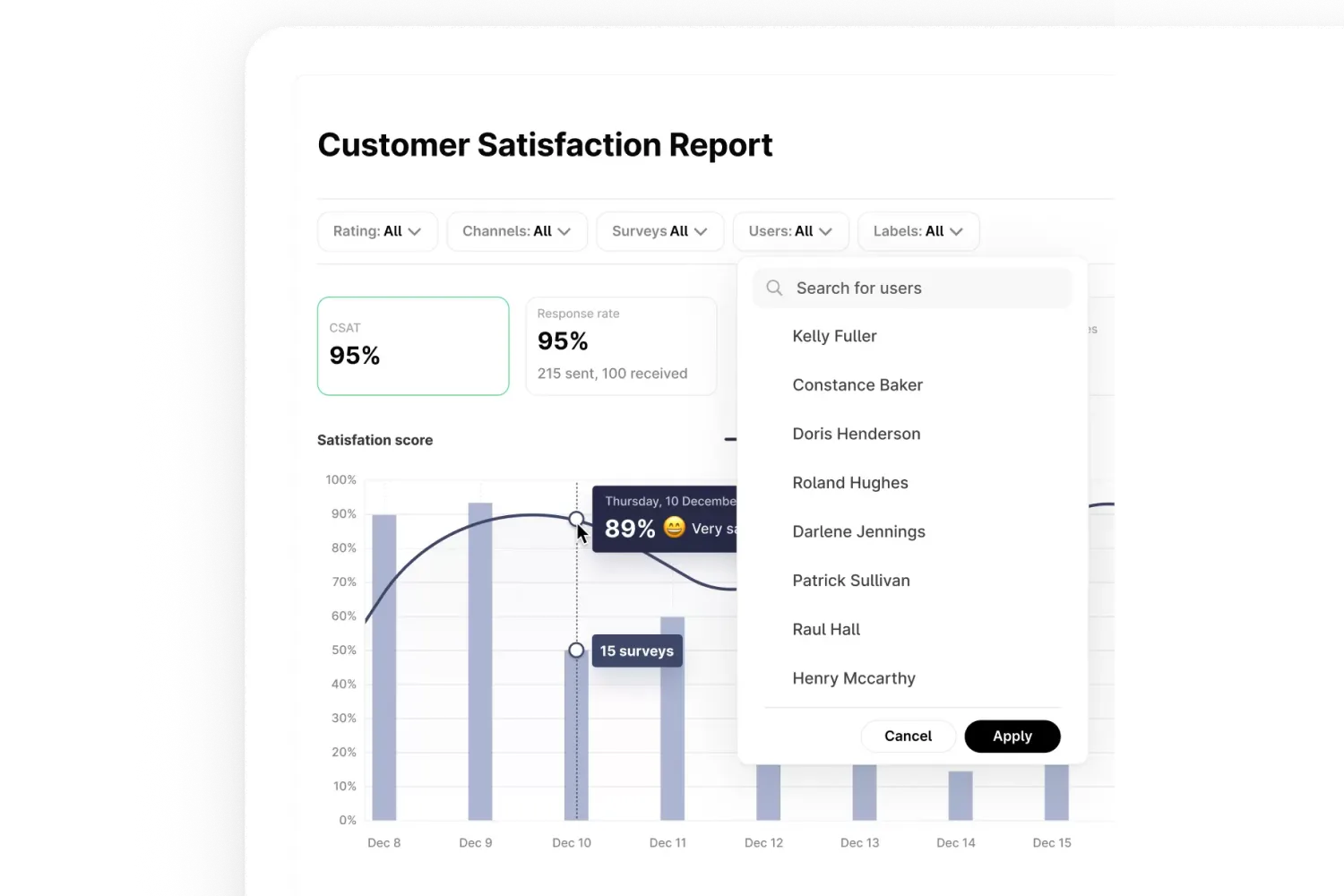
- CSAT: the customer satisfaction score your customers give in a short survey after a conversation.
- Number of conversations: how many new, assigned, and closed conversations your team handles, including inbound, outbound, and internal messages.
- Labels: which topics are discussed most, so you know which questions are worth automating.
- First response time: how long customers wait for the first reply from an agent.
- Resolution time: how long it takes until a conversation is resolved.
- Responses until resolution: how many replies your team needs to solve a question.
- Agent performance: response times, resolution times, and assigned conversations per agent.
- Template performance: how often your WhatsApp message templates are sent, delivered, read, and clicked.
First response time matters even more on WhatsApp than on email. Customers expect a quick reply in a messaging app, and after 24 hours without a message from the customer, you can only reply with a pre-approved message template. Our article on customer service response time standards explains what counts as fast.
To measure CSAT, you need customer satisfaction surveys that customers can fill in right after a WhatsApp conversation.
Your whole team on one WhatsApp number
Use the official WhatsApp Business API in a shared inbox, with automation and AI built in.
How to pick the right WhatsApp Business analytics tool
Now that you know that you need the API, it’s time to find a tool that supports it. There are multiple tools that enable you to use the WhatsApp API, but most of them don’t have the right analytics for you to get the insights you need. Here are some things you can take into account before purchasing a product.
Pick a WhatsApp Business Solution Provider
Meta works with a selected group of official WhatsApp Business Solution Providers (BSPs) around the world. These platforms can connect businesses to the WhatsApp Business API. Our overview of the best WhatsApp Business API providers compares several of them.
Platforms that are not an official BSP can still promote that they offer the WhatsApp Business API. However, these platforms will offer this via a third party, meaning you will have to pay extra costs.
Don’t fall for that trap and skip the middleman.
Check which metrics you can monitor
Many tools that offer the WhatsApp API have been built to only facilitate communication. This means that the number of metrics you can measure is often limited. Make sure that the platform you choose lets you monitor all the metrics above, ideally in one WhatsApp analytics dashboard. For example, the Trengo Live Dashboard shows new and assigned conversations, first response time, and resolution time in real time.
Choose a tool that covers all your channels
WhatsApp is rarely your only channel. If your customers also reach you via email, live chat, or social media, look for a tool that reports on all channels in one place and lets you filter by channel, user, and label. That’s easier with an omnichannel WhatsApp integration, where WhatsApp runs in the same inbox as your other channels.
Bottom line: to measure is to know
If you’re using WhatsApp Business as a channel to connect with your customers, or planning to, you’re going to need a WhatsApp analytics tool.
For in-depth insights, sign up for Trengo. We are a WhatsApp Business Solution Provider that can connect you to the WhatsApp Business API. We offer an easy-to-use product, transparent pricing, automation options such as rules and chatbots, and the ability to monitor all key metrics in one WhatsApp Business dashboard with Trengo reporting and data intelligence.
Frequently Asked Questions

Yes, but the WhatsApp Business app only offers basic statistics, such as the number of messages sent and received. For in-depth insights, including customer satisfaction, response times, and agent performance, you need the WhatsApp Business API together with a platform like Trengo, which offers analytics dashboards and reporting.
You can track customer interactions on WhatsApp Business by connecting the WhatsApp Business API to a platform like Trengo. Its reports show how many conversations come in, how quickly your team responds, how long it takes to resolve questions, and which topics come up most, which helps you optimize workflows and staffing.
WhatsApp Business analytics can show customer satisfaction, first response and resolution times, agent performance, conversation volumes, and the most discussed topics. With the API, Meta also reports on messages, conversations, costs, and message template performance. These insights help you find bottlenecks, improve service quality, and automate answers to recurring questions.
A WhatsApp analytics dashboard is an overview of your most important WhatsApp metrics on one screen, such as new and assigned conversations, first response time, and resolution time. In Trengo, the Live Dashboard shows these numbers in real time, so you can act quickly when the workload goes up.
Yes. With the WhatsApp Business API and a multi-agent platform like Trengo, you can analyze performance per agent and across your connected WhatsApp numbers. This includes individual and team metrics, assigned conversations, and the distribution of the workload across your team.
The best tools for WhatsApp Business analytics are platforms that connect to the WhatsApp Business API and combine reporting with a shared inbox. Look for CSAT, response and resolution times, agent reports, and filters per channel. Trengo offers all of these in one platform, together with automation and an omnichannel inbox.
Yes. Platforms like Trengo let you send a CSAT survey after a WhatsApp conversation and analyze the scores in a CSAT report, which you can filter by channel, user, and label. This helps you gauge customer happiness and find areas for improvement.
Yes. With the WhatsApp Business API, Meta provides template analytics that show how often a message template was sent, delivered, and read, and for some template types how often its buttons were clicked. This helps you measure the results of notifications and campaigns on WhatsApp.
Yes. The WhatsApp Business API is required for advanced analytics, multi-agent support, and integrations with other tools. The WhatsApp Business app only provides basic statistics, while the API, paired with a platform like Trengo, unlocks detailed reporting and performance monitoring.
Analytics help you spot slow response times, identify common pain points, automate repetitive questions, and allocate resources more effectively. By tracking key metrics, you can keep refining your support strategy, which leads to faster resolutions and higher customer satisfaction.
Yes. Trengo connects WhatsApp with CRM platforms such as HubSpot, Salesforce, and Pipedrive, so customer data is visible next to each conversation, while Trengo’s own reports cover your WhatsApp performance. Together, they give you a complete view of customer interactions for better personalization and follow-up.
Yes. Customer service platforms like Trengo combine WhatsApp automation, such as rules, chatbots, and AI agents, with reports on response times, resolution times, and agent performance. This helps you scale support, monitor KPIs, and see how automation affects your results.
One WhatsApp number, many replies by hand?
Share it with your whole team in Trengo.


Let's meet
Grow your business with loyalty. Bring all of your customer contact into one, single platform to unlock delight at every step of the way.