Question 1 sur 5
📊 Le score de préparation de ton équipe
0
/ 10
On analyse tes réponses…

Blog

Service à la clientèle
Mise à jour WhatsApp Business 2026 : téléchargement, fonctionnalités et corrections

Essaie Trengo gratuitement

Trengo rassemble WhatsApp, les e-mails, le web, les réseaux sociaux et les appels dans une seule boîte de réception, ce qui fait gagner à ton équipe des heures de boulot répétitif et garantit qu'aucune conversation ne se perd.
Voir Trengo en action

Garder ton appli à jour, c'est super important pour la sécurité et pour avoir accès aux derniers outils, mais trouver la bonne mise à jour WhatsApp Business 2026 à télécharger peut être compliqué. Ce guide explique comment obtenir la dernière version de WhatsApp Business sur Android, iOS et ordinateur, tout en réglant les problèmes courants liés aux mises à jour. On regarde aussi pourquoi les mises à jour manuelles sur chaque téléphone peuvent être risquées pour les équipes qui grandissent et comment passer à l'API WhatsApp Business via Trengo offre une solution plus stable et pro.
Utiliser la dernière version de WhatsApp Business Update 2026, c'est le meilleur moyen de garder les données de tes clients en sécurité et de t'assurer que tes outils de communication marchent bien. Que tu aies un appareil Android standard ou un iPhone, le processus est souvent automatique, mais il faut parfois intervenir manuellement quand les fonctionnalités ne marchent plus ou que l'appli expire.
Pour la plupart des gens, les boutiques d'applications officielles sont le moyen le plus sûr. Ça garantit que les logiciels ont été vérifiés pour éviter les logiciels malveillants. Voici comment mettre à jour WhatsApp Business sur les appareils Android et iOS :
Si tu ne vois pas d'option de mise à jour, c'est probablement que tu as déjà la dernière version de WhatsApp Business installée.
Pour ceux qui ne peuvent pas aller sur le Google Play Store, comme ceux qui ont des appareils Huawei sans Google Services ou ceux qui préfèrent télécharger directement les fichiers APK, la mise à jour de WhatsApp Business se fait un peu différemment. Tu peux télécharger en toute sécurité la « dernière version 2026 nouvelle version » via des galeries d'applications alternatives officielles ou des sites miroirs APK fiables :
Cette méthode répond à la question « comment mettre à jour sans passer par le Play Store » et est super pratique pour les appareils comme Huawei, car elle leur permet de continuer à profiter de toutes les fonctionnalités de WhatsApp Business.
Attention : gérer les APK à la main, c'est risqué et pas viable pour les équipes. Si tu télécharges souvent des applis, pense à connecter WhatsApp Business à une plateforme unifiée qui gère la connexion technique via une API, ce qui évite d'avoir à mettre à jour manuellement les téléphones.
Les versions bureau et web de WhatsApp Business se mettent généralement à jour automatiquement, mais tu peux toujours vérifier que tu as bien la dernière version :
Ces méthodes garantissent que ta « mise à jour WhatsApp Business pour PC » et tes versions Web sont toujours à jour, offrant une expérience cohérente sur tous tes appareils.
Comprendre les nouveautés dans les journaux de mise à jour de WhatsApp Business vous aide à garder une longueur d'avance sur vos concurrents. La feuille de route 2026 a introduit des changements importants axés sur le commerce et l'automatisation.
La dernière version de WhatsApp Business Update 2026 inclut des fonctionnalités améliorées pour « Flows », qui permettent aux clients de prendre rendez-vous ou de choisir leurs places directement dans la fenêtre de discussion. En plus, Meta a amélioré la stabilité de « Channels » pour diffuser des mises à jour à un nombre illimité d'abonnés. Pour les entreprises qui utilisent l'automatisation, ces mises à jour offrent des points d'intégration plus fluides pour automatiser les interactions avec les clients et déployer des répondeurs automatiques simples.
Si tu te demandes ce que WhatsApp Business a de spécial cette année, c'est son intégration plus poussée dans l'écosystème Meta, qui permet un meilleur ciblage publicitaire et une meilleure gestion du catalogue directement depuis l'appli.
C'est vraiment énervant quand tu tombes sur un problème de mise à jour de WhatsApp Business juste au moment où tu dois répondre à un client. Si tu remarques que WhatsApp Business ne se met pas à jour, pense à ces causes courantes :
Rencontrer des problèmes lors de la mise à jour de ton app WhatsApp Business peut être frustrant. Si tu te demandes « pourquoi mon WhatsApp Business ne se met-il pas à jour ? » ou « pourquoi WhatsApp Business ne fonctionne-t-il pas ? », voici quelques problèmes courants et leurs solutions simples :
Régler ces problèmes courants liés à la mise à jour de WhatsApp Business devrait généralement résoudre tes échecs de mise à jour et te permettre de profiter à nouveau des dernières fonctionnalités.
Même si l'appli standard convient aux freelances, compter sur des téléphones physiques, c'est prendre un gros risque pour les entreprises en pleine croissance. Quand on se demande ce qui se passe si on ne met pas à jour WhatsApp, la réponse, c'est souvent que l'appli expire et coupe la communication. Mais le plus gros risque, c'est le processus de mise à jour lui-même.
L'appli gratuite standard limite ta communication pro à un seul appareil (ou à un nombre limité de sessions web connectées). Si le téléphone principal est à court de batterie, tombe en panne ou ne parvient pas à mettre à jour WhatsApp Business, tout ton canal d'assistance se retrouve hors ligne. En plus, les mises à jour manuelles ne te permettent pas d'évoluer facilement ; tu ne peux pas simplement ajouter plus d'agents pour gérer le volume entrant, car l'appli standard ne prend pas en charge une véritable architecture de boîte de réception partagée.
La meilleure « mise à jour » pour une entreprise en pleine croissance, c'est pas une nouvelle APK, c'est passer à l'API WhatsApp Business avec Trengo. En utilisant Trengo, tu sépares ton numéro professionnel de ton téléphone physique. Tu n'as plus besoin de te soucier de télécharger manuellement les fichiers de mise à jour WhatsApp Business 2026, car la connexion est hébergée dans le cloud.
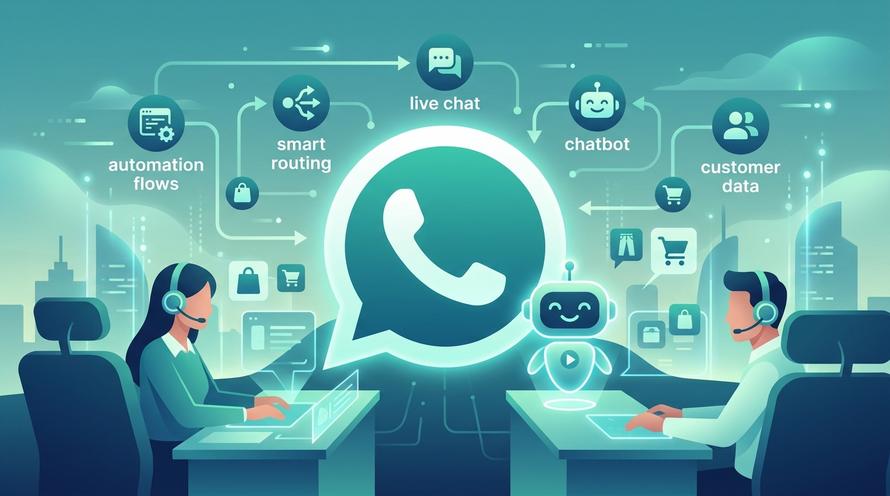
Avec Trengo, tu peux utiliser une boîte de réception partagée pour ton équipe, où plusieurs personnes peuvent répondre en même temps aux messages WhatsApp depuis n'importe quel appareil. Tu peux aussi utiliser des fonctionnalités avancées qui ne sont pas disponibles dans l'appli standard, comme :
Ce changement transforme WhatsApp, qui passe d'une appli téléphonique un peu chaotique à un canal de communication pro.

Pour activer les mises à jour automatiques, va dans les paramètres de ton Google Play Store ou Apple App Store. Dans le menu des paramètres, choisis « Préférences réseau » et active « Mise à jour automatique des applications » via Wi-Fi. Comme ça, tu auras toujours les dernières fonctionnalités sans avoir à faire quoi que ce soit.
Oui, les versions de WhatsApp Business expirent après un certain temps. Si tu ne mets pas régulièrement à jour WhatsApp Business, l'appli finira par te bloquer et refuser de se connecter aux serveurs tant que tu n'auras pas installé la dernière version.
Pour revenir à l'application WhatsApp standard, commence par sauvegarder tes discussions dans les paramètres de WhatsApp Business. Ensuite, désinstalle l'application Business, installe WhatsApp standard et vérifie ton numéro. Remarque : tu risques de perdre certaines données professionnelles, comme les catalogues et les étiquettes, lors de cette transition.
Tu as toujours besoin d'un numéro de téléphone pour vérifier ton compte au début. Mais, en utilisant l'API WhatsApp Business via Trengo, tu peux utiliser WhatsApp Business sans avoir besoin d'un numéro de téléphone, ce qui veut dire que la carte SIM physique n'a pas besoin d'être dans un téléphone actif pour que le service marche.
Télécharger depuis des sites comme Uptodown, c'est généralement sans souci si tu choisis des badges vérifiés, mais c'est jamais aussi sûr que la boutique officielle. Les APK tiers présentent toujours un petit risque de malware ou de vol de données, alors utilise les canaux officiels dès que tu peux.
Plus de détails
Développe ton activité grâce à la fidélisation. Rassemble tous tes contacts avec les clients sur une seule et même plateforme pour débloquer l'enchantement à chaque étape.

Trengo est un partenaire officiel de WhatsApp Business. Connecte WhatsApp, tes e-mails, Instagram, Facebook et tous tes canaux dans une boîte de réception unique, et les messages vont à la bonne équipe.