

TikTok-Posteingang: Wo du ihn findest und wie du Direktnachrichten verwaltest

Probier Trengo kostenlos aus

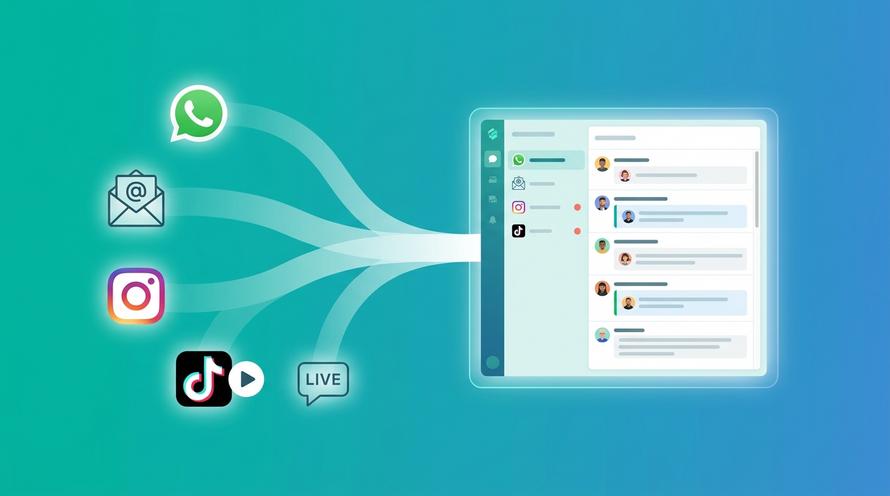
Trengo bringt WhatsApp, E-Mails, Web, Social Media und Anrufe in einem Posteingang zusammen, spart deinem Team stundenlange Routinearbeit und sorgt dafür, dass keine Unterhaltung verloren geht.
Trengo in Aktion sehen
- Umfassende Integrationen
- Einfache Konfiguration
- Skalierbare Preisstruktur
What is the TikTok Inbox and Where Do You Find It?
Zusammenfassung
The TikTok inbox is the central hub for all your interactions, including direct messages, comments, likes, new followers, and system notifications. Understanding how to navigate and manage your TikTok inbox messages is crucial for both personal creators and businesses looking to engage with their audience effectively. This article covers everything from finding your inbox and managing DMs to troubleshooting common problems and scaling your communications with professional tools.
TL;DR
- The TikTok inbox is found by tapping the "Inbox" icon on the bottom navigation bar of the app.
- It contains sections for Direct Messages, System Notifications, New Followers, and Activities like likes and comments.
- You can manage messages by sending, replying, and deleting them, but you cannot mass delete all messages at once in the native app.
- Common issues like the inbox not working, showing unread messages, or disappearing can often be fixed by updating the app or clearing the cache.
- Businesses with high message volume find the native inbox inefficient for team collaboration and customer support.
- A shared inbox platform like Trengo integrates with the TikTok Business Messaging API to streamline and professionalize DM management for teams.
How to Find and Open Your TikTok Inbox in 2026
Finding your inbox on TikTok is straightforward. It's designed to be easily accessible from the main screen. To check your TikTok inbox, simply follow these steps:
- Open the TikTok app on your mobile device.
- Look at the navigation bar at the bottom of the screen.
- Tap on the icon labeled "Inbox". It's usually the fourth icon from the left, resembling a paper airplane or a conversation bubble.
Once you tap it, you will have your TikTok inbox open, showing all your latest notifications and messages.
A Tour of Your Inbox: Understanding the Different Sections
When you open your inbox, you'll see it’s more than just a place for direct messages. It’s a comprehensive activity feed. Understanding what shows up in your TikTok inbox and what the TikTok inbox looks like will help you navigate it efficiently. It’s typically organized into several key areas.
Direct Messages DMs
This is the primary section for one on one or group private conversations. When someone sends you a direct message, it will appear here. This is the heart of private communication on the platform.
System Notifications
Here, TikTok sends official communications. This includes updates to their terms of service, new feature announcements, community guideline warnings, and other administrative messages directly from the platform.
New Followers
This feed shows you a chronological list of all the users who have recently started following your account. It's a great way to keep track of your audience growth and engage with new followers.
Activities Likes, Comments, Mentions
This is arguably the busiest section of your inbox. It aggregates all engagement on your content. You’ll find notifications for new likes on your videos, replies to your comments, mentions of your account in other users' content, and new comments on your videos.
How to Manage TikTok inbox
Effectively managing your TikTok inbox messages is key to maintaining a healthy and engaged presence on the platform. This involves everything from basic messaging functions to customizing your privacy settings. As your account grows, however, these manual tasks can become a significant bottleneck, especially for businesses.
Sending, Replying to, and Deleting Messages
The fundamental actions within your DMs are simple. To send a message, you can go to a user's profile and tap "Message," or reply within an existing conversation in your inbox. Replying is as simple as opening a conversation and typing in the text box. Deleting messages is also possible, but with some limitations.
How to Delete a Single TikTok Message
If you sent a message by mistake or want to remove it from the chat, you can press and hold the specific message you wish to delete. A menu will appear with options, including "Delete." Tap it to remove the message from the conversation for everyone.
Can You Mass Delete All TikTok Inbox Messages at Once?
This is a frequently asked question, and the short answer is no. The native TikTok app does not provide a feature to delete all TikTok inbox messages at once with a single click. To clear your TikTok inbox, you must delete each conversation thread individually by swiping left on the conversation in your inbox list and tapping the delete option.
Customising Your Inbox Notifications and Privacy Settings
You have control over who can send you direct messages. In your "Settings and Privacy" under "Privacy," you can find "Direct Messages" to set who can contact you: "Everyone," "Suggested friends," "Followers you follow back," or "No one." This is how to turn your TikTok inbox off to unsolicited messages and can help if you wonder, "can we hide inbox TikTok?" While you can't hide the inbox icon, you can severely restrict who is able to contact you.
The Challenge for Businesses: When Your TikTok Inbox Hits 99+
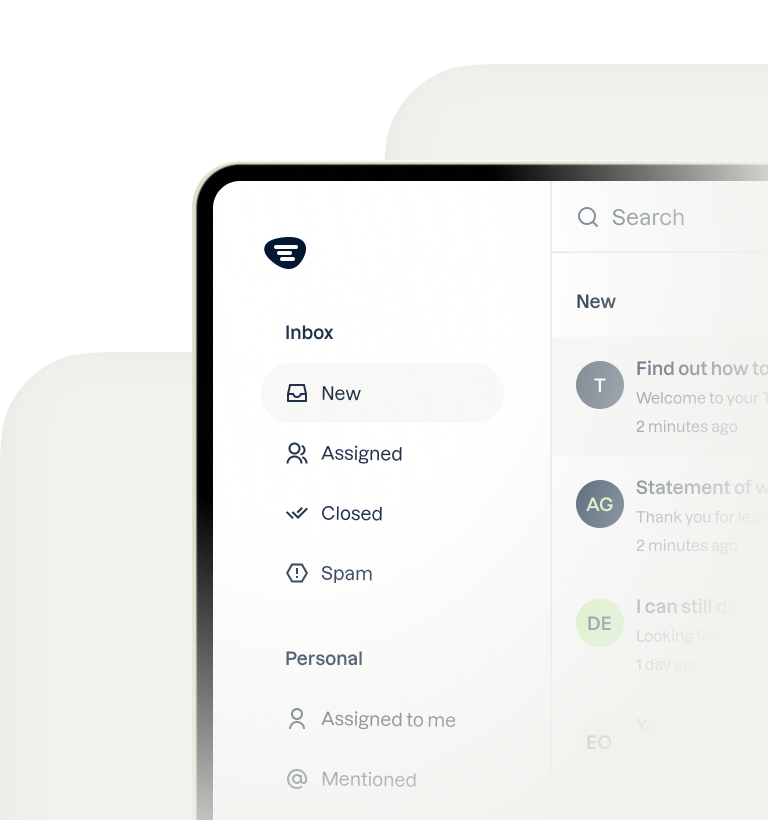
For a personal user, a busy inbox is a sign of popularity. For a business, it's a customer service challenge. When your TikTok DMs become a primary channel for sales inquiries, support questions, and community feedback, the native app's limitations become glaring. It's not built for teamwork. One person managing a flood of DMs inevitably leads to missed opportunities, slow customer support responses, and a disjointed brand experience. There is no way to assign conversations to team members, track response times, or see who is handling which inquiry.
The Solution: A Shared Inbox for Your Team's TikTok DMs
The professional solution to this chaos is a shared inbox. This technology transforms the standard, single user TikTok inbox into a powerful, collaborative tool. By integrating your business account with the official TikTok Business Messaging API through a platform like Trengo, you can transform your chaotic DM feed into a streamlined and collaborative customer communication channel. Trengo's shared inbox functionality allows multiple team members to access, manage, and respond to TikTok DMs from a single dashboard. You can assign conversations, leave internal notes for context, and even automate replies to common questions. This approach also unifies your communication, letting you manage TikTok DMs alongside other channels like WhatsApp, Instagram, and email, ensuring no customer inquiry is ever missed.
Alle Unterhaltungen in einem Posteingang
Füge E-Mail, WhatsApp, soziale Medien und Sprachanrufe zusammen, damit dein Team schneller antworten kann – ohne zwischen den Tabs hin- und herzuwechseln.
Troubleshooting Common TikTok Inbox Problems And How to Fix Them
Even the most popular apps have glitches. If you're facing issues with your TikTok inbox, you're not alone. Many common problems have simple solutions. Here’s a breakdown of frequent issues and how to resolve them.
Problem: My TikTok Inbox is Not Working, Not Showing, or Has Disappeared
This is one of the most common complaints. If your TikTok inbox is not working or seems to have vanished, don't panic. The reason why your TikTok inbox disappeared could be one of several things. Try these fixes in order:
- Update the App: The most common cause is an outdated app version. Go to the App Store or Google Play Store and check for a TikTok update.
- Clear the Cache: A bloated cache can cause performance issues. In TikTok, go to "Settings and Privacy" > "Free up space" and tap "Clear" next to Cache.
- Restart Your Device: A simple restart can resolve many temporary software conflicts.
- Check Age Restrictions: TikTok restricts direct messaging for users under a certain age (typically 16). If your account age is set incorrectly, this feature may be disabled.
- Check for a Ban: If you've violated community guidelines, TikTok may have temporarily suspended your messaging privileges.
Problem: My Inbox is Empty, Not Loading, or Not Updating
If you open your inbox and see nothing, or it's stuck on a loading screen, it's likely a connection or sync issue. If you're asking, "why is my TikTok inbox empty?", check the following:
- Internet Connection: Ensure you have a stable Wi-Fi or cellular data connection. Try switching between them to see if it resolves the issue.
- Check TikTok Servers: Occasionally, TikTok itself has outages. Check a site like Downdetector or search on X (formerly Twitter) to see if other users are reporting similar problems.
- Clear Cache: As mentioned above, a full cache can prevent new content from loading correctly. Clearing it often fixes the problem of your TikTok inbox not loading or not updating.
Problem: My Inbox Shows Unread Messages or 99+ But There Are None
The "ghost notification" is a well known and annoying glitch where the inbox shows a red dot or a 99+ badge, but there are no new messages inside. This is almost always a caching error. To fix the TikTok inbox 99+ issue, the most effective solution is to clear your app's cache. You can also check your "Message requests" folder, as unread messages there can sometimes trigger the main inbox notification.
Problem: My Inbox Looks Different, is Black, or is Glitching
If you notice your TikTok inbox looks different, it might not be a bug. TikTok frequently tests new user interface (UI) layouts with small groups of users before a wider rollout. However, if your TikTok inbox is black or glitching erratically, it's more likely a bug. Try these steps:
- Restart the App: Force closing and reopening the app is the first and simplest fix.
- Check for Updates: The glitch you're experiencing may have been fixed in a newer version of the app.
- Toggle Dark Mode: The black screen could be an issue with your phone's dark mode setting. Try turning it off and on again.
- Report the Bug: If the problem persists, you can report it directly to TikTok through the "Support" section in the app's settings.

Häufig gestellte Fragen

Common symbols include a paper plane for a sent message, a single checkmark for delivered, and the recipient's profile picture appearing next to the message once it has been read. A red dot on the inbox icon or next to a conversation indicates new, unread activity.
The TikTok inbox order is primarily chronological, with the most recent message or interaction appearing at the top of the list. This applies to both the main inbox list of conversations and the messages within a specific chat.
Yes, TikTok does have read receipts that show the other person when you have seen their message. You can control this feature by going to your "Settings and Privacy," selecting "Privacy," and then toggling the "Read status" option on or off.
Direct messages in the TikTok inbox are private between you and the recipient or group members. However, all content on the platform, including DMs, is subject to TikTok's terms of service and community guidelines, and you should always be cautious about sharing sensitive personal information.
If you have a TikTok no inbox situation, the most likely reason is an age restriction. In many regions, TikTok disables the direct messaging feature for users who are registered as being under the age of 16 to comply with safety regulations. Ensure your account's birth date is accurate.



Interessiert an einem Gespräch?
Lassen Sie Ihr Geschäft durch Kundentreue wachsen. Vereinen Sie alle Ihre Kontakte auf einer einzigen Plattform, um bei jedem Schritt Begeisterung zu erzeugen.


© 2026 Trengo

in europäischem Besitz