
Blog

WhatsApp Business banni : pourquoi, comment récupérer ton compte et comment éviter que ça arrive à nouveau
WhatsApp Business banni : pourquoi, comment récupérer ton compte et comment éviter que ça arrive à nouveau

Essaie Trengo gratuitement

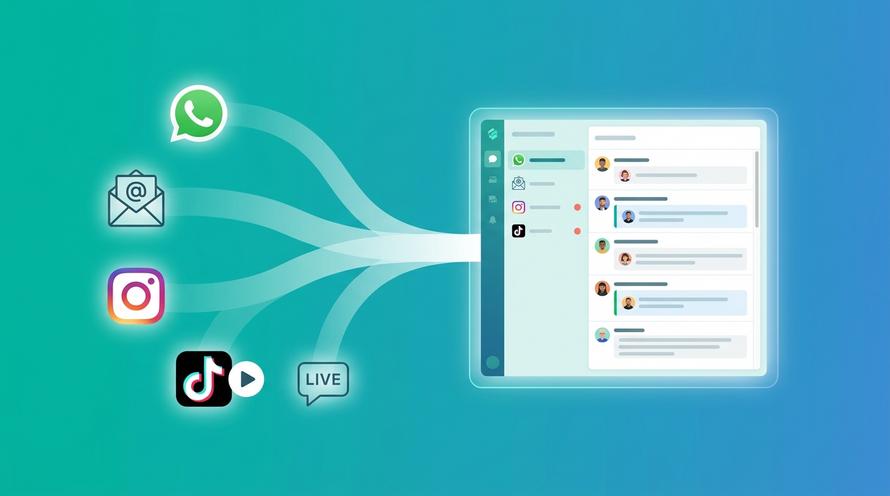
Trengo rassemble WhatsApp, les e-mails, le web, les réseaux sociaux et les appels dans une seule boîte de réception, ce qui fait gagner à ton équipe des heures de boulot répétitif et garantit qu'aucune conversation ne se perd.
Voir Trengo en action
- Intégrations étendues
- Configuration facile
- Structure tarifaire évolutive

WhatsApp Business banni : les étapes précises pour récupérer ton compte et éviter que ça se reproduise
Résumé
Si tu cherches une solution pour débloquer ton numéro WhatsApp Business, ce guide te montre exactement comment récupérer ton compte et reprendre le contact avec tes clients. On explique pourquoi ton compte a été restreint, on te donne des modèles de messages qui ont fait leurs preuves à envoyer à Meta, et on te montre comment passer à l'API officielle via un fournisseur comme Trengo pour protéger ton entreprise contre de futurs blocages.
TL;DR
- Un compte WhatsApp Business peut être banni si les algorithmes repèrent du spam, des messages en masse non autorisés ou des violations des conditions d'utilisation.
- Les blocages temporaires se débloquent souvent tout seuls en moins de 24 heures, mais pour les interdictions permanentes, il faut demander officiellement à Meta de revoir la décision.
- Tu peux récupérer ton numéro en envoyant un formulaire de recours contre une interdiction WhatsApp Business dans l'appli, avec une explication claire et polie.
- Si l'appel dans l'appli ne marche pas, envoyer un e-mail directement au service d'assistance WhatsApp est la meilleure chose à faire pour récupérer ton compte.
- Passer à l'API officielle WhatsApp Business via Trengo évite les interdictions grâce à des modèles de messages préapprouvés.
Comprendre l'interdiction de WhatsApp Business : c'est quoi ?
Une interdiction WhatsApp Business, c'est quand les algorithmes automatiques ou les modérateurs de Meta bloquent un compte parce qu'ils ont repéré des infractions à leurs règles commerciales et de messagerie. Quand une boîte utilise cette plateforme, se rendre compte que son compte est désactivé peut être un vrai choc, coupant complètement les équipes commerciales et d'assistance de leurs clients. Il est super important de comprendre pourquoi WhatsApp Business est interdit pour pouvoir gérer efficacement le processus de rétablissement. Des millions de comptes sont signalés chaque mois par des filtres IA sophistiqués conçus pour protéger les utilisateurs contre les messages indésirables, la fraude et le harcèlement. L'appli gratuite WhatsApp Business est très susceptible d'être bannie si elle est utilisée pour envoyer des messages en masse, alors que l'API officielle offre un environnement sécurisé et conforme pour les entreprises en pleine croissance.
Pourquoi WhatsApp Business a-t-il bloqué mon numéro ?
Comprendre exactement pourquoi WhatsApp Business a banni mon numéro, c'est la première étape pour récupérer mon compte. WhatsApp surveille de près les comptes pour repérer les comportements abusifs. Voici les raisons les plus courantes :
- Messages automatiques ou en masse (spam) : envoyer le même message promo à des centaines de gens qui n'ont pas dit oui, c'est un gros problème. Que les gens cherchent la définition du spam en hindi, en tamoul ou dans n'importe quelle autre langue, ça veut dire la même chose partout : des messages en masse non désirés et non sollicités qui gênent l'expérience utilisateur.
- Si tu envoies des trucs interdits, comme des produits restreints, du contenu pour adultes ou des propos injurieux, ton compte WhatsApp Business sera tout de suite banni.
- Blocage par trop d'utilisateurs : si plein de gens bloquent un numéro pro en peu de temps, l'algorithme pense que le compte envoie des messages indésirables et le bloque automatiquement.
- Utilisation d'applications non officielles : Utiliser des versions modifiées par des tiers, comme WhatsApp Plus ou GBWhatsApp, c'est carrément interdit et ça peut te valoir un bannissement direct.
« WhatsApp Business banni sans raison » : le faux positif
Beaucoup de chefs d'entreprise se demandent pourquoi leur compte WhatsApp Business a été banni sans raison, estimant que cette restriction est totalement injuste. Même si ça peut être frustrant, WhatsApp bannit rarement un numéro sans qu'un algorithme ne le déclenche ; cependant, des faux positifs peuvent arriver. Parfois, une entreprise légitime qui envoie une mise à jour tout à fait normale à des clients qui ont accepté de la recevoir peut déclencher un filtre anti-spam simplement à cause de la vitesse à laquelle les messages sont envoyés depuis l'appli gratuite. Si tu n'as vraiment pas enfreint les conditions d'utilisation, sois sûr que ton appel contre le bannissement de ton compte WhatsApp Business a de grandes chances d'aboutir une fois qu'il aura été examiné par un modérateur humain.
Blocages temporaires vs interdictions permanentes
Avant de chercher comment contourner le blocage de WhatsApp Business, c'est super important de bien comprendre les deux principaux types de restrictions.
- Blocages temporaires : si WhatsApp Business est bloqué pendant 24 heures, un compte à rebours s'affiche à l'écran. C'est souvent un avertissement pour avoir utilisé des applis non officielles ou envoyé trop de messages trop rapidement. La solution consiste à attendre la fin du compte à rebours, à supprimer toutes les applis non autorisées et à télécharger l'appli officielle WhatsApp Business directement depuis la boutique d'applications autorisée.
- Bannissements permanents : un bannissement permanent affiche un message sévère indiquant que votre compte n'est pas autorisé à utiliser WhatsApp. Ça nécessite une intervention active. La durée du bannissement de WhatsApp Business dans ce cas dépend entièrement de la rapidité avec laquelle vous faites appel. Si vous laissez WhatsApp Business bloqué sans rien faire, il restera désactivé de façon permanente.
Étapes précises pour récupérer un compte WhatsApp Business banni
Si tu cherches désespérément comment supprimer le statut « banni » de WhatsApp Business, tu dois suivre les canaux officiels de Meta. Aucun outil de piratage tiers ne peut te redonner accès à ton compte. Suis cette solution structurée pour récupérer le contrôle de tes lignes de communication.
Envoyer le formulaire de recours contre une interdiction WhatsApp Business
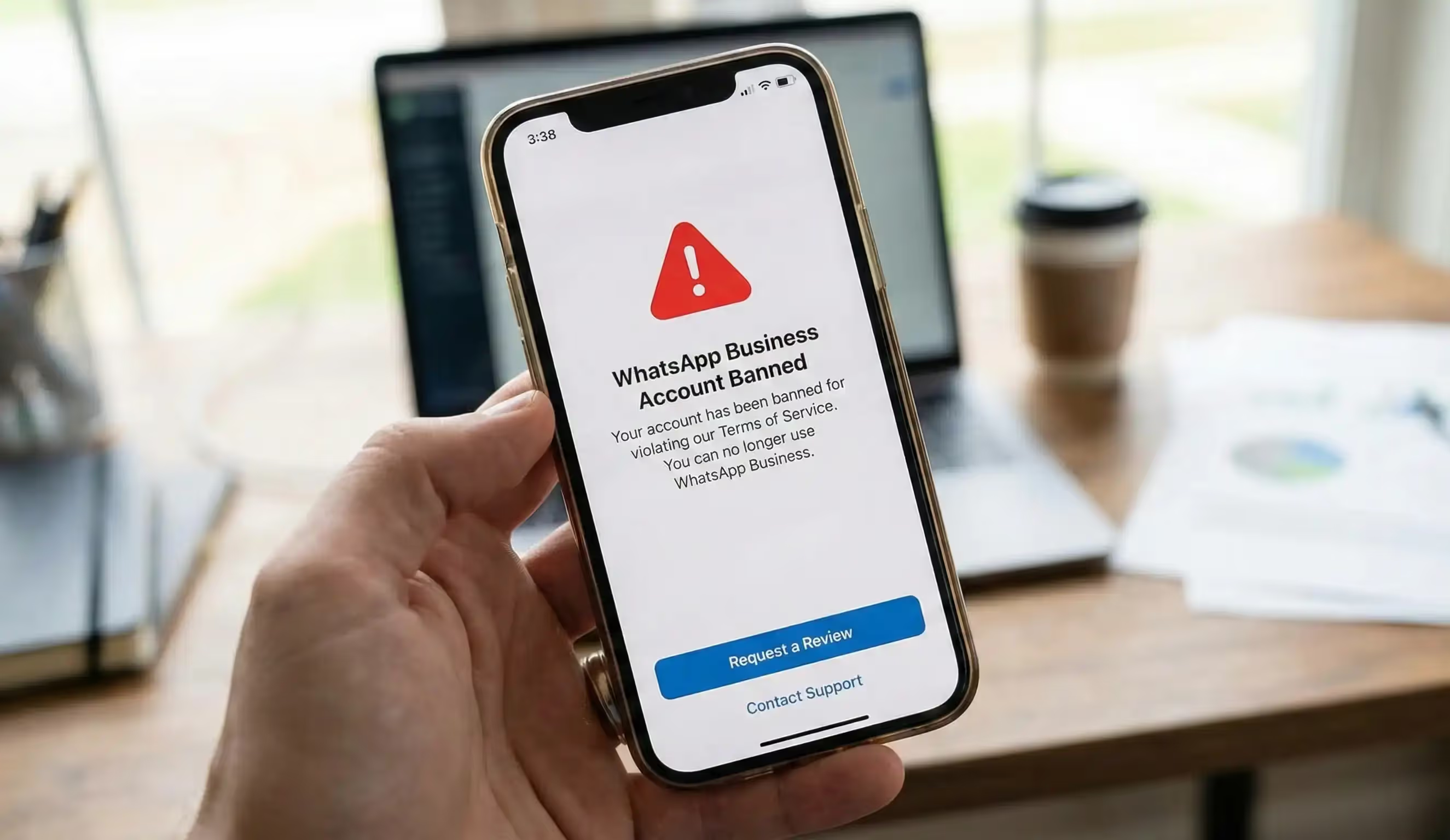
Quand tu ouvres l'appli et que tu vois le message de bannissement, tu vois souvent un bouton « Demander une révision ». En appuyant dessus, tu accèdes au formulaire officiel de WhatsApp Business pour faire appel du bannissement. Tu devras entrer un code d'enregistrement SMS à 6 chiffres pour prouver que le numéro t'appartient. Après vérification, tu pourras envoyer les détails qui justifient ton appel. Pour ceux qui se demandent comment lever la suspension de WhatsApp Business ou comment lever la suspension de mon compte WhatsApp Business, cette procédure dans l'appli est toujours la première étape obligatoire.
Rédiger un message efficace pour signaler un compte WhatsApp Business banni
Les gens cherchent souvent le message parfait pour faire appel d'une interdiction sur WhatsApp Business et être sûrs que ça marche. Ton appel doit être pro, court et poli. Voici trois modèles basés sur des situations courantes :
- Modèle de faux positif : Salut l'équipe d'assistance WhatsApp, mon compte a été désactivé récemment, mais je pense que c'est une erreur. J'utilise ce numéro uniquement pour communiquer avec des clients qui ont accepté de recevoir des messages et je respecte à la lettre vos conditions d'utilisation. Pourriez-vous vérifier et réactiver mon compte ?
- Modèle de compte piraté : Salut, mon compte a été piraté et utilisé pour envoyer des messages sans que je le sache. J'ai depuis sécurisé mon appareil. Je te demande de réactiver mon compte, car je suis un entrepreneur légitime.
- Modèle pour une première infraction : Salut l'équipe d'assistance, je suis vraiment désolé d'avoir enfreint la politique sur les envois en masse sans le savoir. Je suis propriétaire d'une petite entreprise et je vais faire en sorte que ça ne se reproduise plus. J'espère que vous me donnerez une deuxième chance d'utiliser votre plateforme en respectant les règles.
Pour des idées sur la façon de communiquer en toute sécurité une fois ton compte rétabli, jette un œil à nos modèles de messages groupés WhatsApp Business prêts à l'emploi pour être sûr de respecter les directives de Meta.
Contacter directement le service d'assistance WhatsApp par e-mail
Si la révision dans l'appli ne marche pas ou si l'écran est inaccessible, tu peux contacter WhatsApp par e-mail. Envoie un e-mail à l'adresse officielle du service d'assistance WhatsApp à [email protected]. Mets comme objet « Récupération d'un compte WhatsApp Business banni - [Ton numéro de téléphone au format international] ». Même si beaucoup cherchent un numéro d'assistance WhatsApp direct ou des moyens de contacter WhatsApp par téléphone, Meta n'offre pas d'assistance téléphonique pour l'appli gratuite. Utiliser l'adresse e-mail officielle de l'assistance WhatsApp Business pour les numéros bannis est la seule alternative possible. Assure-toi d'utiliser l'e-mail WhatsApp Business spécifique pour les demandes concernant les numéros bannis plutôt que l'assistance clientèle générale pour un traitement plus rapide.
Évite les interdictions futures : passe à l'API WhatsApp Business avec Trengo
Une fois que t'as réussi à récupérer ton compte WhatsApp Business qui avait été banni, revenir à l'appli gratuite pour développer ton business, c'est prendre un gros risque. L'appli gratuite est faite juste pour les micro-entreprises. Pour vraiment protéger tes activités en 2026, passer aux produits WhatsApp Business API de Trengo, c'est la meilleure solution. En bossant avec un fournisseur de solutions professionnelles certifié comme Trengo, les entreprises évitent le risque de se faire bannir à cause de spams, car tous les messages promo sortants sont validés avant par Meta.
Centraliser les opérations avec une boîte de réception d'équipe multicanal
Les applis WhatsApp gratuites limitent la collaboration en équipe, ce qui fait que souvent, plusieurs employés se connectent et se déconnectent depuis différentes adresses IP. Ce comportement bizarre déclenche souvent des alertes d'activité suspecte et des interdictions. En passant à un compte WhatsApp Business via Trengo, tu débloques une boîte de réception partagée omnicanale super puissante. Toute une équipe peut gérer en toute sécurité les conversations avec les clients à partir d'une seule interface, en plus des e-mails, du chat en direct et des messages privés sur les réseaux sociaux. Cette approche unifiée évite les interdictions de connexion et améliore la productivité tout en vous permettant de profiter pleinement et en toute sécurité des principaux avantages de WhatsApp Business.
Automatisation sécurisée du service client et agents IA
L'utilisation d'outils de réponse automatique non autorisés sur l'appli gratuite entraîne des interdictions immédiates et permanentes. En revanche, Trengo te permet de mettre en place une automatisation sûre et officiellement approuvée du service client. Tu peux configurer des flux de travail conformes, des réponses automatiques et un routage intelligent sans craindre les pénalités algorithmiques. En plus, l'agent IA de Trengo peut traiter instantanément les demandes répétitives des clients, en gardant un ton très conversationnel qui respecte les directives strictes de Meta en matière d'API. Mettre en place ces outils, c'est bien mieux que d'utiliser des solutions de contournement risquées, comme expliqué dans le guide Trengo sur l'engagement client via l'IA. Prendre ces mesures, c'est le meilleur moyen de t'assurer que tu utilises un compte WhatsApp Business sécurisé, vérifié et évolutif sans interruption.
Questions qu'on se pose souvent (FAQ)
Pourquoi est-ce que je me suis soudainement fait bannir de WhatsApp ?
Les interdictions soudaines sont presque toujours déclenchées par les systèmes anti-spam automatiques de WhatsApp. Ça arrive si tu envoies trop de messages à des gens qui n'ont pas enregistré ton numéro dans leur carnet d'adresses, si tu utilises une application WhatsApp modifiée non officielle ou si plusieurs utilisateurs signalent et bloquent ton numéro en peu de temps.
Comment débloquer WhatsApp Business ?
Pour réussir à récupérer ton compte WhatsApp Business après un bannissement, ouvre l'appli, clique sur « Demander une révision » et tape le code de vérification à 6 chiffres reçu par SMS. Envoie une explication polie disant que tu respectes leurs conditions d'utilisation et attends que l'équipe d'assistance examine ton cas. Si ça ne marche pas, envoie un e-mail directement à l'assistance WhatsApp Business.
Comment je peux récupérer mon WhatsApp pro ?
Pour récupérer ton compte, il faut être patient et passer par les canaux officiels de Meta. Aucun logiciel tiers ne peut débloquer un compte. Tu dois utiliser le formulaire de recours dans l'appli et montrer clairement que ton activité sur WhatsApp était légitime, conversationnelle et sans spam non autorisé.
Combien de temps dure une interdiction sur WhatsApp ?
Si tu te demandes combien de temps dure une suspension de WhatsApp Business, sache qu'une suspension temporaire dure généralement entre 8 et 24 heures, avec un compte à rebours visible. Une suspension permanente est définitive, sauf si tu fais appel officiellement. Une fois l'appel déposé, le processus d'examen prend généralement entre 24 et 48 heures.
Est-ce que WhatsApp Business peut être bloqué par ton administrateur ?
Oui, c'est possible. Si tu tombes sur une erreur WhatsApp Business bloquée par ton administrateur, ça veut dire que l'administrateur informatique de ton entreprise a restreint l'accès à l'appli sur un appareil professionnel géré à l'aide d'un logiciel de gestion des appareils mobiles. C'est une restriction locale de l'appareil, pas une véritable interdiction de compte de la part de Meta. Tu dois donc contacter ton service informatique interne pour résoudre ce problème.
Qu'est-ce que ça veut dire « ce compte ne peut plus utiliser WhatsApp à cause de spam » ?
L'erreur spécifique indiquant que ce compte ne peut plus utiliser WhatsApp en raison de spams signifie que l'apprentissage automatique de Meta a identifié des modèles de messagerie correspondant à ceux des robots spammeurs. Cela inclut l'envoi de messages identiques à des listes de diffusion, le scraping de numéros ou la réception de taux de blocage élevés. Les entreprises légitimes peuvent contester cette décision avec succès si le signalement était un faux positif.
Est-ce que WhatsApp Business peut être banni pour spam dans différentes langues ?
Oui, les filtres IA de WhatsApp repèrent les habitudes de comportement, comme le nombre de messages et les taux de blocage, plutôt que des langues spécifiques. Que l'intention derrière ça soit liée au spam en ourdou, à WhatsApp en hindi ou à n'importe quelle autre région, la sanction reste la même. Heureusement, la solution pour débloquer mon numéro WhatsApp Business en hindi ou en anglais suit exactement la même procédure d'appel partout dans le monde.
Qu'est-ce que ça veut dire quand il y a une coche sur WhatsApp après avoir été débloqué ?
Oui. Si tu te demandes ce que veut dire une coche sur WhatsApp après avoir récupéré un compte, ça veut juste dire que le message a été envoyé depuis ton téléphone, mais qu'il n'est pas arrivé chez le destinataire. Ça arrive souvent si le téléphone du destinataire est éteint, s'il n'a pas Internet ou s'il a bloqué ton numéro. Ça veut pas dire que ton compte est toujours banni.
Plus de détails


Rencontrons-nous
Développe ton activité grâce à la fidélisation. Rassemble tous tes contacts avec les clients sur une seule et même plateforme pour débloquer l'enchantement à chaque étape.


