How to Get Verified on TikTok Shop in 2026: Step-by-Step


Prova Trengo gratuitamente

Trengo riunisce WhatsApp, e-mail, web, social media e chiamate in un'unica casella di posta, consentendo al tuo team di risparmiare ore di lavoro ripetitivo e garantendo che nessuna conversazione vada persa.
Guarda Trengo in azione
- Integrazioni estese
- Configurazione semplice
- Struttura dei prezzi scalabile
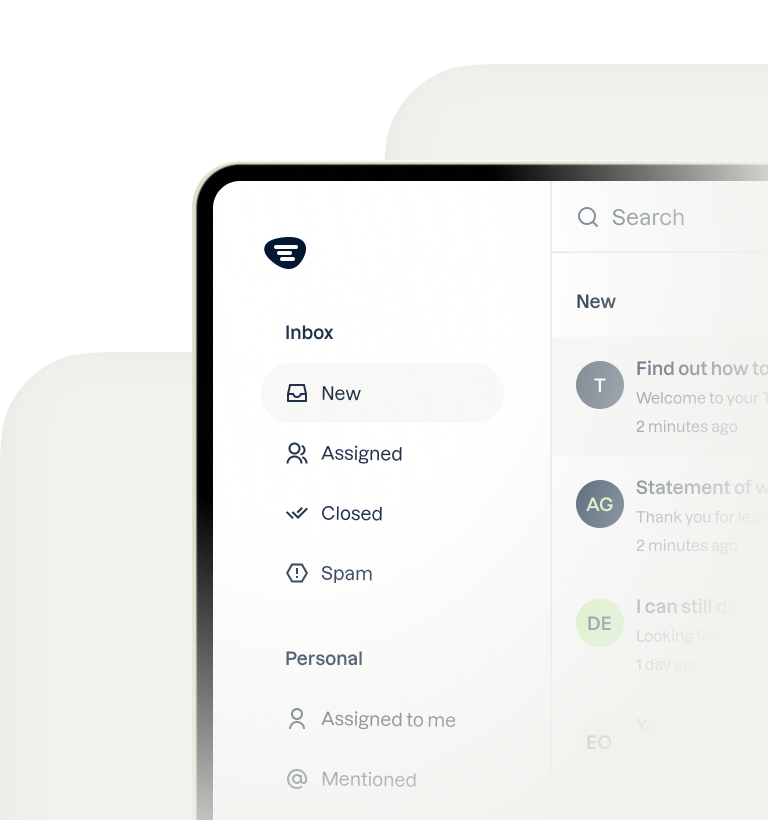
How to Get Verified on TikTok Shop in 2026: A Step by Step Process
Sommario
Learning how to get verified as a tiktok shop seller is the first critical step to unlocking a massive new sales channel. This comprehensive overview covers the eligibility requirements, the step-by-step application process, and common pitfalls to avoid for both individual and corporate sellers. Once approved, we explore how to manage the resulting influx of customer communication efficiently using a multichannel shared inbox.
TL;DR
- TikTok Shop verification is for getting approved to sell, which is different from the blue checkmark for notable creators.
- You must be over 18, located in an eligible region, and provide valid identification (for individuals) or business registration documents (for companies).
- The application is submitted through the TikTok Shop Seller Center and requires accurate information that matches your legal documents.
- Common rejection reasons include mismatched information, blurry documents, and selling prohibited items.
- After verification, managing customer messages at scale is a major challenge that a shared inbox like Trengo solves.
- Trengo unifies TikTok DMs, comments, email, and WhatsApp into one view, enabling team collaboration and automation.
TikTok Shop Verification vs a Personal Verified Badge: What's the Difference?
Before we dive in, it's crucial to clarify a common point of confusion. Getting verified on TikTok Shop is not the same as getting the blue checkmark badge on your personal or brand profile. TikTok Shop Verification is the mandatory process all businesses must complete to prove their legitimacy and gain approval to sell products on the platform. The personal Verified Badge, or blue check, is granted by TikTok to notable public figures, celebrities, and brands to confirm their authenticity and prevent impersonation. In short, one is a business requirement to sell, and the other is a marker of public notability.
Eligibility: The Core Requirements for TikTok Shop Sellers in 2026
Before you even start your application, you need to ensure you meet the fundamental prerequisites. TikTok has specific criteria to maintain a safe and reliable marketplace. Make sure you have the following in order:
- You must be over the age of 18.
- You must be based in a country or region where TikTok Shop is available (key markets include the US, UK, and various countries in Southeast Asia).
- You need a valid bank account for receiving payouts from your sales.
- Your planned products must not be on TikTok's list of prohibited and restricted items.
Requirements for Individual Sellers
If you're operating as a sole proprietor or an individual without a registered company, the verification process is more straightforward. You will typically need to provide a government-issued ID to prove your identity. Be prepared to submit a clear, high-quality digital copy of one of the following:
- Passport
- Driver's License
- National Identity Card
You may also need to provide a Social Security Number (SSN) or an equivalent tax identification number depending on your region.
Requirements for Corporate or Company Sellers
For registered businesses like LLCs, Corporations, or partnerships, the documentation requirements are more extensive to verify the legal entity. You will need to provide official business documents, which can include:
- Business Registration Certificate or Certificate of Incorporation
- Company Licenses or Permits
- Tax Identification Number (like an EIN in the US)
- Proof of the legal representative's identity (the person applying on behalf of the company)
A critical tip: Ensure every name, address, and number on your application form matches your legal documents exactly. Even a small discrepancy can trigger an automatic rejection.

Your Step by Step Process to Getting Your TikTok Shop Approved
Once you've confirmed your eligibility, you're ready to start the application. Follow these steps carefully to ensure a smooth verification process.
- Step 1: Gather Your Documents and Information
- Before you begin, create a checklist of all the required information from the sections above. Scan or take clear, well-lit photos of your ID or business registration documents. Having high-quality digital copies (like PDF, JPG, or PNG) ready will streamline the entire process and prevent delays.
- Step 2: Access the TikTok Shop Seller Center
- The entire application process happens in one place. Navigate to the official TikTok Shop Seller Center. You can sign up using your existing TikTok account, which is recommended if it’s already associated with your brand, or create a completely new account for your business.
- Step 3: Accurately Complete Your Business Information
- You will now be prompted to fill out an application form. This is where precision is key. Enter your shop name, business type (individual or corporate), and contact information. As mentioned, enter all information exactly as it appears on your legal documents. A nickname on the application and a full legal name on your ID will cause a mismatch and lead to rejection.
- Step 4: Upload Your Verification Documents
- In this step, you'll upload the digital copies of the documents you prepared earlier. Pay close attention to the on-screen instructions. Ensure your files are not blurry, there is no glare obscuring information, and they are in an accepted format. Double-check that documents like business licenses have not expired.
- Step 5: Link Your Bank Account for Payouts
- To get paid for your sales, you must link a valid bank account. This is a secure and standard part of the e-commerce onboarding process. You'll need to enter your account information, so have your bank details handy. This step is essential for activating your shop after approval.
- Step 6: Submit and Wait for Approval
- After you’ve double-checked all your information and uploaded your documents, submit the application. The review timeline can vary but typically takes 1-3 business days. Keep a close eye on your email inbox and the Seller Center dashboard for notifications about your application status.
Common Reasons for Rejection and How to Avoid Them
Many sellers get rejected on their first attempt due to simple, avoidable mistakes. By being aware of these common pitfalls, you can significantly increase your chances of a first-time approval.
- Mismatched Information: Your application name, business address, or other details do not perfectly match the information on your uploaded legal documents.
- Poor Quality or Expired Documents: Submitting blurry, cropped, or unreadable photos of your ID or business license is a common reason for rejection. Also, ensure all documents are current and not expired.
- Unsupported Business Category: You are attempting to sell products that fall under TikTok's prohibited list, which includes items like weapons, alcohol, and certain medical products.
- Incomplete Application: Simply forgetting to fill out a required field or skipping a step can lead to an immediate denial.
- Location Ineligibility: Applying from a country where TikTok Shop has not officially launched yet will result in an automatic rejection.
You're Verified! Now, Prepare for the Flood of Customer Questions
Congratulations, your TikTok Shop is approved! This is a huge milestone, but the real work is just beginning. Your first viral video or successful product launch will bring a wave of customer DMs, order inquiries, and comments. This is where a focus on excellent e-commerce communication becomes critical for building a lasting brand.
The Challenge: Why Managing TikTok DMs and Comments is Not Scalable
Trying to handle customer service directly within the native TikTok app quickly becomes chaotic. You'll face numerous challenges: there's no way to assign conversations to specific team members, you can't leave internal notes for context, and you’re constantly switching between DMs, comments, email, and other support channels. As your shop grows, messages will inevitably get missed, leading to slow response times and unhappy customers.
The Solution: Unify TikTok Shop and All Other Channels with Trengo
This is where a powerful customer service platform becomes essential. Trengo acts as the central hub for all customer communication, solving the scalability problem before it starts. Instead of juggling multiple apps, you manage everything from one organized place.
Centralize Conversations in One Shared Inbox
With Trengo's Omnichannel inbox, you can pull in messages from TikTok, Instagram, WhatsApp, email, and live chat into a single, unified view. This means no more switching between tabs or apps to see if a customer has messaged you. Every conversation, regardless of the channel it came from, is right there in one place, ensuring nothing slips through the cracks.
Collaborate with Your Team to Deliver Faster Support
As your team grows, you need tools to work together efficiently. Trengo allows you to assign incoming messages to the right agent, leave internal notes for your colleagues to provide context on a customer issue, and use tags to organize conversations by topic, such as "return request" or "shipping query." This level of organization is impossible in the native TikTok app.
Automate Responses to Common Questions
A significant portion of customer inquiries are repetitive questions like "Where is my order?" or "What is your return policy?" With Trengo, you can Automate Responses to Common Questions using quick replies, rules, and AI-powered chatbots. This frees up your team's time to focus on more complex issues, while customers get instant answers to their most common queries, improving satisfaction.
Domande frequenti

To get approved, you must apply through the TikTok Shop Seller Center. You'll need to gather required documents like a government ID or business license, accurately fill out the business information form ensuring all details match your documents, and submit everything for review. Approval typically takes a few business days.
The 5 core requirements for getting verified on TikTok Shop are: 1) Be at least 18 years old, 2) Reside in a region where TikTok Shop is available, 3) Provide a valid government-issued ID (for individuals) or official business registration (for companies), 4) Have a valid bank account for payouts, and 5) Agree to sell products that comply with TikTok's policies.
Applying for and getting verified on TikTok Shop is completely free. There are no application fees charged by TikTok for the seller verification process. Similarly, the blue checkmark verification for notable creators is also not a paid service and is based on criteria like authenticity and public recognition.




Incontriamoci
Fai crescere la tua attività con la fedeltà. Riunisci tutti i contatti dei tuoi clienti in un'unica piattaforma per garantire la massima soddisfazione in ogni fase del percorso.